WPMobile.App – Android and iOS App Builder
| 开发者 | amauric |
|---|---|
| 更新时间 | 2026年10月6日 23:33 |
| PHP版本: | 5.6 及以上 |
| WordPress版本: | 7.1 |
| 版权: | GPLv2 or later |
| 版权网址: | 版权信息 |
详情介绍:
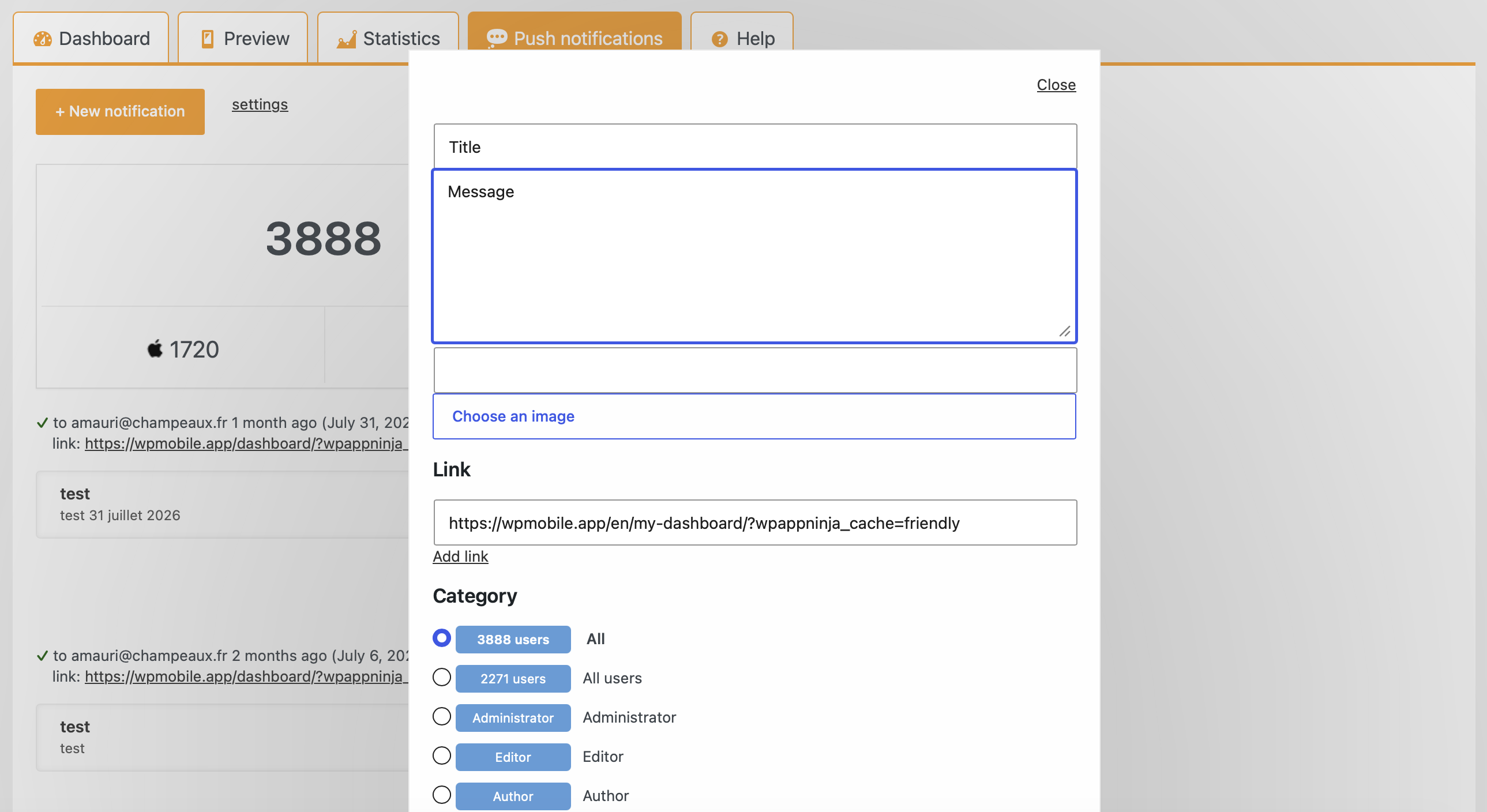
- Send push notifications manually.
- Automatically notify users about new posts.
- Use your Firebase and Apple accounts for notification delivery.
- No per-notification fees charged by WPMobile.App.
- Android: EUR 129.
- iOS: EUR 129.
- Android + iOS: EUR 239.
安装:
- In your WordPress dashboard, go to Plugins > Add New Plugin.
- Search for WPMobile.App.
- Install and activate the plugin.
- Open the WPMobile.App settings.
- Customize your app and preview it using the free demo app.
- When you are ready to publish, purchase a license and follow the publication instructions.
屏幕截图:
常见问题:
Is WPMobile.App free?
The WordPress plugin is free to install, and you can preview your app using the free WPMobile.App demo app. A paid license is required to generate your own Android or iOS app for publication.
How much does it cost?
A lifetime license costs EUR 129 for Android, EUR 129 for iOS, or EUR 239 for both platforms, excluding VAT. There is no WPMobile.App subscription. Apple and Google developer account fees are separate.
Can I test my app before buying?
Yes. Install the plugin, configure your app and open your website in the WPMobile.App demo app on your phone. This lets you check the result before purchasing a license. Get the demo app
Do I need coding skills?
No. You configure your app from your WordPress dashboard and follow the instructions to generate and publish it. You do not need to use Android Studio or Xcode to generate your app build.
Is this a native app or a WebView app?
WPMobile.App creates an app that displays your WordPress website through a mobile-optimized WebView. Users can install it from Google Play or the Apple App Store. It includes app features such as push notifications, a custom icon and your own branding.
Does it work with WooCommerce?
WPMobile.App supports WooCommerce websites. Use the free demo app to check your product pages, cart and checkout with your theme, extensions and payment methods before purchasing.
Will my website content stay synchronized?
Yes. The app uses your WordPress website content, so you continue managing your posts, pages and products in WordPress. Content changes do not require a new store submission. Changes to the app itself may require generating and submitting an updated build.
Can I send push notifications?
Yes. WPMobile.App supports manual push notifications and automatic notifications for new posts. Notifications use your Firebase and Apple accounts, with no per-notification fees charged by WPMobile.App.
Do I need my own Apple and Google developer accounts?
Yes. To publish on Google Play, you need a Google Play developer account. To publish on the Apple App Store, you need an Apple developer account. The accounts belong to you, and their fees are paid separately to Google and Apple.
Is publication on the stores guaranteed?
No. WPMobile.App provides the app build and publication instructions, but Apple and Google review submissions independently. Your app and its content must meet the requirements of each store.
Will my app display WPMobile.App branding?
No. Your published app uses your name, icon and branding. WPMobile.App does not add its own branding or advertisements to it.
Where can I get help?
See the documentation and support resources for setup instructions and help from the developer.
How can I report security bugs?
You can report security bugs through the Patchstack Vulnerability Disclosure Program. The Patchstack team helps validate, triage, and handle security vulnerabilities. Report a security vulnerability
更新日志:
- Reenable mail to push
- Fix push to role
- Update FCM
- Security: Unauthenticated Stored Cross-Site Scripting
- Security: Harden how mail to push is triggered
- Security: Temporary disable mail to push, need a proper fix
- Security: Fix a Sensitive Data Exposure. Thanks Patchstack and Peter Tang
- Update Readme
- Bump versions
- Fix the url to register for notifications
- Fix Broken Access Control
- Fix a database error on duplicate entry
- Update DE locale
- Fix some download links
- Bump to WP v7.0
- Add Fluent Community push notifications
- Add an option to select categories for the auto push feature
- Change the default theme
- Fix a redirect issue after login
- Fix a sort issue on some apps
- Fix XSS on the login form
- Fix debug mode
- Switch from file_get_contents to wp_remote_get
- Add more debug info
- Add a debug feature for push
- Update French translations
- Add esperanto locale
- Bump supported version
- Fix chart not displayed on stats
- Add the date on the push schedule
- Remove the "rate me" banner
- Fix typo
- Update it translation
- Fix Peepso notifications
- Fix Peepso notifications
- Rating notice only for admins
- Fix rating link
- Add more Peepso notifications (messages and friends)
- Fix statistics about installations and login/register
- Fix the new notification form not displaying
- Add a "rate me" message
- Security: fix Open Redirect (thanks to Krzysztof Zając and Wordfence)
- Bump versions
- Fix a woocommerce description issue
- Fix a touchstart issue with native theme
- Security: fix Unauthenticated Arbitrary Shortcode Execution (thanks Arkadiusz Hydzik and Wordfence)
- Fix how translations are loaded
- Fix Cross Site Scripting (XSS). Thanks to Le Ngoc Anh and Patchstack
- Update some links
- Fix CSRF issue. Thanks to Muhammad Daffa and Patchstack
- Fix XSS issue. Thanks to Muhammad Daffa and Patchstack
- Include Copy Carbon recipients on the mail push
- Fix the link to get the account service file
- More informations about the Android push configuration
- Fix a fatal error on push configuration page
- New push system for Android
- Suppress a php warning
- Better detection of the app with user agent
- Fix an XSS security issue (thanks CatFather and https://patchstack.com/)
- Add flag for zh locale
- Allow debug with the get parameter ?wpmobile_debug=true
- Fix a bug on some pagination system
- Fix a bug on some shortcode like content being removed
- Fix a bug on hashtag management
- Fix a bug on Peepso wishlist links
- Fix the right to see the preview page for non admin
- Add an option to disable the hashtag management
- Only enable hashtag management for Native interface theme
- Fix stats non populating properly
- Fix a division by 0
- Add support of automatorwp
- Fix the theme manager for WordPress 6.4
- Fix a bug on the push locales
- Fix a bug on the preview for role different than admin
- Update AR locale
- Better link detection for mail to push
- Include BCC recipient to mail to push
- Add a link to the push if there is one on the mail content
- Add 4 filters for push content
wpmobile_push_urlwpmobile_push_titlewpmobile_push_textwpmobile_push_image
- Fix a bug on subscribe link on bbpress forum
- Fix PHP warning
- Fix a Woocommerce issue on tab opening
- Fix a Woocommerce issue on tab opening
- Fix a Woocommerce issue
- Fix the woocommerce product image
- Fix the avatar on Buddyboss notifications
- Add avatar for buddypress push
- Fix infinite scroll on buddyboss theme
- Fix a bug on Better Messages avatars
- Fix a bug on some peepso menus
- Fix some bugs for modified links by wpmobile
- Fix some bugs for BuddyBoss
- Fix a bug on the link management for Better Messages
- Fix a bug on the Name and logo page
- Fix an XSS security issue (thanks Juampa Rodríguez and https://patchstack.com/)
- Fix hashtag management for Better Messages
- Dont send Better Messages push if the user is online
- Fix an XSS security issue (thanks Rio Darmawan and https://patchstack.com/)
- Fix a bug with links on Better Messages
- Fix a bug where pagination is not visible
- Add an option to stop Better Messages push
- Fix a bug where Better Messages push can be sent to everyone
- Fix double push sent
- Do not send a push to the sender (better messages)
- Add push for Better Messages
- Fix an XSS security issue (CVE-2023-22702)
- Translate the banner in Bulgarian
- Fix a bug with Peepso
- Load the icons for all themes
- Remove wpmobile CSS if the native theme is not used
- Improve the performance of the Notifications tab
- Add an option to disable stats
- Add an option to send a push to a specific role
- Fix a bug with some Peepso links
- Fix a scroll issue on WooCommerce product pages
- Force the refresh of the licence status
- Update how the Gravity Forms push are sent
- Peepso name instead of username on push
- Allow to change the status bar color for every theme
- Fix a null value
- Fix a bug with infinite scroll and Peepso
- Minor fixes
- Minor fixes
- Fix a bug on iOS scroll
- Fix a bug on Gravity forms notifications
- Fix a bug on Lazy load images
- Fix a bug on Android toolbar
- Made the fix automatic
- Better fix for ios status bar
- Warning Big change on how the status bar is handled on the iOS app ** If you see a problem on the layout of your app: ** * Enable the option from the wpmobile plugin to allow old status bar support ** * Update the app from the wpmobile plugin to get the new version ** * Disable the old status bar support when app is approved
- Fix the default cache level
- Fix the ios notification when title+text
- Fix gravity form notifications
- Fix links with hashtag
- Fix unclear alert when unread push
- Fix double tap needed on dialog form
- Fix positionning of alert on ios
- Fix title bar color and size