
WPMints Variable Pricing for WooCommerce
| 开发者 | wpmints |
|---|---|
| 更新时间 | 2026年9月17日 07:22 |
| PHP版本: | 7.4 及以上 |
| WordPress版本: | 7.1 |
| 版权: | GPLv2 or later |
| 版权网址: | 版权信息 |
详情介绍:
- Replaces variation price ranges with a "From £X" label on shop archives, category/tag pages, the home page, and the single product page
- Fully customisable label text (e.g. "From {{price}}" or "{{price}}+")
- Turn it on or off separately for desktop and mobile
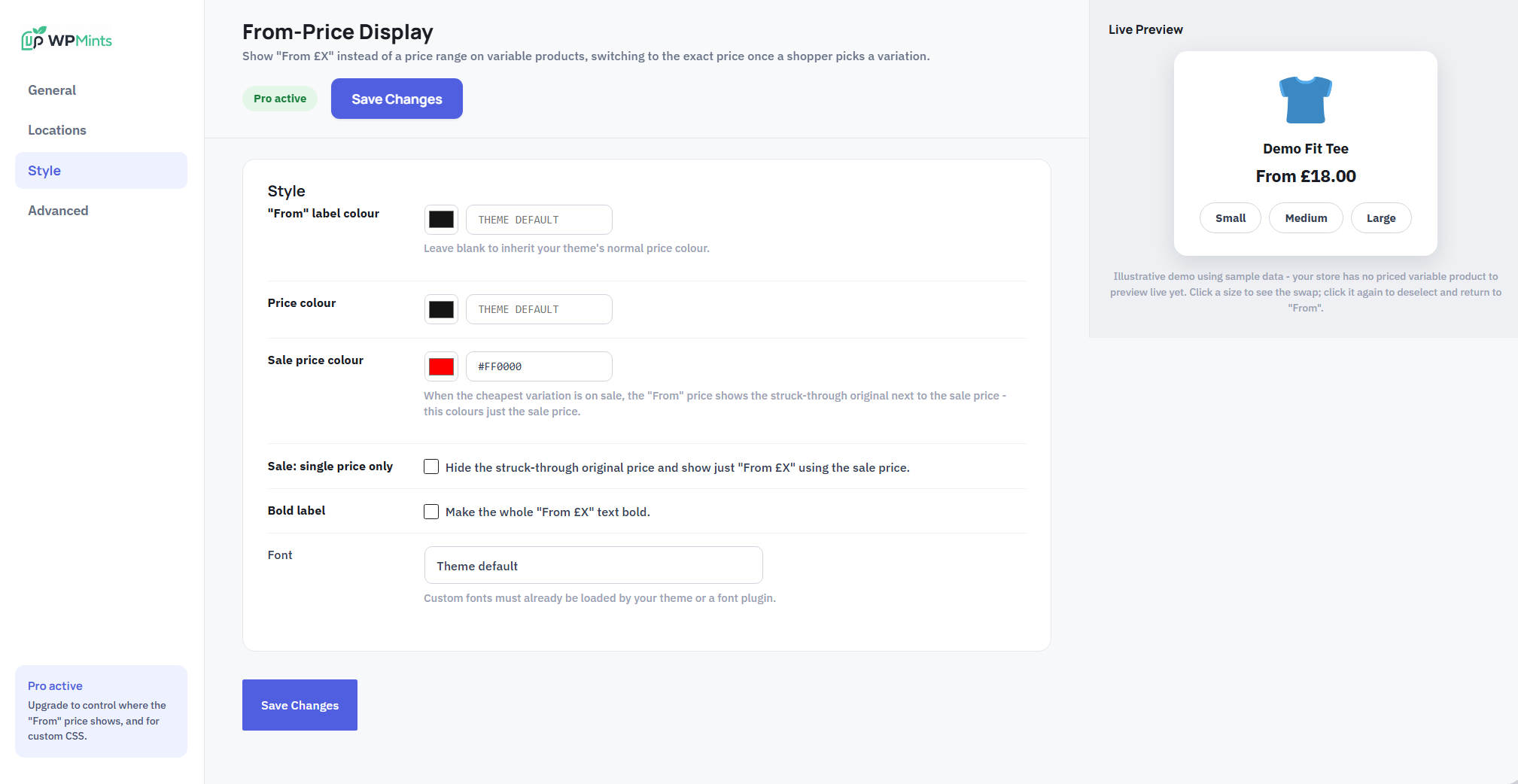
- Colour controls for the label, price, and sale price
- Optional bold label, and a font-family picker
- Works with classic shop loops and WooCommerce Blocks (Product Collection, All Products)
- A product-card selector field for unusual theme/page-builder markup
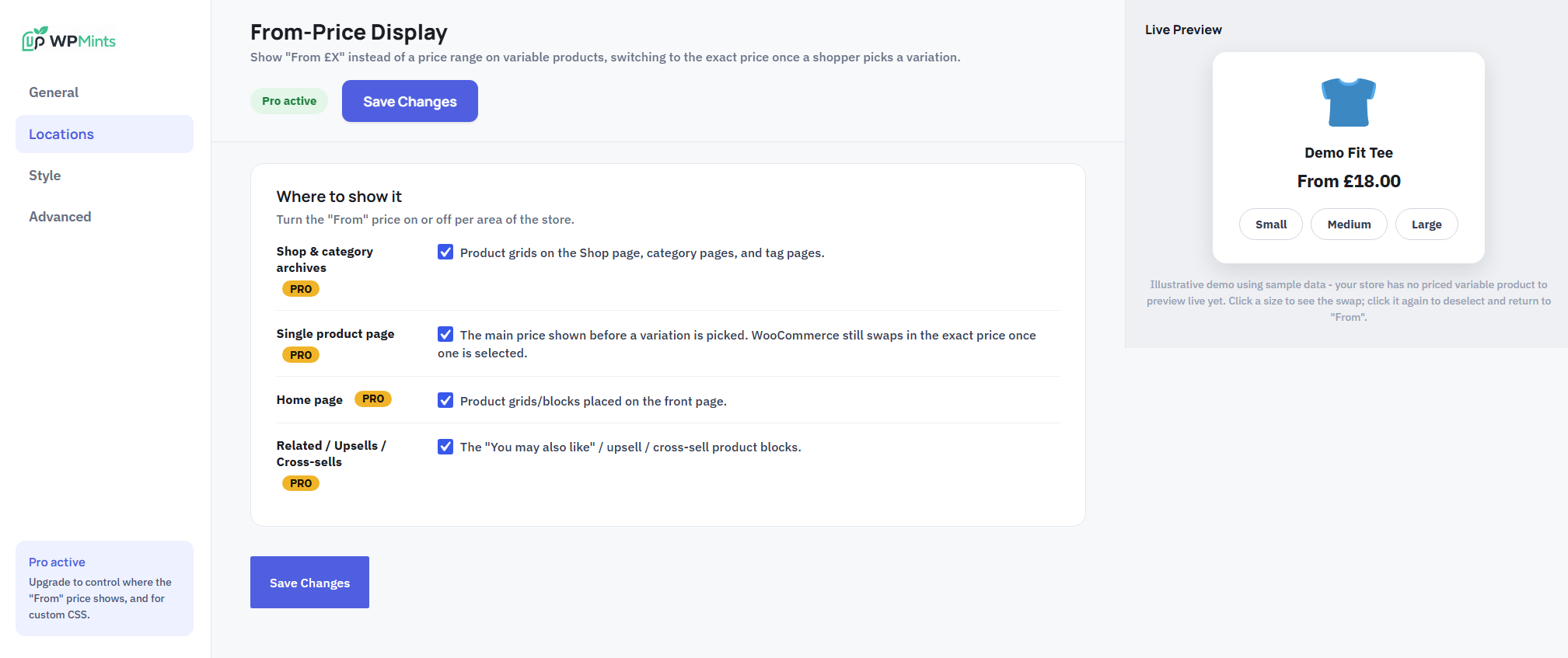
- Choosing exactly where the "From" price shows (shop archives, single product, home page, and Related/Upsell/Cross-sell blocks individually) - the free version always shows it everywhere except Related/Upsell/Cross-sell, with no setting to change that
- A custom CSS field
安装:
- Upload the plugin files to
/wp-content/plugins/wpmints-variable-pricing-for-woocommerce, or install it directly through the Plugins screen. - Activate the plugin.
- Go to WooCommerce → Variable Pricing to configure it.
屏幕截图:


常见问题:
Does this need WooCommerce?
Yes - it only does anything on a WooCommerce variable product, and won't load at all if WooCommerce isn't active.
Does it change the price WooCommerce actually charges?
No. It only changes how the price is displayed before a variation is picked. The real price WooCommerce uses at checkout is completely unaffected.
Will it work with my theme or page builder?
It hooks WooCommerce's own woocommerce_get_price_html filter, which every theme and page builder that renders a WooCommerce price already goes through, so it works without theme-specific code in almost all cases. For WooCommerce Blocks (which render client-side and skip that filter), a small compatibility script handles it separately - the "Product-card selector" field under Advanced lets you adjust that for an unusual grid markup.
Does this plugin phone home or track anything?
No. This free plugin makes no external requests of any kind.
更新日志:
- Second round of WordPress.org review feedback: the "wpm" prefix used on a few enqueue handles, localized JS objects (
wpmRange,wpmRangeAdmin), CSS classes, and CSS custom properties was too short/generic and could still collide with other plugins. Everything is now under the fullwpmintsvpprefix - only the real external Get Pro URL (which happens to contain "wpm-range" as a page slug on wpmints.com, not a code identifier) was left alone. - Renamed
assets/wpm-admin.js,wpm-admin.css, andwpm-logo.pngtowpmintsvp-admin.js,wpmintsvp-admin.css, andwpmintsvp-logo.pngto match.
- Renamed to be more distinctive, per WordPress.org review feedback.
- The free version no longer stores or checks a "which locations show the price" setting at all - it's simply fixed behaviour now (shop/single/home, never Related/Upsell/Cross-sell), not a toggle that happens to be locked.
- Removed the custom-CSS option and its handling from the free codebase entirely (previously present but always forced empty).
- The custom font-family field is now restricted to safe characters (letters, numbers, spaces, hyphens, underscores, commas, quotes) instead of accepting arbitrary text.
- Internal option/settings names are now uniquely prefixed to avoid any collision with other plugins.
- Initial release.