YS LeadGen - Popup Builder & Lead Generation
| 开发者 |
YSInnovations
ysinnovations |
|---|---|
| 更新时间 | 2026年10月4日 01:00 |
| 捐献地址: | 去捐款 |
| PHP版本: | 7.4 及以上 |
| WordPress版本: | 7.1 |
| 版权: | GPLv2 or later |
| 版权网址: | 版权信息 |
详情介绍:
- Shoppers leave without buying. Show an offer when they are about to leave with an exit intent popup, or remind them about the items in their cart with a WooCommerce popup. You can also send a follow-up email to shoppers who left without paying.
- You need more subscribers. Ask for an email address with a popup, a slide-in, an inline form, or a spin-to-win wheel. Offer a discount code in return.
- Discount codes take time to manage. The plugin can create a coupon automatically when a visitor signs up and apply it to their cart.
- You want to sell more to each customer. Show related products or best-selling products inside a popup.
- Sales and offers have an end date. Add a countdown timer, and set a start date and end date, so a campaign starts and stops on its own.
- Different visitors need different messages. Choose who sees each message: for example, by page, device, country, or cart value.
- Customers cannot reach you, or you need to collect details. Add a contact form, a quote request form, or a survey. You get an email for each message, and all leads are saved in one list.
- You do not know what works. Use reports to see how many people saw a campaign and how many took action. Use A/B testing to compare two versions.
- Your leads are in many places. See all leads in one list, or send them to your email marketing service.
- Two builders in one plugin. Build popups and build forms with the same visual builder. You do not need a separate form plugin.
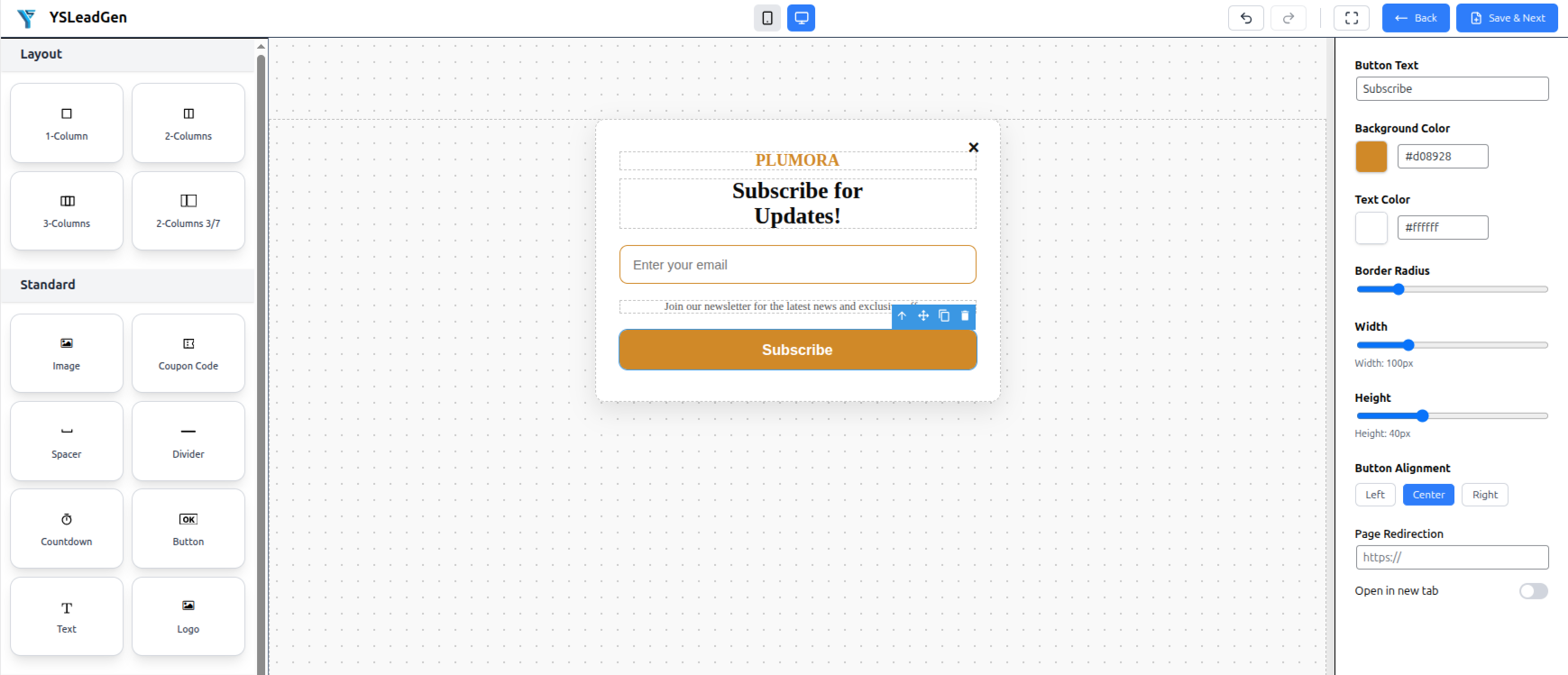
- Easy to start. Choose a ready-made template, change the text and colors with the drag and drop popup builder, and click Publish.
- No monthly fee for the free version, and no subscriber limit. Your leads are saved in your own WordPress database.
- You control your data. Leads stay on your website unless you connect another service.
- Made for shops and for other websites. Use it for WooCommerce, blogs, business websites, and service websites.
- Works on all screen sizes. Campaigns fit phones, tablets, and computers.
- Works with tools you may already use. This includes email marketing services, page builders, and other form plugins.
- Fast pages. The plugin loads its code only on pages that have an active campaign.
- Shop owners who want fewer abandoned carts and more repeat orders
- Website owners who want to collect email addresses
- Businesses that want a contact form, a lead form, a quote request form, or a survey
- Bloggers and course creators who offer a download in exchange for an email address
- Agencies that build websites for clients
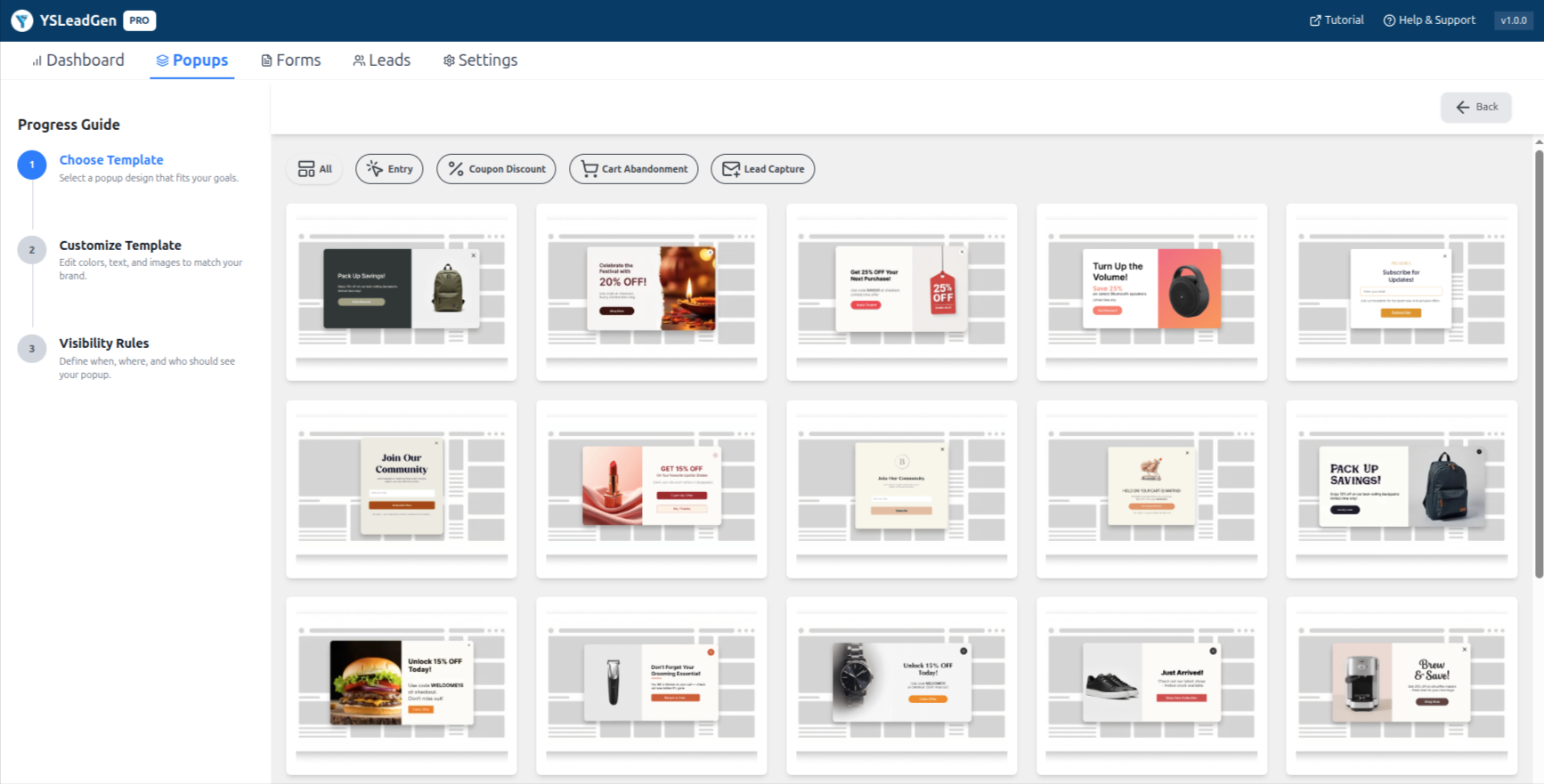
- Choose a template or start with a blank design.
- Change the text, colors, images, and buttons.
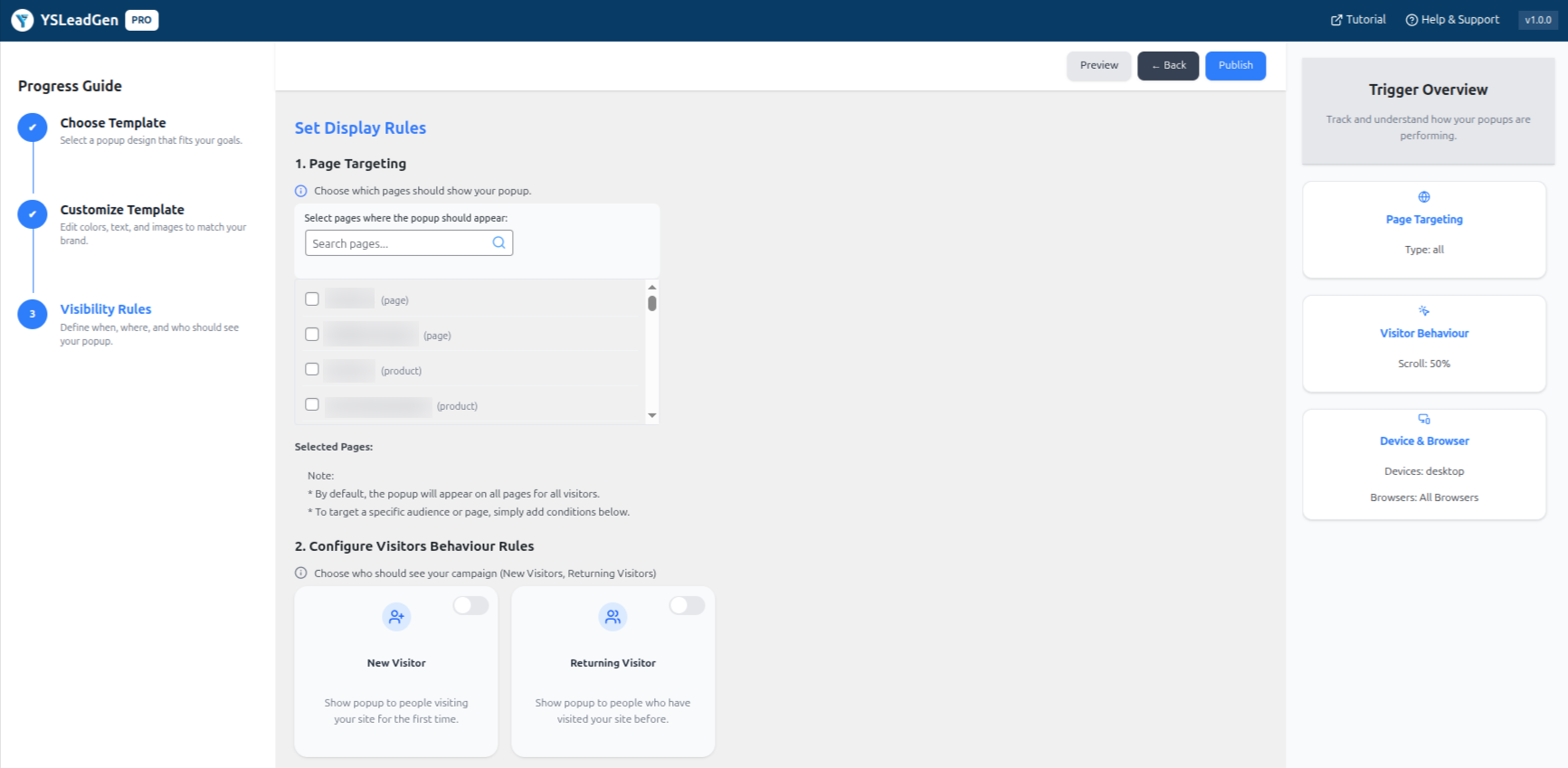
- Choose when the popup shows, and on which pages.
- Click Publish. The popup is now live on your website.
- Lightbox popup - A box that appears in the middle of the screen. The page behind it becomes darker, so visitors focus on the box.
- Exit intent popup - A popup that appears when a visitor is about to leave your page. (Learn more about exit intent popups.) On a computer, it detects when the mouse moves toward the top of the browser. On a phone, there is no mouse, so it detects a fast scroll up or a tap on the back button.
- Floating bar - A thin bar at the top or bottom of the page. Use it for short messages, such as a sale or a discount code.
- Corner slide-in - A small box that slides in from a corner of the screen. It does not cover the page.
- Inline form - A form that you place inside your page or blog post, next to your text.
- Spin-to-win wheel - A wheel that visitors can spin to win a prize, such as a discount. Visitors enter their email address to play.
- Multi-step form - A long form divided into small steps. Short steps are easier for visitors to complete. See "Form builder" below for all form types.
- Quiz - A short list of questions. At the end, the visitor sees a result based on their answers.
- Countdown timer - A timer that counts down to a set time. Use it to show when an offer ends.
- Content locker - Hides part of your content. The visitor must complete an action, such as entering an email address, to see it.
- Social proof popup - A small message that shows recent activity, such as a recent signup.
- Video popup - Opens a video in a popup window. You can use YouTube, Vimeo, or your own video file.
- Floating badge button - A small button in the corner of the page. When a visitor clicks it, a popup opens.
- Page targeting - Show the campaign only on the pages, posts, categories, or WooCommerce products that you choose.
- Device targeting - Show or hide the campaign on mobile phones, tablets, or computers.
- Location targeting - Show the campaign to visitors from a chosen country or city.
- Traffic source targeting - Show the campaign based on where the visitor came from, such as a search engine, an advertisement, or another website.
- On-site retargeting - Stop showing a campaign to visitors who already signed up.
- Rule combinations - Combine several rules using AND / OR. For example: "mobile visitors AND from a certain country".
- Exit intent - When the visitor is about to leave.
- Time delay - After a number of seconds that you choose.
- Scheduling - Only between a start date and an end date that you choose.
- Scroll depth - After the visitor scrolls down a percentage of the page.
- Click - When the visitor clicks a button, link, image, or menu item.
- Cart trigger - Show a campaign when a visitor adds a product to the cart.
- Checkout trigger - Show a campaign when a visitor reaches the checkout page.
- Cart value rules - Show a campaign based on the total value of the cart, or on the products in the cart.
- Dynamic coupons - Create a discount code automatically when a visitor signs up, and apply it to the cart.
- Cart recovery emails - Send an email to shoppers who left without buying.
- Product recommendations - Show related products or best-selling products inside a campaign.
- In a popup - The form appears in a popup, for example when a visitor is about to leave.
- Inline - The form is placed inside your page or blog post, next to your text.
- Embedded - The form is embedded in the content of your page.
- Contact form - Visitors send you a message. Use it for questions and support.
- Lead form - Collect names, email addresses, and other details from possible customers.
- Multi-step form - A long form divided into small steps. Short steps are easier for visitors to complete.
- Conversational form - Shows one question at a time, like a chat. It can make a form feel easier to answer.
- Survey and NPS form - Ask visitors for feedback. NPS (Net Promoter Score) asks how likely a visitor is to recommend you.
- Payment form - Accept payments inside the form (see "Payments" below).
- Privacy policy acceptance form - Ask visitors to accept your privacy policy before they continue.
- Custom fields - Choose the fields for your form, such as name, email, or message.
- File upload - Let visitors attach a file to their form.
- Conditional logic - Show or hide a field depending on what the visitor chose before. For example: show a "Company name" field only if the visitor selects "Business".
- Payment fields - Add a price or an amount to your form.
- Accept payments inside a form with Stripe, PayPal, or Square.
- You can set a fixed price, or let the visitor choose the amount.
- Test mode lets you try the payment form with test payments before you accept real payments.
- Email notifications - You get an email when someone sends a form. SMTP support helps these emails reach the inbox. SMTP is a standard way to send email.
- Send to other tools - Send the lead to your email marketing service or to another tool with a webhook. See "Integrations" below.
- Spam protection - Use Google reCAPTCHA to stop spam from robots.
- Activity logs - See a list of what happened with each form: submissions, checks, reCAPTCHA, connections to other tools, and webhooks.
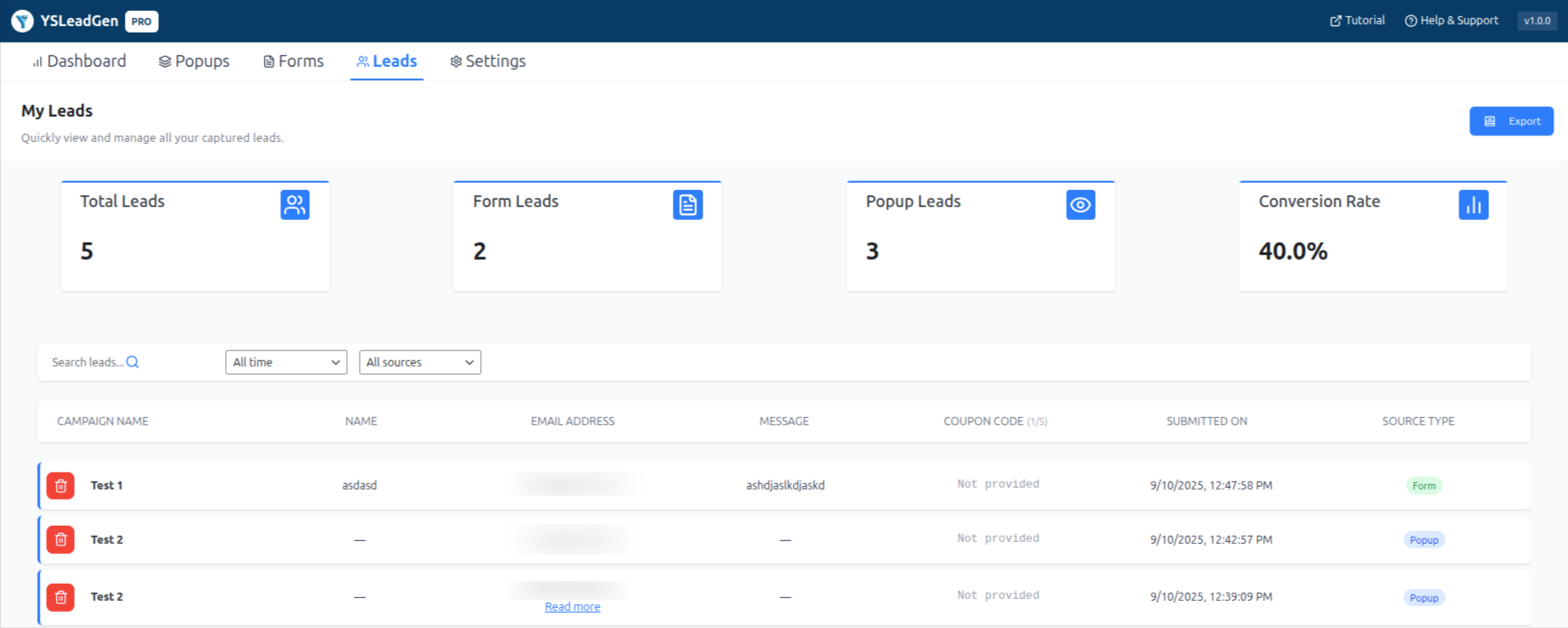
- Lead list and export - See all leads in one list, and export them as a CSV file.
- Import and export - Save a form as a JSON file and import it on another website.
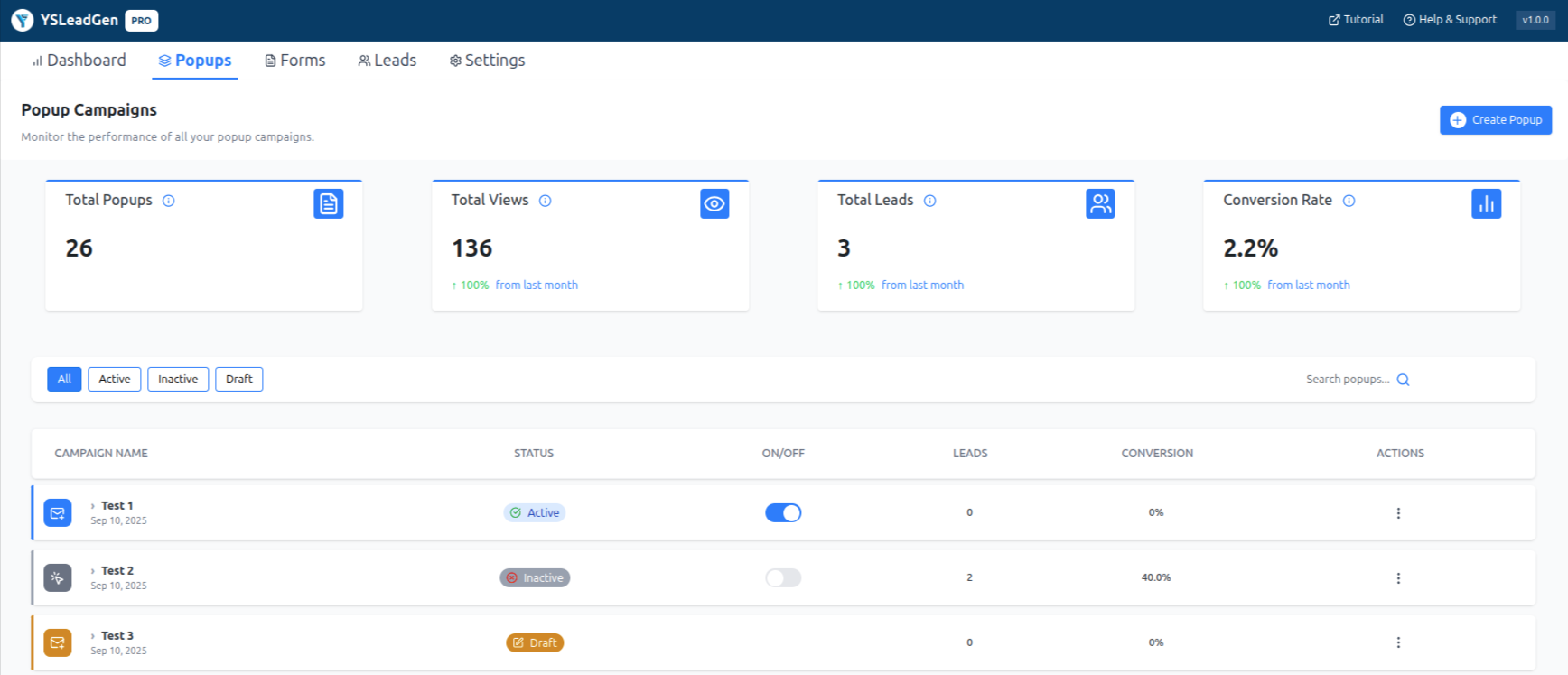
- How many people saw each campaign, and how many took action
- The number of leads collected
- Cart recovery and coupon results for WooCommerce
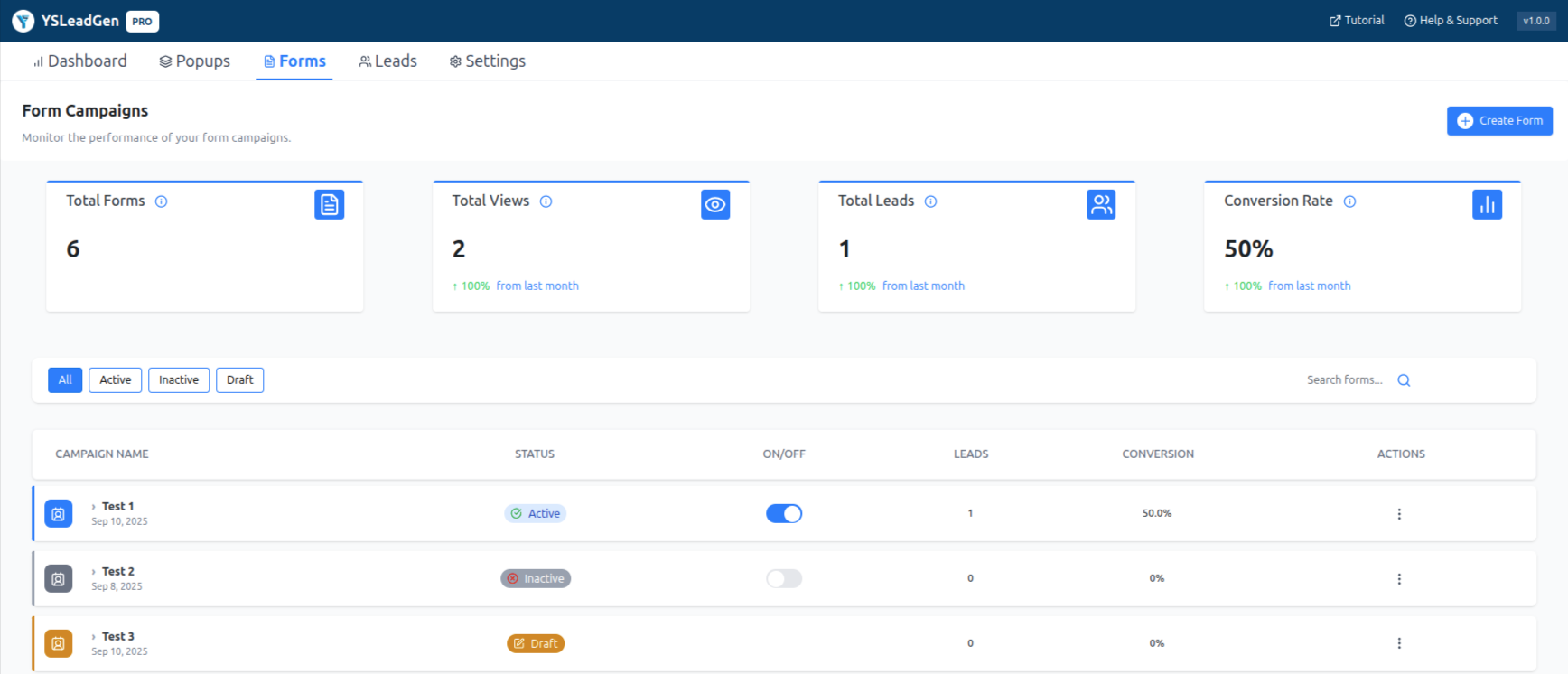
- Form results
- One list of all leads from all campaigns
- Mailchimp - Automatically send popup leads to your Mailchimp email lists.
- Omnisend - Sync popup leads directly to your Omnisend contact lists.
- HubSpot - Add popup leads to your HubSpot contacts automatically.
- GetResponse - Sync leads directly to your GetResponse campaign lists.
- Drip - Sync leads directly to your Drip campaigns.
- Other services - Brevo, Klaviyo, ActiveCampaign, MailerLite, Kit, and AWeber are also supported.
- Google Analytics 4 - Track popup views and form submissions.
- Spam protection - Protect your forms from spam and bot submissions with Google reCAPTCHA.
- Webhooks - A webhook sends data to another service automatically. You can use it to connect to Zapier, Make, and other tools.
- Page builders - The plugin works with Elementor, Divi, Gutenberg (the WordPress block editor), Bricks, Beaver Builder, and Oxygen.
- Cookie consent (GDPR) - Shows a cookie banner. It can block tracking scripts until the visitor gives permission.
- Age verification - Asks visitors to confirm their age before they see restricted content or products.
- The visual popup and form builder
- All the campaign types listed above
- Display rules and triggers
- Countdown timers and scheduling
- WooCommerce cart and checkout triggers
- The form builder, with payment fields
- Analytics and lead management
- A/B testing
- Cookie consent and age verification
- Email marketing and webhook connections
- More templates and design assets
- More automation features
- Priority support
安装:
- In your WordPress dashboard, go to Plugins > Add New.
- Search for "YS LeadGen".
- Click Install Now, then click Activate.
- Click YS LeadGen in the left menu.
- Click Add New Campaign. Choose a template, or start with a blank design.
- Choose a trigger, such as exit intent, time delay, or scroll. Then choose the pages where it should show.
- Click Publish.
屏幕截图:
常见问题:
Is YS LeadGen free?
Yes. There is a free version, and it has no time limit. You can see the live demo before you install. There is also a paid version called PRO. PRO is optional. It adds more templates, more automation features, and priority support.
Do I need to know how to write code?
No. You build campaigns with a visual drag and drop popup builder. You choose a template, then change the text, colors, and fields.
Can I build forms with this plugin?
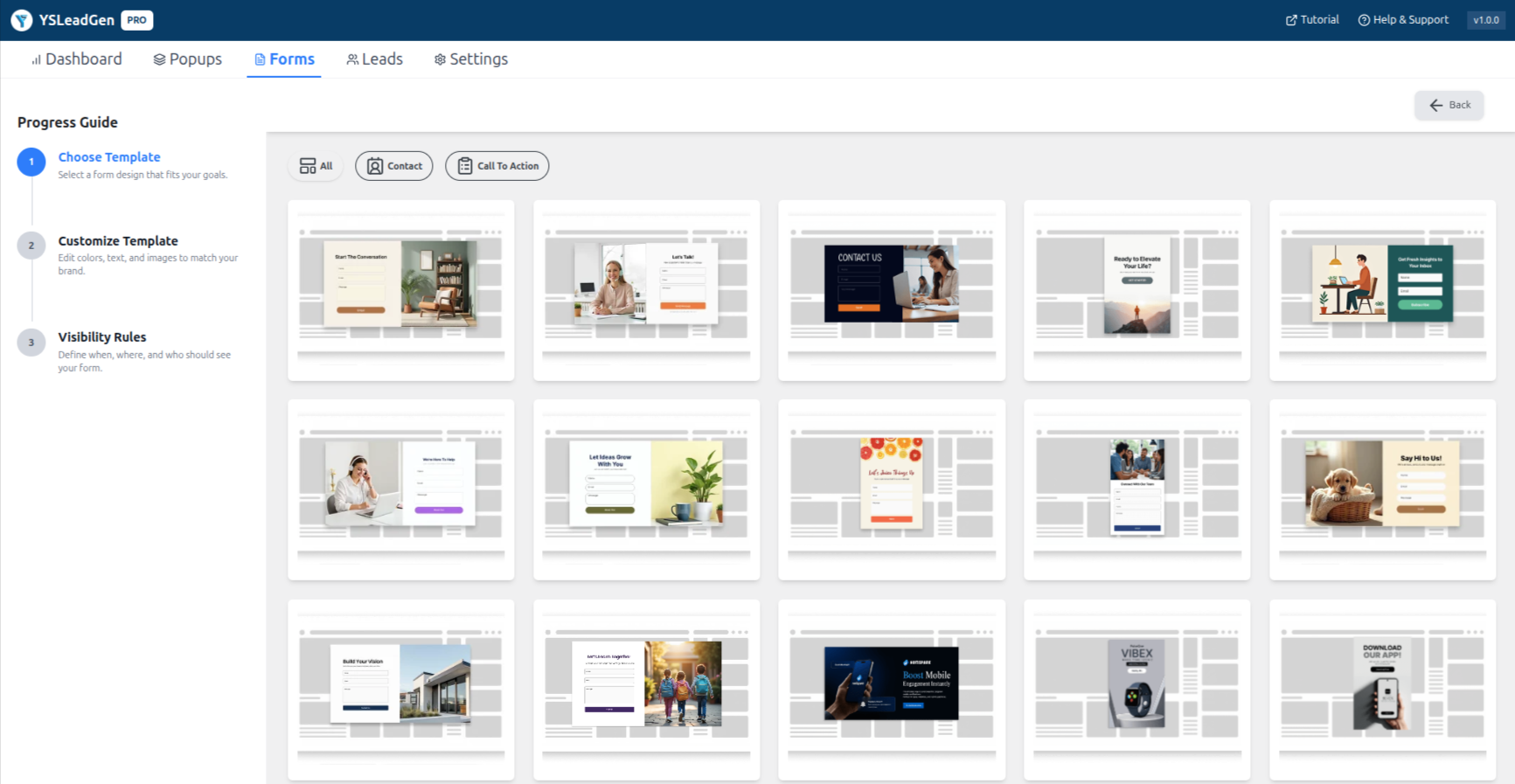
Yes. YS LeadGen includes a form builder. You can create contact forms, lead forms, multi-step forms, conversational forms, survey and NPS forms, and payment forms. You can show a form in a popup, inline in your page, or embedded in your content. See the "Form builder" section above.
Can I use it as a contact form plugin?
Yes. You can create a contact form and place it in a popup or inline in a page. You get an email when someone sends a message. You can also use Google reCAPTCHA to stop spam.
Can visitors upload files in a form?
Yes. The form builder has a file upload field.
What is conditional logic in a form?
It means a field shows or hides depending on the visitor's earlier answer. For example, you can show a "Company name" field only when the visitor selects "Business". This keeps forms short and simple.
Where do I see the messages and leads from my forms?
In the lead management dashboard. All leads from popups and forms are in one list, and you can export them as a CSV file. You also get an email notification for each form.
Is there an activity log for forms?
Yes. The activity log shows submissions, checks, reCAPTCHA results, connections to other tools, and webhook results for your forms.
Is there a limit on subscribers or views?
No. The free version has no limit on the number of subscribers, leads, or popup views. Your data is saved in your own WordPress database.
Where is my subscriber data stored?
In your own WordPress database. It is not sent to another company by default. If you connect an email marketing service, your leads are sent to that service. You can export your list as a CSV file at any time.
Will the plugin make my website slow?
The plugin loads its code only on pages that have an active campaign. Pages without a campaign do not load this code.
Does it work on mobile phones?
Yes. All campaigns are responsive, which means they change size to fit phones, tablets, and computers. You can also show or hide a campaign on a specific device type.
How does exit intent work on a phone?
A phone has no mouse, so the plugin uses other signals. It detects a fast scroll up, or a tap on the back button. Then it shows the popup. Read more about exit intent popups.
Can I use it with WooCommerce?
Yes. You can show a campaign when a product is added to the cart, or at checkout. See the WooCommerce popup plugin page for examples. You can also create discount codes automatically, and send emails to shoppers who left without buying.
Which tools can I connect?
Email and marketing services: Mailchimp, Omnisend, HubSpot, GetResponse, Drip, Brevo, Klaviyo, ActiveCampaign, MailerLite, Kit, and AWeber. You can also connect Google Analytics 4 for tracking and Google reCAPTCHA for spam protection. For other services, use a webhook with Zapier or Make. See the "Integrations" section above.
Does it work with my page builder?
The plugin works with Elementor, Divi, Gutenberg, Bricks, Beaver Builder, and Oxygen.
Can I accept payments in a form?
Yes, with the form builder. You can use Stripe, PayPal, or Square. You can set a fixed price, or let the visitor choose the amount. Use test mode first to check that everything works.
Can I schedule a popup or add a countdown timer?
Yes. You can set a start date and an end date for a campaign. You can also add a countdown timer to any campaign.
Is A/B testing included?
Yes. You make two versions of a campaign and compare the results. See the "Free and PRO versions" section to check what is included in each version.
What do I get with PRO?
PRO is a one-time purchase, not a monthly subscription. It adds more templates, more automation features, and priority support. See the pricing page.
Where can I get help?
Read the documentation, or write a post in the support forum on WordPress.org. You can also use the support page.
更新日志:
- Added Form Confirmation settings to Form Display Rules with support for custom confirmation messages and post-submission URL redirection.
- Added "Greater than" and "Less than" condition operators to support numeric rules in form field conditional logic and email notification routing.
- Added form confirmation settings to draft saving and server-side rule sanitization.
- Added multiple form notification rules with conditional routing and recipient support.
- Improved email notification handling, including CC/BCC and backward compatibility.
- Added Aweber Email Notification.
- Improved single-page popup form submission with an exit animation and a cross-fade to the success message.
- Updated slide-in popup layouts and the Conversational Forms UI.
- Improved cart recovery email triggers and added checkout page display rules.
- Reduced duplicate network requests when loading analytics.
- Fixed page view tracking and paragraph insertion targeting.
- Added new spin wheel templates.
- Improved geo-targeting, URL parameter handling, popup auto-close behavior, and WooCommerce coupon page rules.
- Fixed redundant activation calls in A/B testing, improved Klaviyo error handling and status reporting, and prevented concurrent migrations with a migration lock.
- Fixed form JSON handling and improved geo-targeting cookie handling with validation for country and city fields.
- Fixed non-negative condition handling, dynamic button actions, and responsive form template and CSS issues.
- Fix: Refactored Browser, OS, and Language targeting evaluation with legacy rule structure support across server and client-side controllers.
- Fix: Corrected display rule triggers for Scroll Delay, Link Clicks, and Onsite Retargeting managers.
- Fix: Sanitized Geo-Targeting state handling and enabled case-insensitive string evaluation in ConditionEvaluator.
- Fix: Resolved logical operator parsing and tree structure evaluation in PopupModel.
- Fix: Improved responsive layout and input field constraints for Floating Bar popups on mobile devices.
- Fix: Corrected Quiz Popup score text color contrast and alignment.
- Fix: Fixed Cart Total rule condition alignment in the Condition Tree Builder UI.
- Fix: Resolved mobile viewport scaling and layout issues for Spin-to-Win wheel templates.
- Added Conversational Forms feature for interactive lead generation.
- Added File Upload field support in the form builder.
- Implemented a robust conditional logic system for the form builder.
- Resolved popup rendering issues by correcting the engine boot sequence and display rules.
- Added JSON-based campaign Import and Export functionality for Popups and Forms.
- Stripe Payment integration inside form.
- Refactored Woocommerce features.
- Refactored the Rules section for a cleaner and more flexible campaign targeting workflow.
- Added SMTP support for form campaigns to improve email deliverability and notification reliability.
- Added Activity Logs for form campaigns — track submissions, validation, reCAPTCHA, integration syncs, and webhook results in a searchable timeline.
- Implemented CSV value and row escaping to prevent formula injection when exporting leads.
- Added MailerLite integration for lead management.
- Simplified product and category selection logic in WooCommerce display conditions.
- Added coupon apply mode selection and validation in WooCommerce Coupon popups.
- Added shareable preview links for campaigns.
- Added AI Insights (Premium).
- Added Kit (ConvertKit) integration.
- Improved onboarding wizard layout and responsiveness.
- Added Team Collaboration.
- Added White Label mode.
- Added ActiveCampaign integration.
- Added Age Verification campaigns.
- Added Cookie Consent Manager.
- Added Privacy Policy acceptance forms.
- Added Survey & NPS Forms.
- Added Brevo integration.
- Added Klaviyo integration.
- Added Video Popups.
- Added Social Proof campaigns.
- Added Content Locker.
- Added AI Headline Generator.
- Added AI CTA Generator.
- Added AI Template Recommendations.
- Added template filtering by category and industry.
- Added Dynamic Product Recommendations.
- Added Cookie-Based Targeting.
- Added GetResponse integration.
- Added Drip integration.
- Added Multi-Step Forms.
- Added Revenue Analytics.
- Added Inline Forms.
- Added Embedded Forms.
- Added WooCommerce revenue reporting.
- Added A/B Split Testing.
- Added Behavior-Based Targeting.
- Added Frequency Controls.
- Added Campaign Dismiss Tracking.
- Fixed dashboard loading issue on some hosting environments.
- Added page URL information to captured leads.
- Added Fullscreen campaigns.
- Added Slide-In campaigns.
- Added Spin-to-Win campaigns.
- Added Yes/No campaigns.
- Expanded template library.