
ZeroConfig – Performance & Image Engine
| 开发者 | omnipure |
|---|---|
| 更新时间 | 2026年11月13日 00:26 |
| PHP版本: | 7.4 及以上 |
| WordPress版本: | 7.1 |
| 版权: | GPLv2 or later |
| 版权网址: | 版权信息 |
详情介绍:
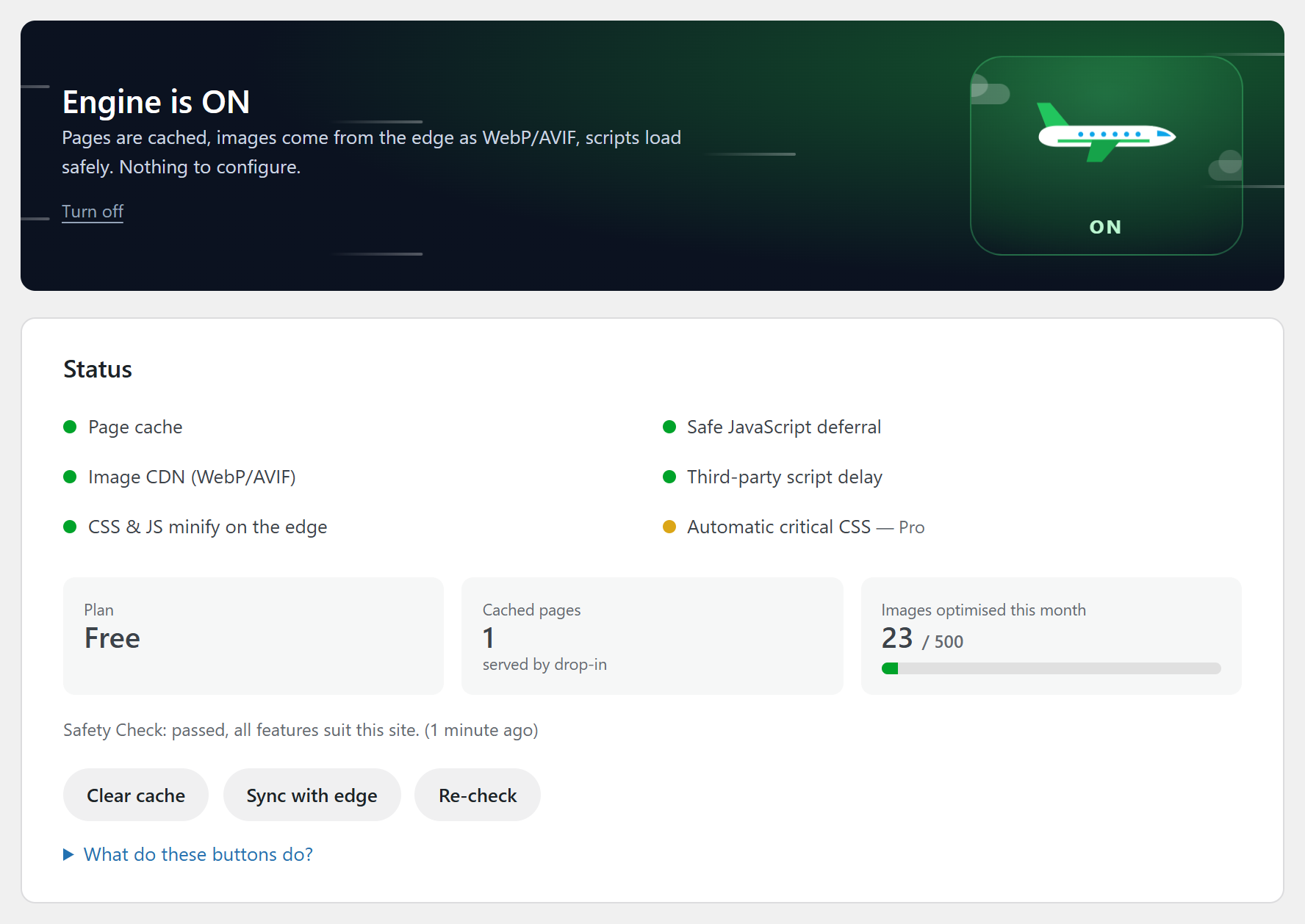
- Page cache served from disk, before WordPress loads.
- Image CDN: images are converted to WebP or AVIF, resized per device and served from a CDN. The conversion runs on the service's servers, not on your hosting.
- CSS and JavaScript minified by the service, deferred where it is safe, and known third-party tags (Tag Manager, Pixel, chat widgets) delayed until the visitor interacts.
- Critical CSS (paid plans), built by the service for each kind of page.
- Safety Check: after you turn it on, the service loads your pages in a real browser with and without each feature and switches off a feature that changes how a page looks or causes JavaScript errors.
- Score Guard (paid plans): a weekly PageSpeed measurement of your home page, with an e-mail if the score drops.
安装:
- Install and activate.
- Go to Settings → ZeroConfig and press Turn on.
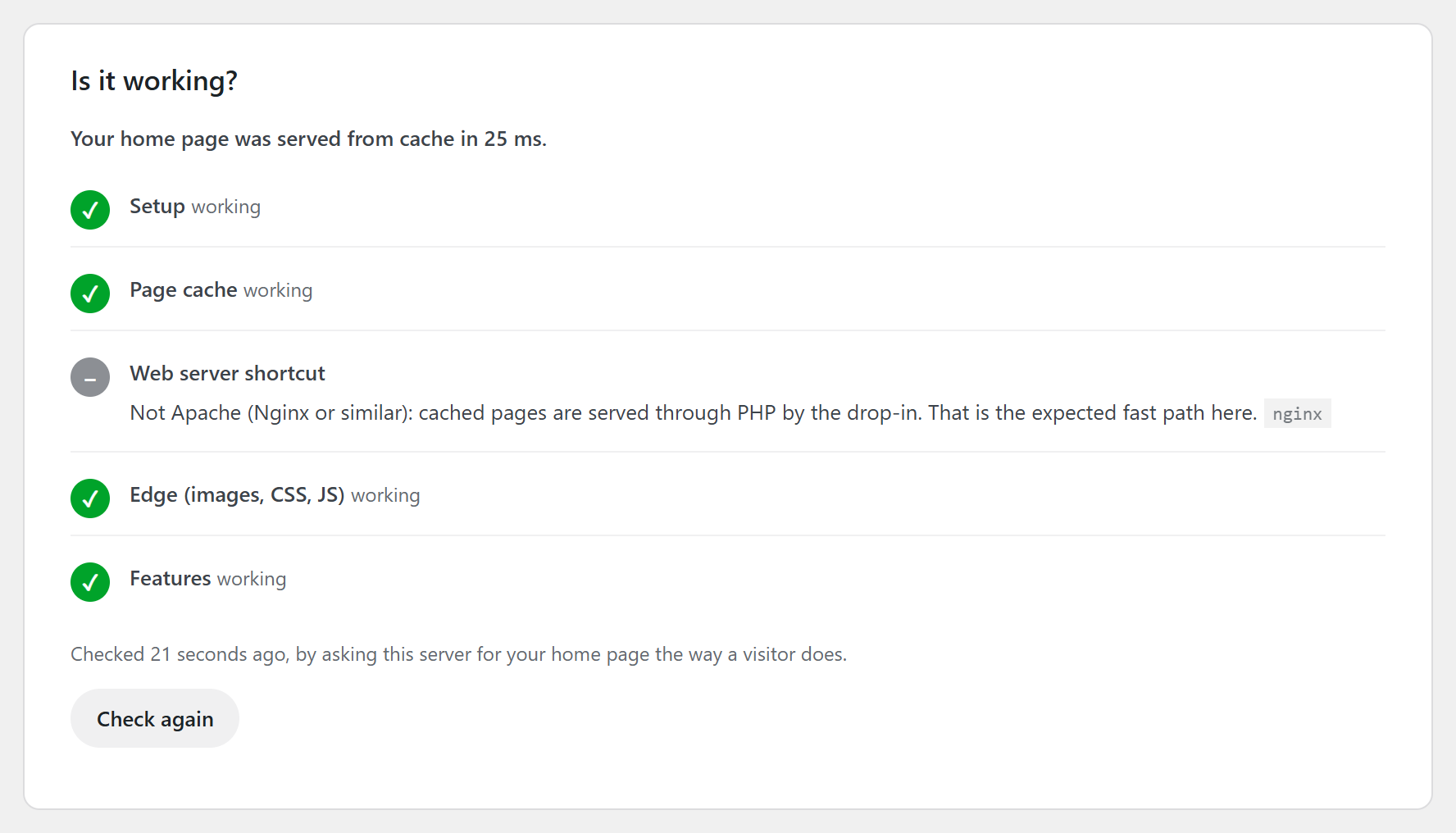
- Done. A few minutes later the Safety Check has looked at your site; "Is it working?" on the same page shows the result.
屏幕截图:
常见问题:
Will this break my site?
Anything can break a site, which is why the engine tests itself. A minute after you turn it on, a real browser loads your home page, a post and a page with and without each feature and compares them. A feature that changes how your site looks or logs JavaScript errors is switched off automatically; it comes back on its own when a later check finds that page clean again. You can also press "Something looks off?" at any time.
How do I undo everything?
Press Turn off in Settings → ZeroConfig, or deactivate the plugin. Your site goes back to exactly how it was: the page cache is emptied, its .htaccess lines and wp-config.php line are removed, images and files come from your own server again. Your original files are never changed.
My site is broken and I cannot reach wp-admin. What now?
Rename or delete the folder wp-content/plugins/zeroconfig over FTP or your host's file manager. The cache stops serving pages immediately, because both the .htaccess rules and the cache drop-in check that the plugin is still there. Alternatively add define( 'ZEROCONFIG_DISABLE', true ); to wp-config.php: pages go out untouched and the cache files and rules are removed on the next page load.
I use Cloudflare. Will visitors see stale pages?
The plugin notices Cloudflare in front of your site and shows a single token field. Paste a token with Zone:Read and Cache Purge and both caches clear together, per URL on edits.
Can my deploy script clear the cache?
Yes. The admin card shows a purge URL with a private token: /?zc_purge=TOKEN clears everything, add &url= for one page. WP-CLI: wp zeroconfig purge [url]. Varnish users define ZEROCONFIG_VARNISH_HOST.
Do you store my images?
We cache optimised copies on the edge so the second visitor gets them instantly. Originals stay on your server. Turn the engine off and every URL points back to your server immediately.
Does it work with WooCommerce / Elementor / Divi?
Yes. Cart, checkout and account pages are never cached. Builders and sliders are on our known-safe list so their scripts are never deferred.
What happens if your service is down?
Nothing visible. The page cache runs on your own server, and the plugin falls back to your original image and asset URLs. Speed degrades; the site does not.
How do I know it is really working on my host?
Settings → ZeroConfig → "Is it working?" asks your server for your home page the way a visitor does and shows five checks (setup, page cache, web server shortcut, edge, features). Anything not green comes with the reason, who can fix it (you, your host, or us) and the exact text to paste. From the command line: wp zeroconfig doctor.
How fresh are cached pages?
A change you make (a post, a product, a menu) clears the affected pages at once. Otherwise a cached page lives at most 9 hours, shorter if your site uses shorter login nonces. On Apache the web server serves cached files without starting PHP, so expired files are removed by an hourly clean-up rather than at the exact second: a page can be up to about an hour older than that limit, never long enough to break a form.
My site is behind a proxy or in Docker and the refill after a purge is skipped
After a purge ZeroConfig refills up to 10 of your most important addresses by asking its own server for them. If HTTPS ends at a proxy in front of WordPress, tell it where the web server listens: define( 'ZEROCONFIG_LOOPBACK', 'http://127.0.0.1:80' ); in wp-config.php.
Does it work on multisite?
Not yet. A network shares wp-config.php, .htaccess and the cache drop-in, so the switch stays off on multisite until it is supported properly.
更新日志:
- First release.