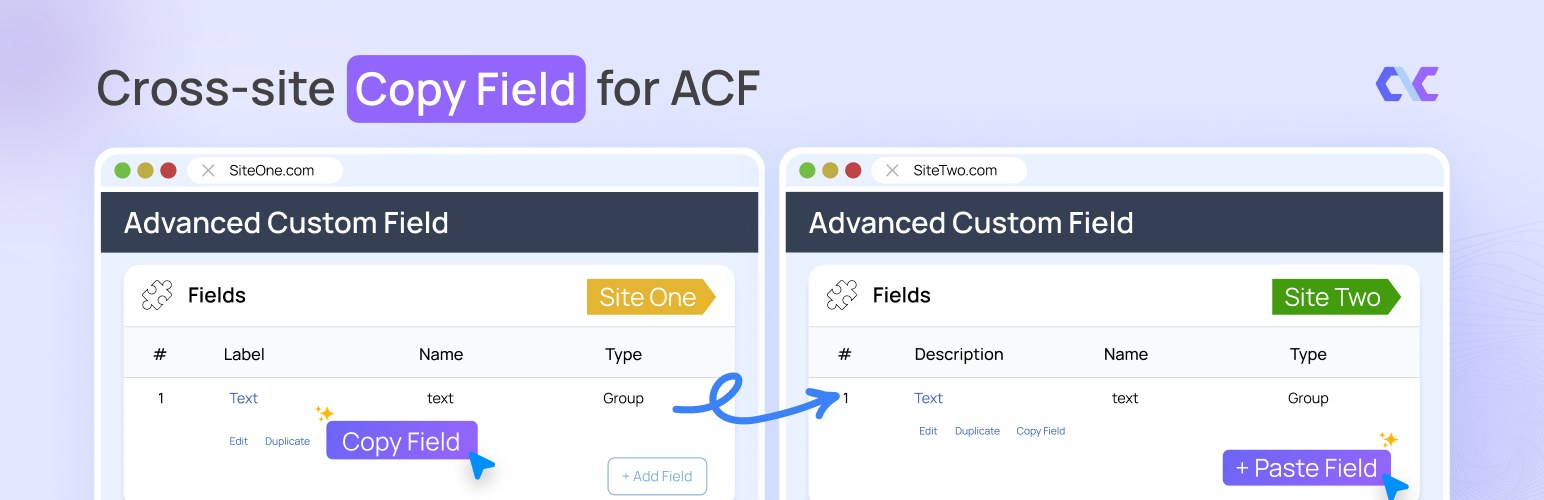
Cross Site Copy Field for ACF
| 开发者 | codeandcore |
|---|---|
| 更新时间 | 2026年10月8日 19:06 |
| PHP版本: | 7.4 及以上 |
| WordPress版本: | 7.1 |
| 版权: | GPLv2 or later |
| 版权网址: | 版权信息 |
详情介绍:
- One-Click Copy - Copy any field, layout, or entire Field Group with its complete configuration
- File Export/Import (New) - Bypass clipboard limits by downloading and uploading field data as
.jsonfiles - Selective Paste Preview (New) - Review a recursive checklist of all fields before pasting and deselect the ones you don't want
- Smart Paste - Paste fields with automatic key generation
- Auto-Save & Refresh - Fields are automatically saved after pasting
- Cross-Site Transfer - Transfer fields between different WordPress sites via JSON payload or file upload
- Missing Field Type Detection (New) - Halts imports and warns you if the destination site is missing a required add-on field type
- Nested Field Support - Full support for Repeaters, Groups, and Flexible Content
- Context-Aware - Automatically detects paste location (top-level or inside containers)
- All Field Types FREE - All 30+ ACF field types are completely free
- Basic: Text, Textarea, Number, Range, Email, URL, Password
- Content: Image, File, WYSIWYG Editor, oEmbed, Gallery
- Choice: Select, Checkbox, Radio Button, Button Group, True/False
- Relational: Link, Post Object, Page Link, Relationship, Taxonomy, User
- Advanced: Google Map, Date Picker, Date Time Picker, Time Picker, Color Picker
- Layout: Message, Accordion, Tab, Group, Repeater, Flexible Content, Clone
- Open any ACF field group
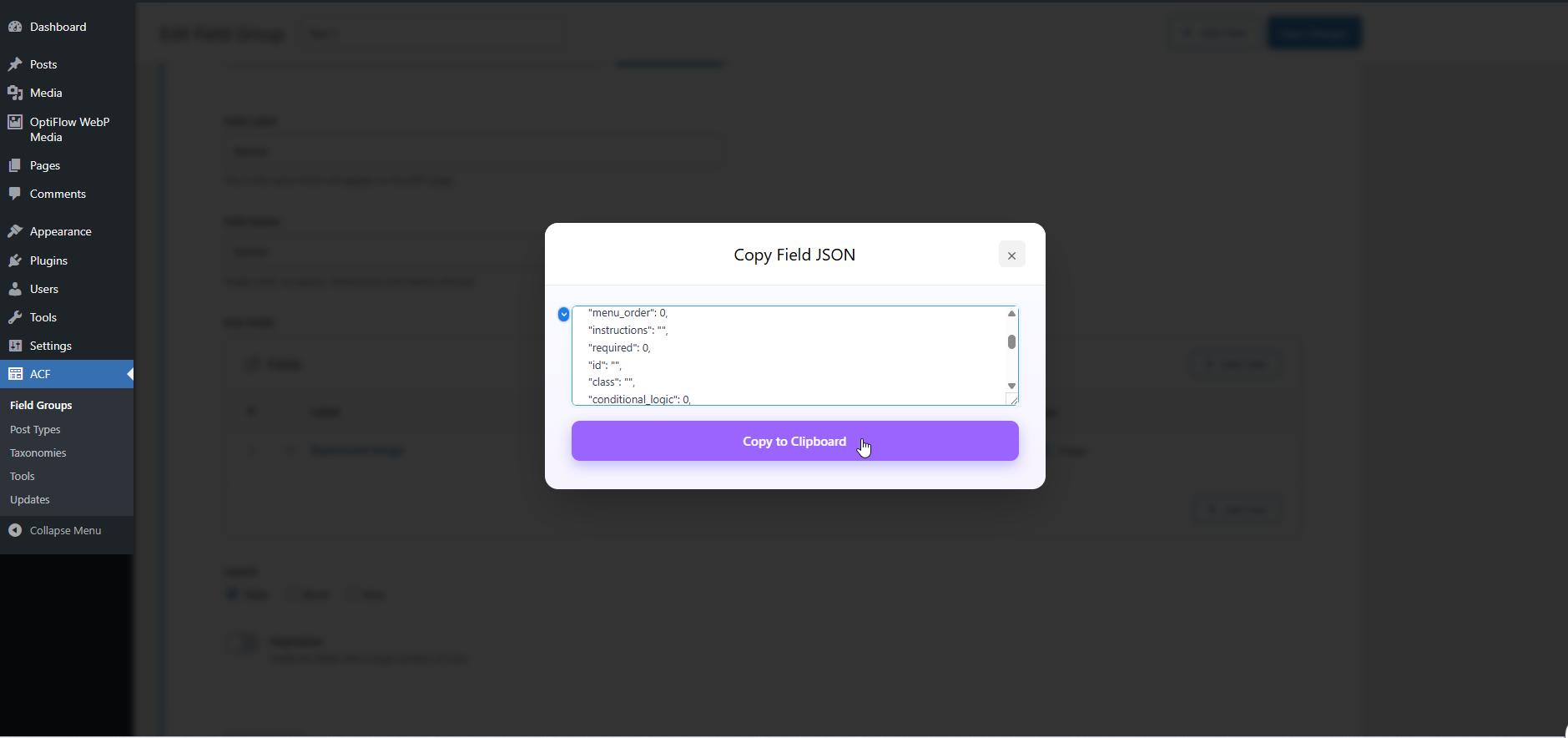
- Click the "Copy" button on any field (or use the "Copy Field Group" button)
- Copy the JSON from the popup or download the
.jsonfile - Navigate to another field group (same site or different site)
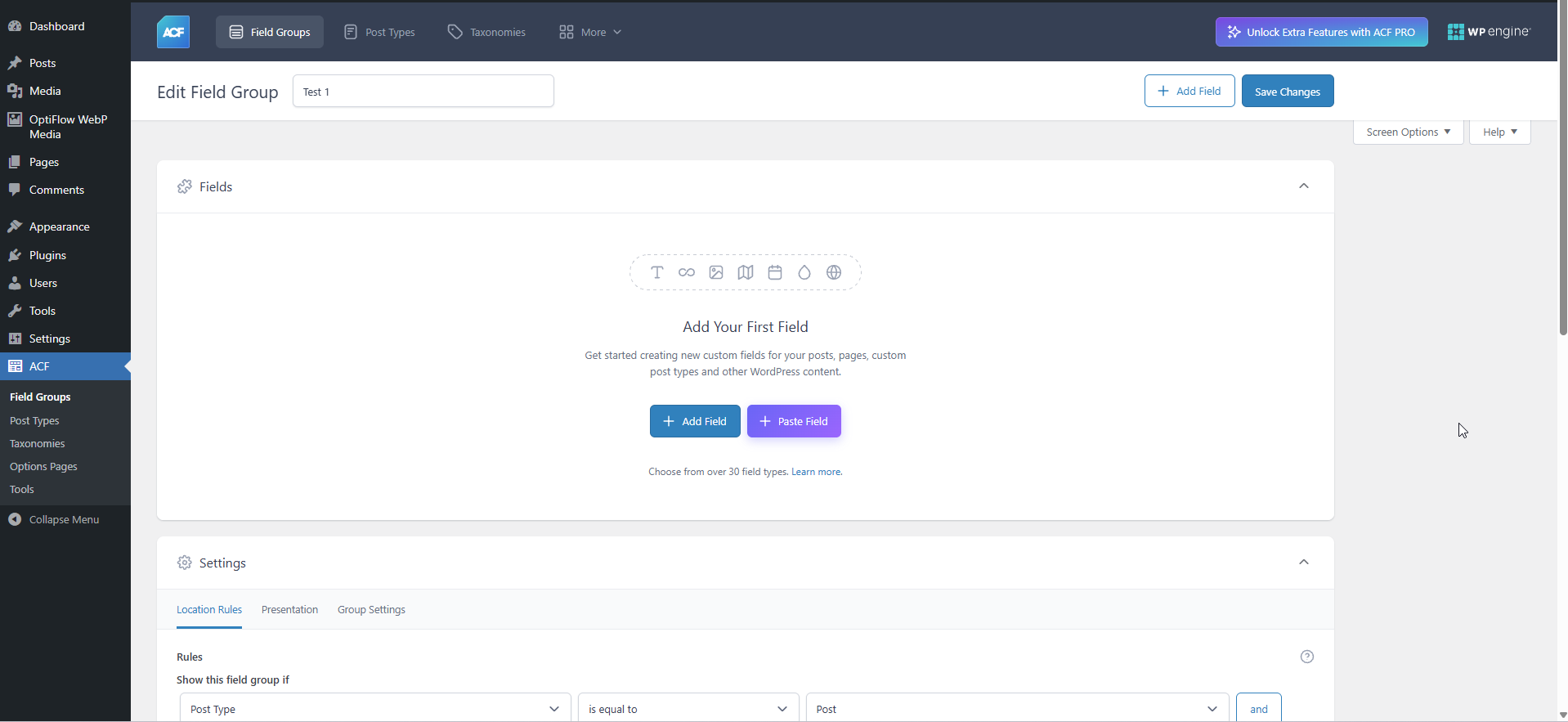
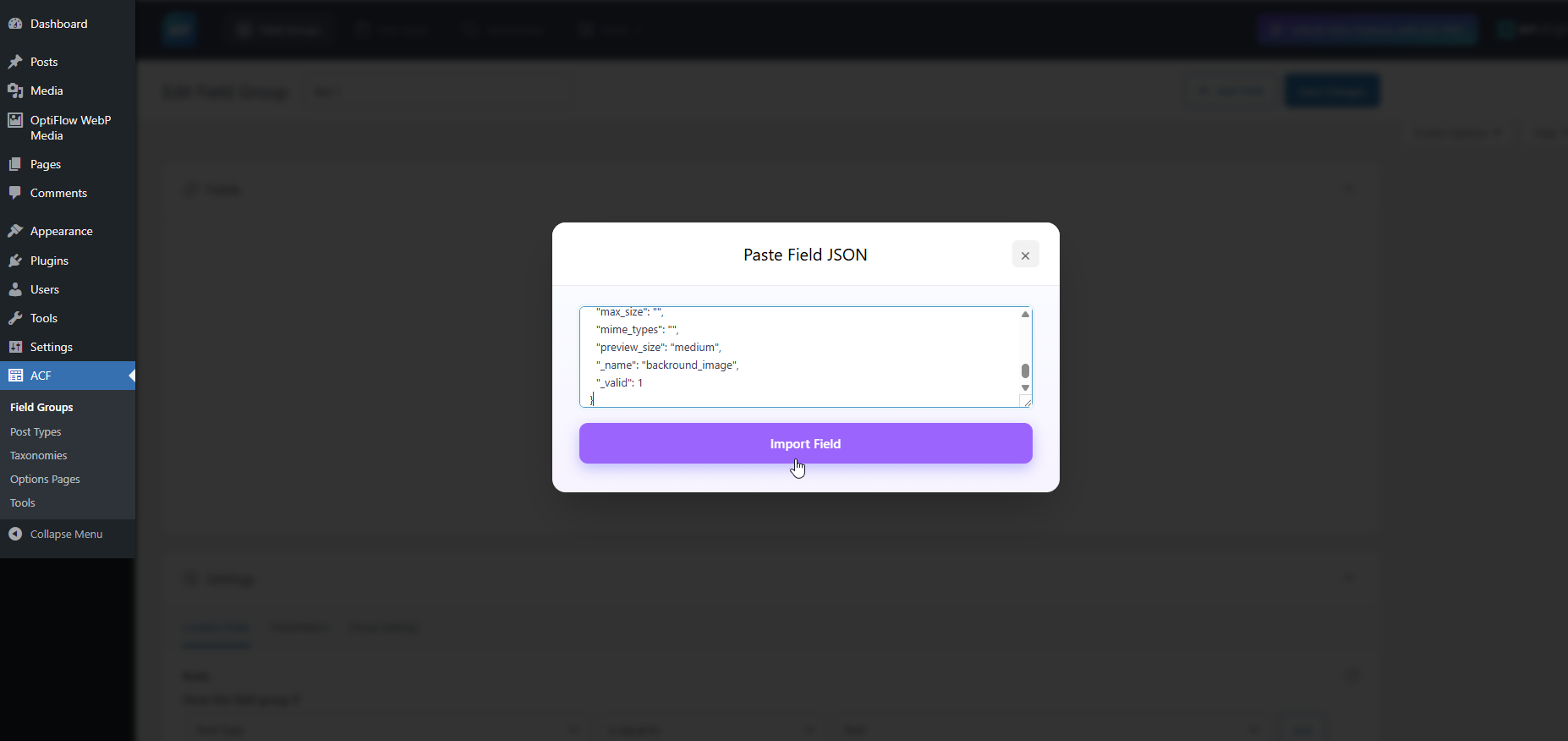
- Click "Paste" (or "Paste Field Group" on the list screen) and paste the JSON or upload the file
- Review the fields in the Selective Paste checklist and uncheck any you don't need
- Field is automatically saved and page refreshes
- WordPress 5.8 or higher
- Advanced Custom Fields (ACF) or ACF PRO 5.0+
- PHP 7.4 or higher
- Deactivation Feedback: When you deactivate the plugin, an optional feedback form allows you to share why you are deactivating. If you fill this out, it sends the reason, site URL, plugin/WordPress/PHP versions, and active theme information. This helps us improve the plugin.
- Usage Tracking (Telemetry): If you explicitly opt-in via our settings or the activation modal, the plugin will occasionally send anonymous site diagnostics (site URL, plugin/WP/PHP versions, and active theme info) to help us prioritize compatibility updates and features.
- No Automatic Data Collection - The plugin does not collect or transmit any data without your explicit consent
- Opt-In Telemetry - You can optionally enable anonymous usage tracking from Custom Fields > Copy Field Settings to help improve the plugin
- Deactivation Feedback - When deactivating, you can choose to share feedback to help us improve. This is completely optional
- No Personal Content - We never collect your post content, user passwords, or sensitive information
- What We Collect (Only if you opt-in):
- Plugin version and settings
- WordPress and PHP versions
- Theme information
- Site language and multisite status
- Anonymous site URL (for duplicate detection only)
- Completely Optional - You can skip and deactivate immediately
- Contact Consent - Check the consent box only if you want us to follow up with support
- Your Choice - Your name and email are only sent if you check the consent checkbox
安装:
- Upload the plugin files to
/wp-content/plugins/cross-site-copy-field-for-acf/ - Activate the plugin through the Plugins screen in WordPress
- Ensure Advanced Custom Fields (ACF) or ACF PRO is installed and activated
- Open any ACF field group to see the "Copy" and "Paste" buttons
屏幕截图:
常见问题:
Does this work with ACF Free or only ACF PRO?
The plugin works with both ACF Free and ACF PRO. However, complex field types like Repeater, Flexible Content, and Group require ACF PRO.
Can I copy an entire field group?
Yes! You can copy a full field group (including location rules and settings) using the "Copy Field Group" button on the edit screen, and paste it using the "Paste Field Group" button on the ACF Field Groups list screen.
How do I only import specific sub-fields?
When you paste JSON or upload a .json file, a "Select Fields to Import" preview checklist appears. You can expand it to uncheck specific fields or nested sub-fields before clicking Import.
Can I copy fields between different WordPress sites?
Yes! Copy the JSON from one site and paste it on another. The plugin automatically generates new unique keys to prevent conflicts.
Do I need to save after pasting?
No! The field is automatically saved and the page refreshes to show your new field.
Are all field types really free?
Yes! All 30+ ACF field types are completely free to use with this plugin.
Will copying affect the original field?
No. Copying creates a completely independent duplicate. The original field remains unchanged.
Are field settings preserved when copying?
Yes. All field settings including conditional logic, validation rules, wrapper settings, and sub-fields are fully preserved.
What happens to media references when transferring between sites?
Media references are copied as-is. When transferring between sites, you'll need to re-select the media files on the destination site.
What happens if I paste a field that requires an add-on I don't have?
The plugin features Missing Field Type Detection. If you try to paste a field that relies on a third-party add-on (like ACF Extended or Font Awesome) that isn't installed on the destination site, the import will safely halt and warn you exactly which field type is missing.
Can I use this to backup my field groups?
Yes! By using the new "Download .json" button when copying an entire field group, you can save the resulting .json file to your local computer as a secure backup of your field group configuration.
Is there a limit to how deeply nested fields can be?
No. The plugin recursively copies and pastes all sub-fields regardless of depth. Whether you have Repeaters inside Flexible Content layouts inside Groups, the entire structure is perfectly preserved.
更新日志:
- Update: Updated telemetry and external services documentation for WordPress.org compliance.
- Update: Added third-party service declaration for dashboard.wordpress-plugins.pro.
- New: Bypass clipboard limitations with JSON file Export/Import buttons.
- New: Copy entire Field Groups including settings and location rules.
- New: Recursive Selective Paste (Preview) to precisely pick which fields to import.
- Improved: Better error handling and warnings for missing third-party field types during import.
- New: Added functionality to copy and paste entire layouts in Flexible Content fields.
- New: Users can now bulk select and copy/paste multiple fields at once.
- Fix: Resolved an issue with copying and pasting Clone fields.
- Fix: Stopped the tracking entry from being sent to the API when disabling tracking.
- New: Added a professional loader overlay during copy and paste operations for better UX.
- Improved: Enhanced compatibility with ACF Flexible Content fields, ensuring unique field names across all layouts.
- New: Added compatibility layer to resolve conflicts with ACF local JSON (acf-json) from themes.
- Improved: Redesigned the Tracking settings UI for a more premium and consistent experience.
- Improved: Enhanced the "Disable Tracking" button with a professional design and hover effects.
- Fix: The "Disable Tracking" link is now intelligently hidden when tracking is already disabled.
- Fix: Added dashicons to the tracking actions for better visual cues.
- New: Added initial structure for license management and field type restrictions
- Improved: Refactored internal code structure for better performance and maintainability
- Fix: Minor UI alignment issues in the field group editor
- Updated: Compatibility checks for the latest WordPress and ACF versions
- Enhanced: Deactivation feedback popup UI with new Dashicons and better hover effects
- Fix: Moved deactivation logic to separate class for better organization
- Fix: Resolved security lint errors (escaping, sanitization, nonce verification)
- Fix: CSS variable usage for easier maintenance
- Improvement: Made support contact consent optional in deactivation popup
- Initial release
- Copy/Paste functionality for all ACF field types (FREE)
- Context-aware paste (top-level, inside containers)
- Cross-site JSON transfer
- Automatic unique key generation
- Smart parent detection for nested fields
- Flexible Content layout sub-field support
- Auto-save and auto-refresh after paste
- Support for Repeater, Group, and Flexible Content nesting