
FE CSV Import & Export
| 开发者 |
firstelement
dxd5001 |
|---|---|
| 更新时间 | 2026年10月19日 17:48 |
| PHP版本: | 7.4 及以上 |
| WordPress版本: | 7.1 |
| 版权: | GPLv2 or later |
| 版权网址: | 版权信息 |
详情介绍:
FE CSV Import & Export helps you import and export WordPress content as CSV from the admin area.
It is designed for site owners who want a stress-free CSV workflow for daily operations and for developers who need extensibility through WordPress hooks.
Main features:
- Import and export WordPress content as CSV
- Fast export of approximately 10,000 posts in about 15 seconds (depending on site configuration and server environment)
- Support for posts, pages, and custom post types
- Option to include or exclude custom taxonomies
- Support for term ID or term name input/output
- Proper handling of hierarchical terms
- Import of unregistered terms (currently uses term name as slug)
- Option to include or exclude custom fields
- Option to include or exclude private meta
- New custom field items can be registered with the "cf_" prefix
- Option to target published status or all post statuses
- Option to export only frequently edited "basic fields" or "all fields"
- Option to update (overwrite) existing posts with the same ID or create new ones
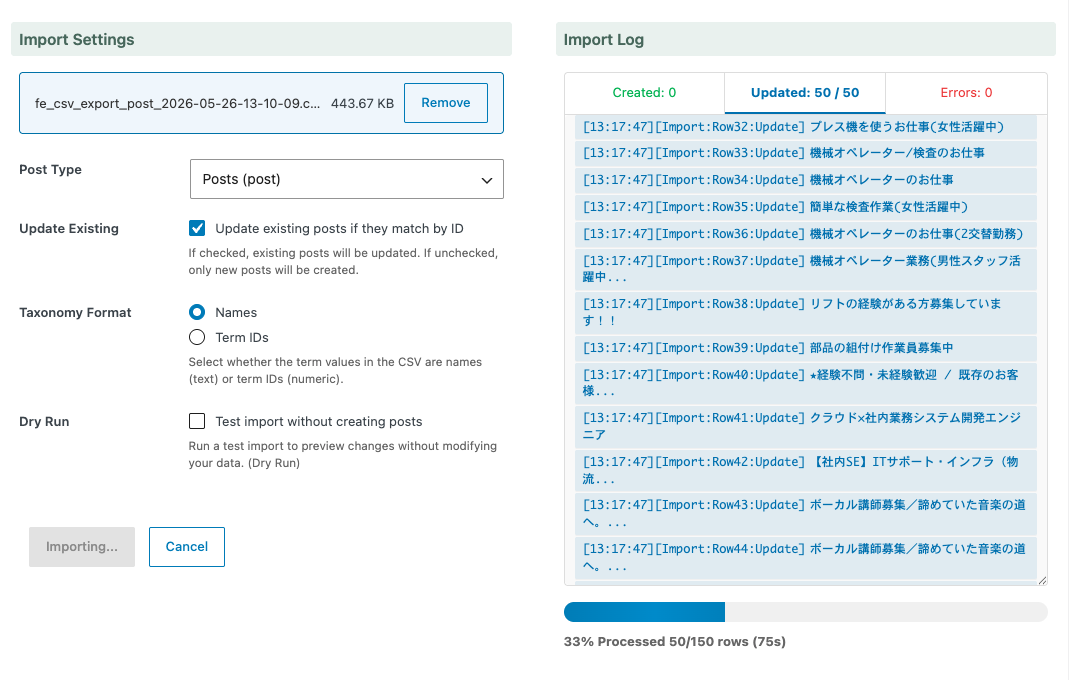
- Dry run functionality
- Batch processing for large CSV files
- Real-time progress display in the admin interface
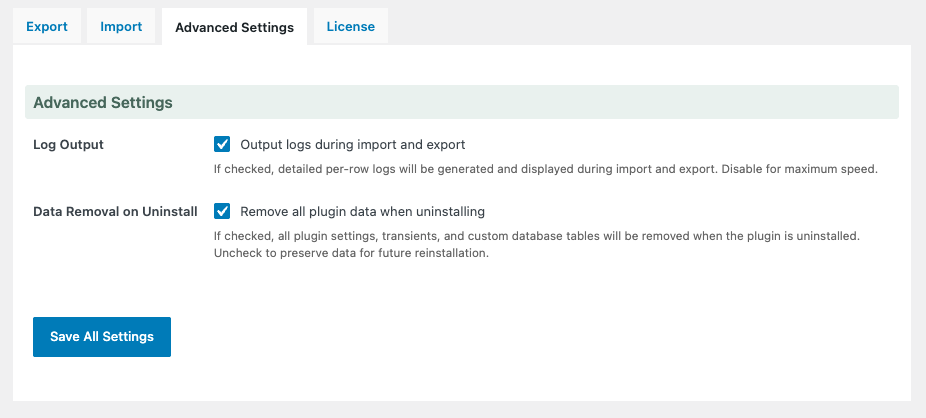
- Option to enable/disable logging (speed priority)
- Extensibility through filter/action hooks for custom workflows
- Bulk updating existing posts from spreadsheet data
- Exporting content for reporting or external processing
- Importing structured content into custom post types
- Migrating content between sites
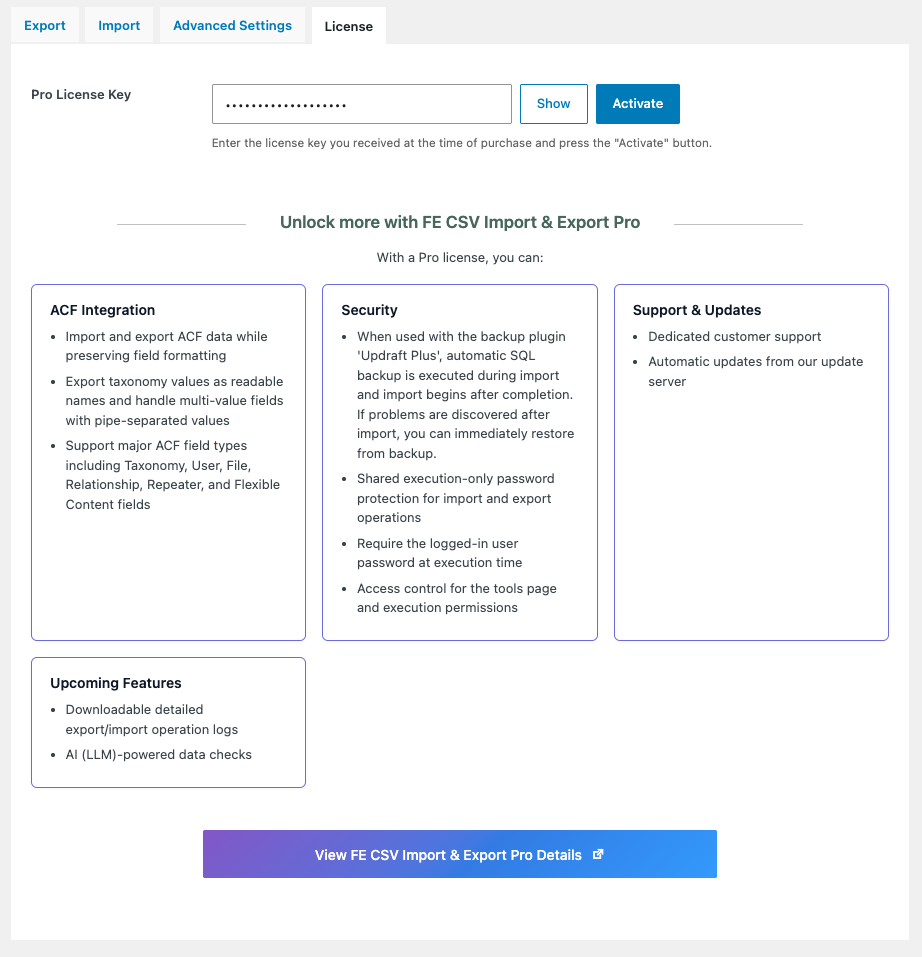
- ACF Integration - Import and export ACF data while preserving field formatting. Export taxonomy values as readable names and handle multi-value fields with pipe-separated values. Support major ACF field types including Taxonomy, User, File, Relationship, Repeater, and Flexible Content fields
- Direct SQL Export Mode - Customize export queries directly for advanced workflows and integrations
- UpdraftPlus Database Backup - When used with the backup plugin 'UpdraftPlus', automatic SQL backup is executed during import and import begins after completion. If problems are discovered after import, you can immediately restore from backup
- Enhanced Security - Import/export execution permissions can be assigned to editors in addition to administrators. You can set a shared password for import/export execution. You can require users to enter their login password for import/export execution
- Dedicated Support - Priority customer support from the development team
- Automatic Updates - Seamless updates from our update server
安装:
From WordPress Admin
- Search for the plugin from the WordPress admin plugin add screen, or upload the plugin ZIP file.
- Activate the plugin.
- Open the FE CSV Import & Export screen from the WordPress admin area.
- Run a small import or export test first.
- Upload the
fe-csv-import-exportfolder to the/wp-content/plugins/directory. - Activate the plugin through the WordPress Plugins screen.
- Open the FE CSV Import & Export screen from the admin area.
屏幕截图:
常见问题:
What content can I import or export?
This plugin supports standard WordPress posts and can also work with custom post types, taxonomies, and custom fields.
Can I use this plugin for large CSV files?
Yes. This plugin uses batch processing to improve reliability and reduce memory usage during large imports and exports.
Does it support updating existing posts?
Yes. CSV workflows can be used for both creating new content and updating existing content depending on your data and mapping.
Is this plugin developer-friendly?
Yes. This plugin provides WordPress hooks so developers can customize import/export behavior.
Is the Pro version required?
No. The free version works on its own. A Pro version is available separately for advanced use cases.
更新日志:
1.0.2
- Fixed missing JavaScript module files in the release ZIP - The release archive now includes all minified module files, resolving missing admin scripts (404 errors) in the packaged plugin.
- Improved admin header styling - Refined header spacing and layout for a cleaner admin appearance.
- Improved Japanese translations - Updated wording for consistency across admin screens.
- Updated development dependencies and CI workflow security settings.
- Fixed README banner image accessibility.
- Fixed memory exhaustion on PHP 7.4 and low-memory environments during export with custom fields.
- Taxonomy optimization for unchanged terms - Import now skips wp_set_post_terms() calls when taxonomy terms are unchanged, significantly reducing processing time for update-heavy imports.
- Increased default batch size - Default import batch size increased from 100 to 500 rows, reducing AJAX overhead for large imports.
- Configurable batch size limit - New fe_csv_import_export_import_max_batch_size filter allows per-site customization of the maximum batch size.
- Detailed import profiling - Added granular profiling for import phases with WP_DEBUG batch profile logging.
- Fixed JavaScript ES module import syntax - Removed static ES module imports from main JS file to resolve browser syntax errors.
- Bundled JavaScript files to reduce HTTP requests and improve page load performance.
- Updated export batch planner to use memory_limit for dynamic batch size calculation.
- Removed load_plugin_textdomain() as WordPress 4.6+ handles text domain loading automatically.
- Renamed image files to remove special characters for WordPress.org compliance.
- Updated image references in PHP and CSS files.
- Added README.md to .gitattributes export-ignore for release ZIP.
- Refactored uninstall.php to use WordPress API instead of direct database calls.
- Removed hidden files (.DS_Store, .eslintignore, .prettierignore) from distribution.
- Maintenance release for the latest public package.
- Reduced memory usage for large CSV imports by streaming batch reads and reusing file offsets.
- Reduced duplicate CSV parsing within the same import batch.
- Improved import profiling and diagnostics for debugging large imports.
- Updated CSV quote parsing behavior for better RFC 4180 compatibility.
- Improved import log stability and cleanup behavior in the admin UI.
- Improved architecture for import handling.
- Enhanced taxonomy handling and utilities.
- Updated documentation and development workflow.
- Improved WordPress 6.6+ and PHP 8.1+ compatibility.