
HTL Clear All Cache
| 开发者 | hashtechlogic |
|---|---|
| 更新时间 | 2026年11月4日 14:39 |
| PHP版本: | 7.4 及以上 |
| WordPress版本: | 7.1 |
| 版权: | GPLv2 or later |
| 版权网址: | 版权信息 |
详情介绍:
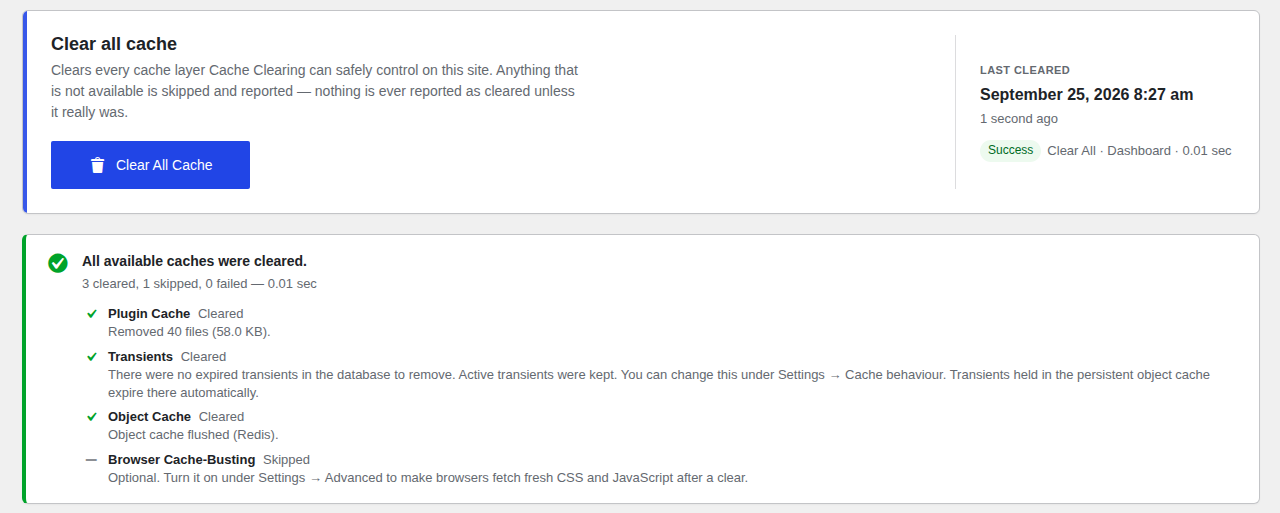
- Clear All Cache in one click, with a clear summary: what was cleared, what was skipped (not available) and what failed.
- Individual clearing for each cache, plus Clear Selected with checkboxes.
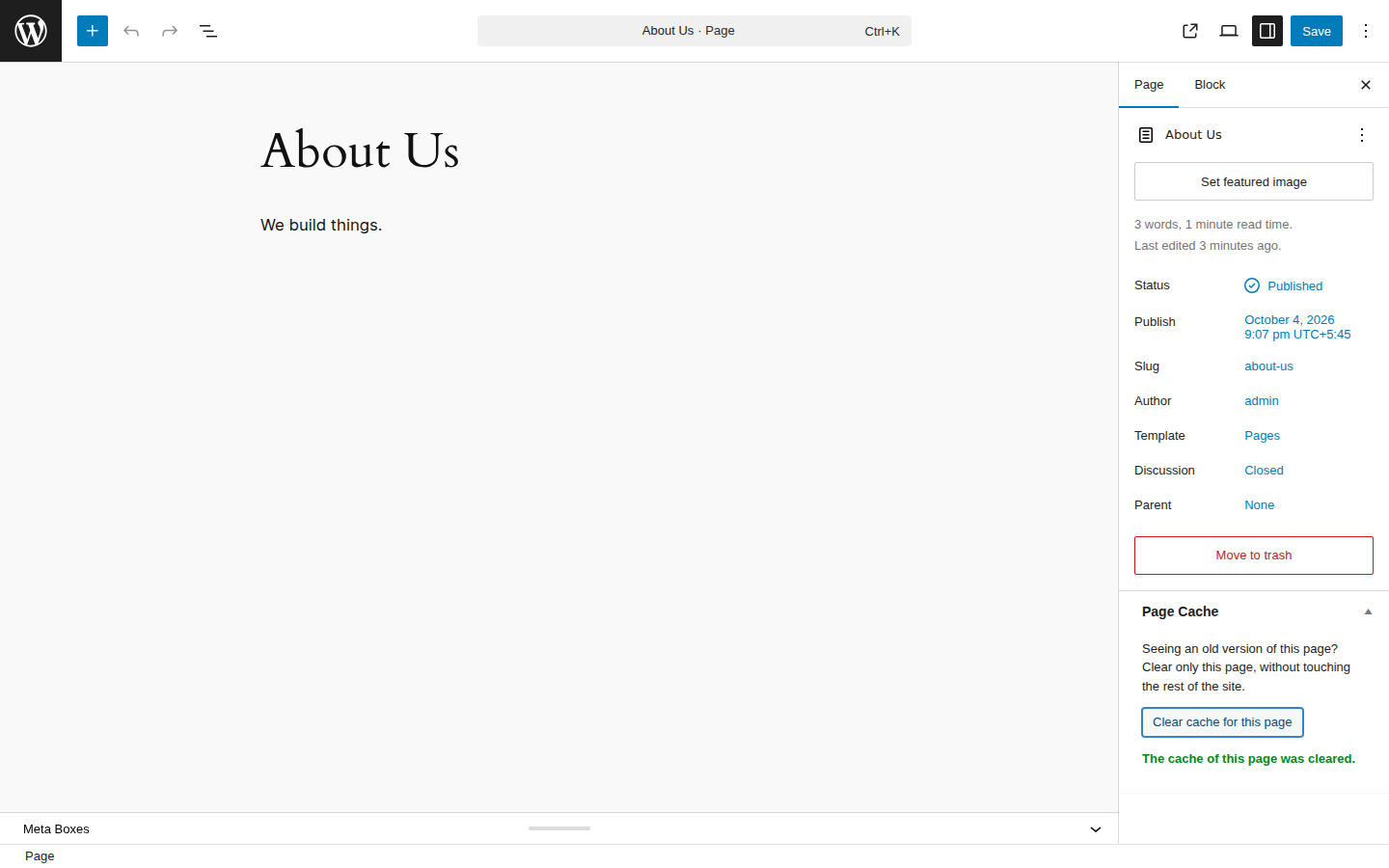
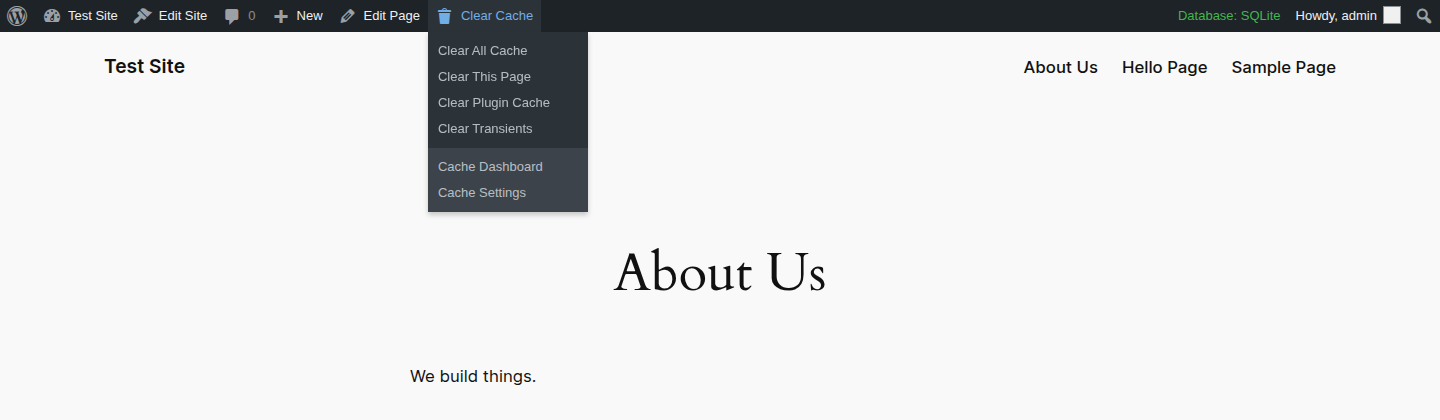
- Clear the cache of a single page or post from the Posts and Pages lists, the edit screen or the Admin Bar ("Clear This Page"). Connected cache plugins purge only that page; the rest of your site stays cached.
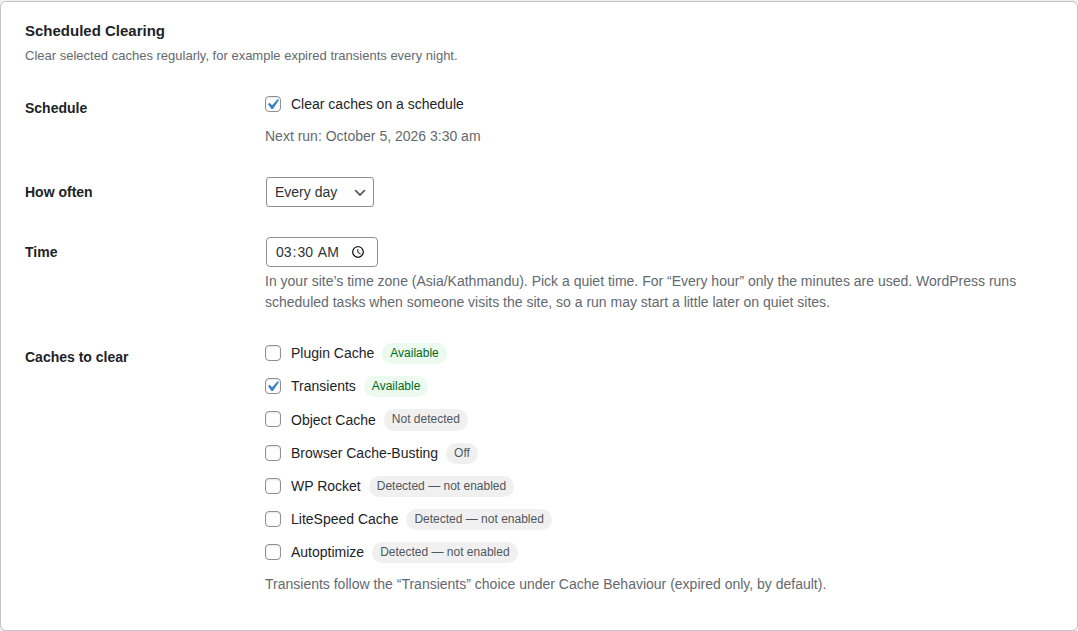
- Scheduled clearing: clear chosen caches every hour, twice a day, daily or weekly at a time you pick (for example expired transients every night at 03:00).
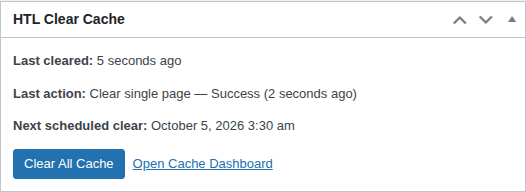
- Dashboard widget on the main WordPress Dashboard: last clear, its result, the next scheduled clear and a Clear All Cache button.
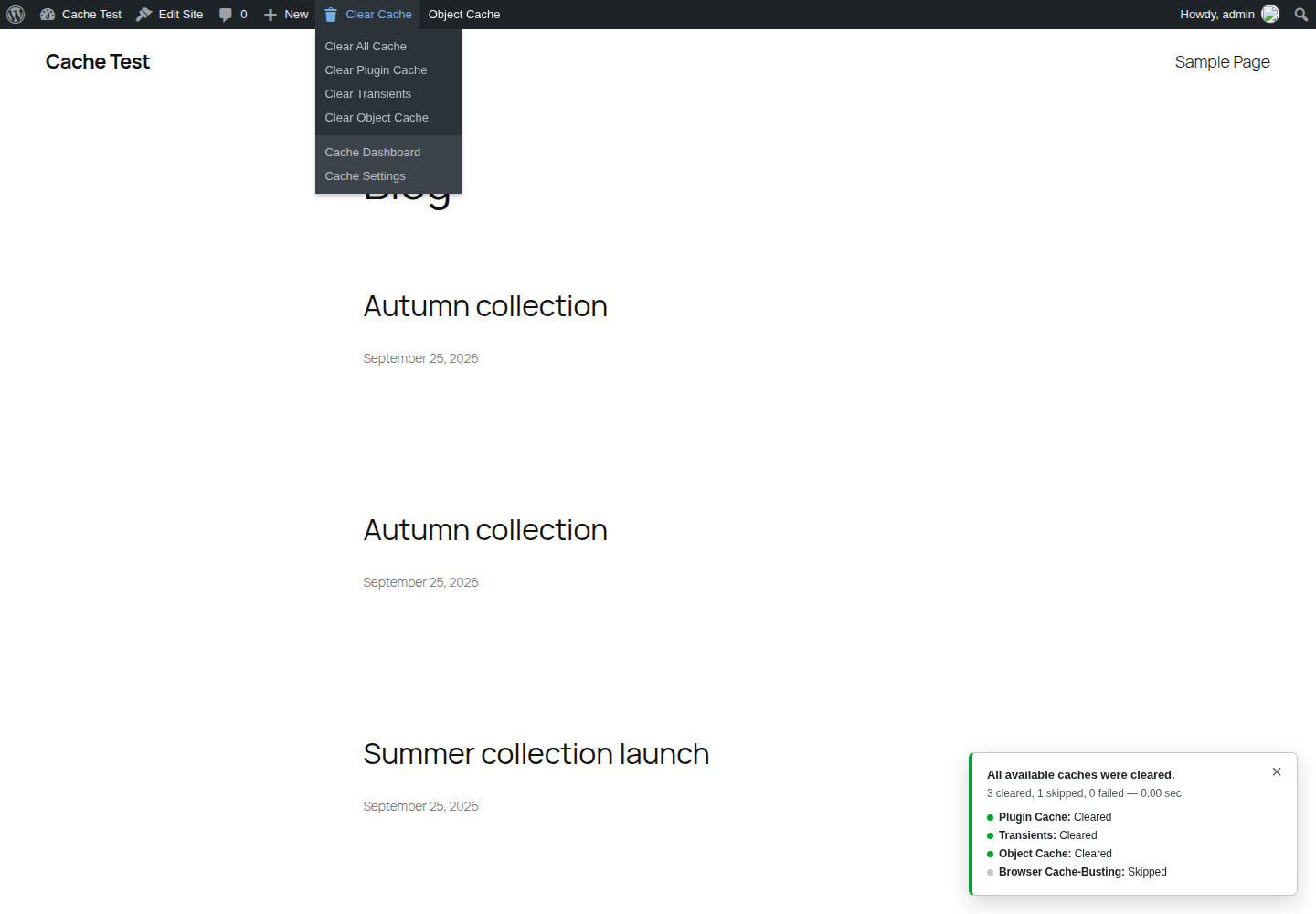
- Admin Bar quick menu on the dashboard and on the front end: Clear All, Clear Plugin Cache, Clear Transients, Clear Object Cache (when available) and Cache Settings. Results appear in a small notification without reloading the page.
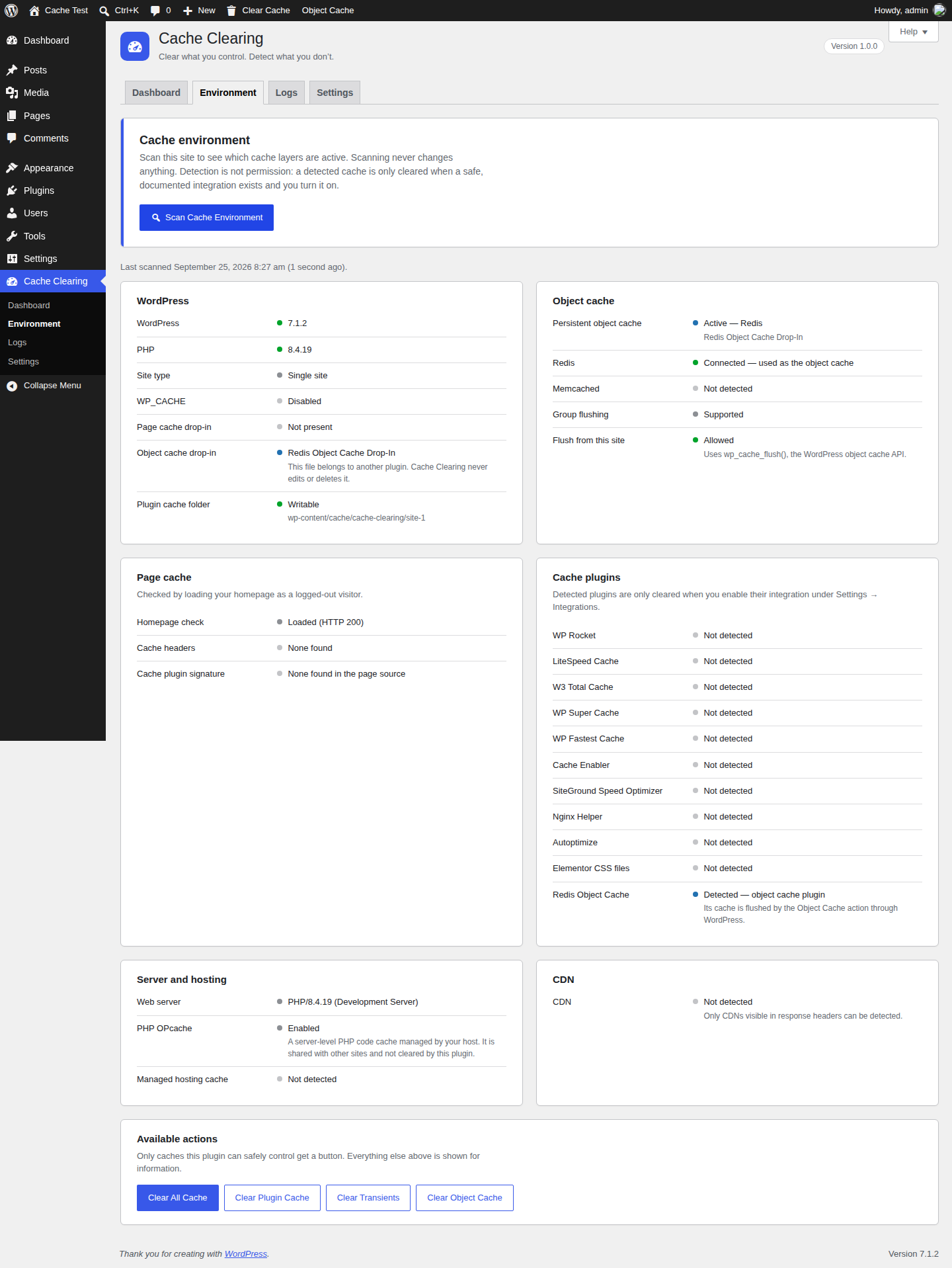
- Cache environment scanner: WordPress, persistent object cache, Redis, Memcached, APCu, page-cache drop-ins, cache plugins, hosting cache, PHP OPcache and CDNs that are visible in response headers.
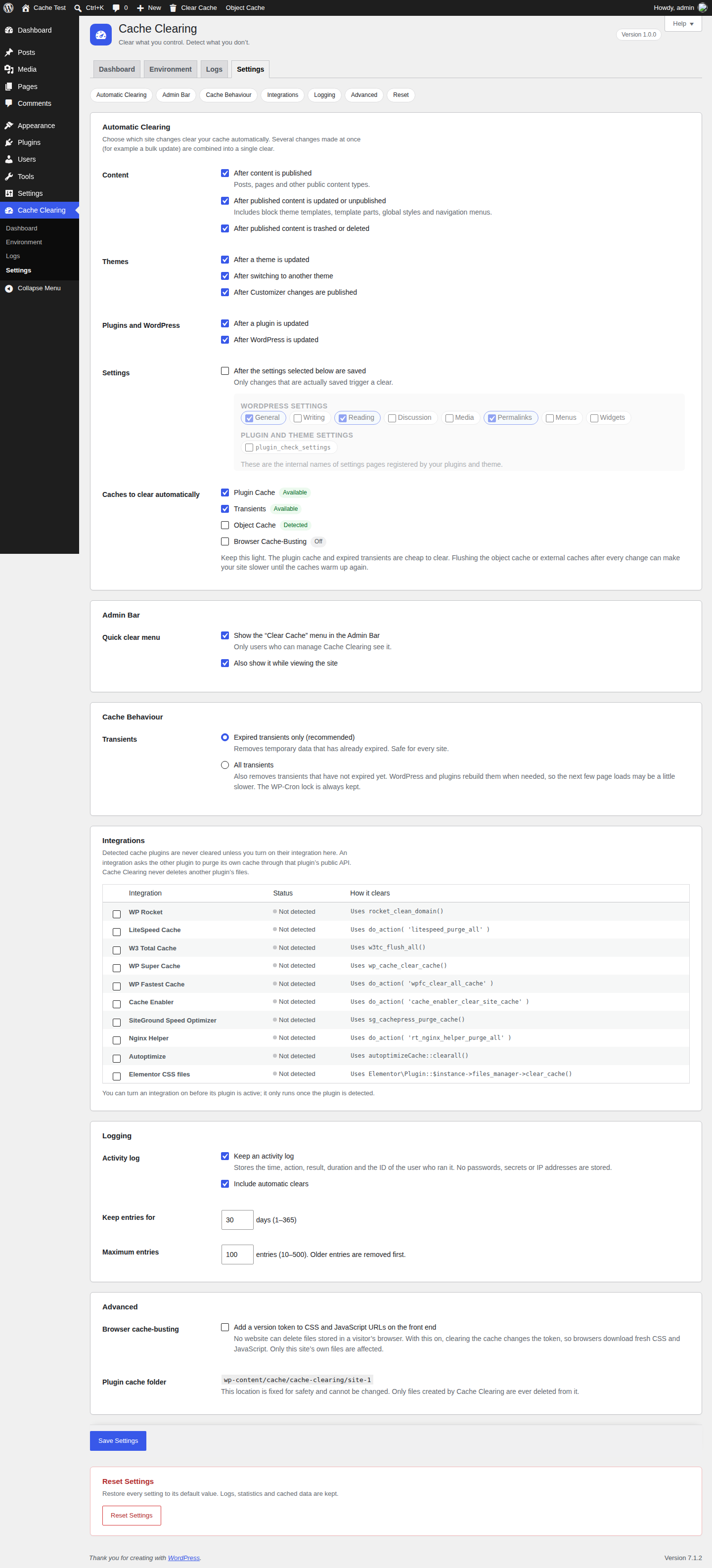
- Automatic clearing after content is published, updated or deleted, after theme, plugin and WordPress updates, after theme switches, after Customizer changes and after selected settings pages are saved. Every trigger can be turned on or off individually, and several changes in one request cause just one clear.
- Statistics: plugin cache size and file count, transients in the database, object cache type, number of clear operations, last duration and times cleared per cache.
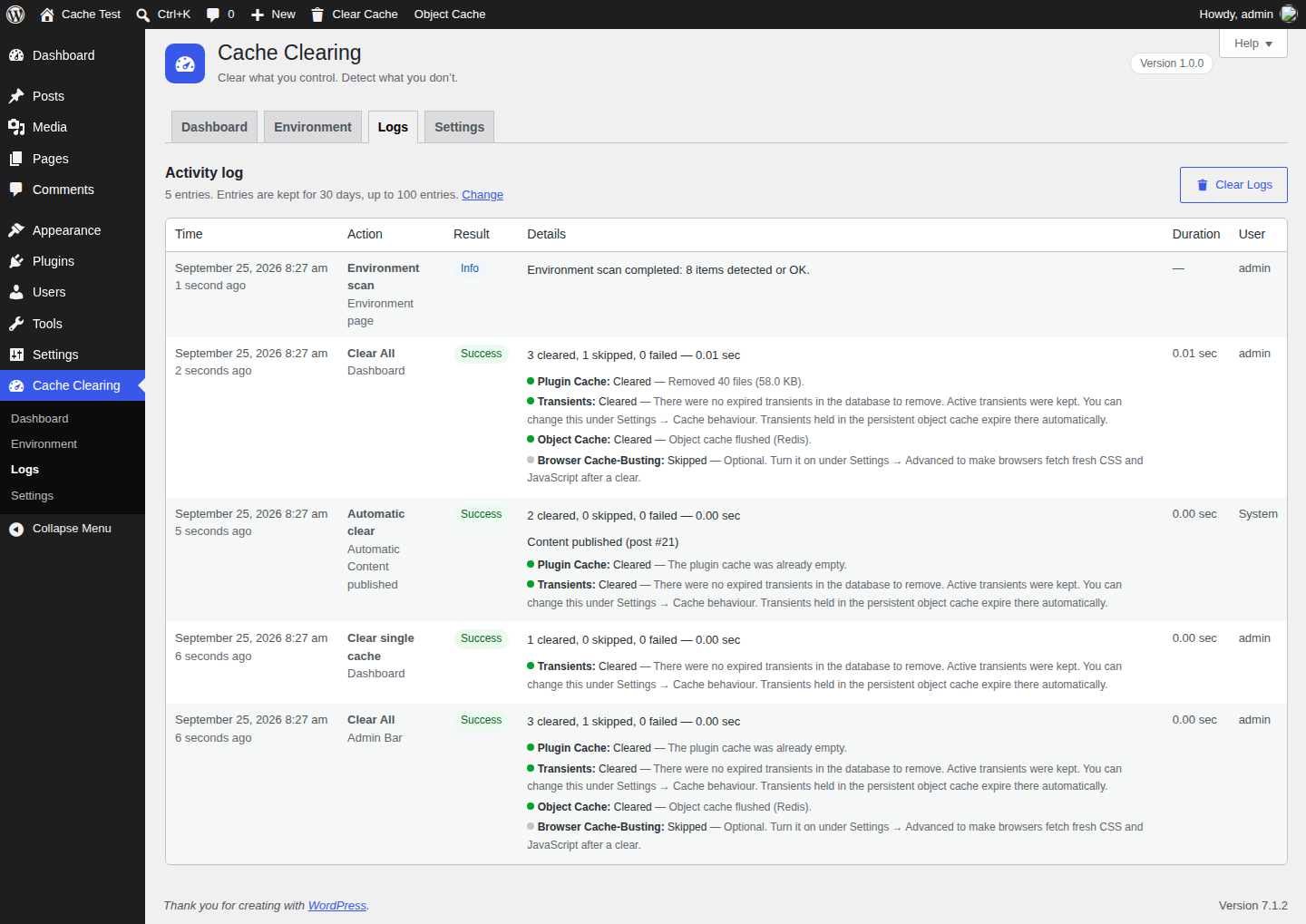
- Activity log with time, action, source, result, duration, per-cache messages and the user who ran it. Retention period and maximum size are configurable.
- Optional browser cache-busting for your CSS and JavaScript files.
- Multisite aware: each site has its own settings, log and plugin cache. Actions from one site never affect other sites unless a network administrator explicitly allows it.
- Modular: every cache type is a module behind one contract, so new integrations can be added without changing the core.
- Plugin Cache – a namespaced cache folder fully controlled by this plugin (
wp-content/cache/cache-clearing/site-{ID}/). Themes and plugins can store data in it through a small developer API. Its size and file count are shown on the dashboard. - Transients – temporary data stored in the database by WordPress, themes and plugins. By default only expired transients are removed. You can choose to remove all transients instead.
- Object Cache – a persistent object cache such as Redis or Memcached, flushed only through the WordPress object cache API (
wp_cache_flush()). If none is active it shows "Not detected". - Browser Cache-Busting (optional, off by default) – adds a version token to your site's CSS and JavaScript URLs so browsers download fresh copies after a clear.
- Integrations (optional, off by default) – WP Rocket, LiteSpeed Cache, W3 Total Cache, WP Super Cache, WP Fastest Cache, Cache Enabler, SiteGround Speed Optimizer, Nginx Helper, Autoptimize and Elementor CSS files. Each one only calls that plugin's own public purge function or action.
- Cloudflare purge: the whole Cloudflare cache with Clear All Cache, or only one page.
- Smart clearing: when a post changes, only that post and the pages that show it are cleared in Cloudflare.
- Cache warm-up: important pages are loaded again in the background after a clear.
- Email alerts when clearing fails.
- It never reports a cache as cleared when the operation failed.
- It never deletes another plugin's cache folders or files.
- It never accepts a file path from a form and never deletes files outside its own folder.
- It never runs shell commands.
- It never claims to delete a visitor's browser cache (no website can do that).
- It never mixes database optimization into "Clear All Cache".
安装:
- In your WordPress dashboard go to Plugins → Add New Plugin and search for HTL Clear All Cache.
- Click Install Now, then Activate.
- Open HTL Clear Cache in the admin menu.
hash-tech-logic-cache-clearing folder to wp-content/plugins/, then activate it on the Plugins screen.
On multisite you can activate the plugin on individual sites or network-activate it. Each site is set up the first time its dashboard is visited.屏幕截图:
常见问题:
Do I need another cache plugin?
No. It works on its own. Other cache plugins are optional and are only purged if you turn on their integration.
What does "Clear All Cache" clear exactly?
Every module that is available and safe on this site: the plugin cache, transients (according to your setting), the persistent object cache if one is active and allowed, browser cache-busting if you turned it on, and any integrations you enabled. Anything that is not available is listed as "Skipped" with the reason.
Why does the result say "Partial success"?
At least one cache could not be cleared completely. The result lists each cache with its message, for example a file that could not be deleted because of folder permissions. The plugin never reports success when something failed.
Why is the Object Cache "Not detected"?
Your site does not use a persistent object cache (an object-cache.php drop-in such as Redis Object Cache). Without one, WordPress keeps cached objects in memory for a single page load only, so there is nothing to flush.
Will flushing the object cache affect other sites?
It can. wp_cache_flush() clears the whole object cache. If other sites or apps share the same Redis or Memcached database, their cached data is cleared too. On multisite, flushing is disabled until a network administrator allows it under Settings → Advanced.
Is clearing all transients safe?
Transients are temporary by design and WordPress rebuilds them when needed, so clearing them is safe, but the next few page loads may be slightly slower. That is why the default is "expired transients only". The WP-Cron lock (doing_cron) is never deleted.
Can it clear my visitors' browser cache?
No website can delete files stored in a visitor's browser. Instead, turn on browser cache-busting under Settings → Advanced. Clearing it changes the version of your CSS and JavaScript URLs, so browsers download fresh copies.
Does it clear my CDN or hosting cache?
Not in this version. The scanner detects Cloudflare, CloudFront, Fastly, Sucuri, Bunny CDN, QUIC.cloud and Akamai when they are visible in response headers, and several managed hosts. Clear those caches from their own dashboard. CDN integrations are planned.
Can I clear the cache of just one page?
Yes. Hover over a published page or post in Pages or Posts and click Clear cache, use the Page Cache box on the edit screen, or choose Clear This Page in the Admin Bar while viewing it. WordPress's own cached data for that post is refreshed, and every connected cache plugin that supports it (WP Rocket, LiteSpeed Cache, W3 Total Cache, WP Super Cache, WP Fastest Cache, Cache Enabler, SiteGround Speed Optimizer and Nginx Helper) purges only that page. Plugins that can only purge everything (Autoptimize, Elementor CSS files) are left alone and shown as skipped.
How does scheduled clearing work?
It uses WordPress's built-in scheduler (WP-Cron), which runs when someone visits your site. On a quiet site a run can start a little after the chosen time. Each run appears in the activity log as "Scheduled clear".
Which caches are cleared automatically?
Only the caches you tick under "Caches to clear automatically". By default that is the plugin cache and transients (expired only), which are cheap to clear. You can add the object cache or integrations, but flushing those after every change can slow your site down until the caches warm up again.
Who can use the plugin?
Users with the manage_options capability (administrators). Developers can change this with the cache_clearing_capability filter.
What happens when I uninstall the plugin?
Deleting the plugin removes only its own data: its options (settings, log, statistics, scan results, version, install date, asset version), its scheduled event, the review-request choice saved for each user, its short-lived notices and its own wp-content/cache/cache-clearing/ folder. On multisite this is done for every site. Nothing else is touched. Deactivating the plugin keeps your settings and log.
更新日志:
- New: when an update is available, the Plugins screen shows a short "What's new" list for it.
- New: a "Pro" tab with information about the optional Pro add-on (Cloudflare, smart clearing, cache warm-up, email alerts), and a "Get Pro" link on the Plugins screen. Both disappear when Pro is active.
- New screenshots.
- New: clear the cache of a single page or post from the Posts and Pages lists, a Page Cache box on the edit screen and "Clear This Page" in the Admin Bar. Connected cache plugins purge only that page.
- New: scheduled clearing (hourly, twice a day, daily or weekly at a chosen time). Off by default.
- New: Dashboard widget with the last clear, its result, the next scheduled clear and a Clear All Cache button.
- New: a one-time request for a review, shown only on the plugin's own dashboard after several successful clears. "Maybe later" and "Don't ask again" are respected.
- Settings: the "Admin Bar" section is now called "Shortcuts".
- New name: HTL Clear All Cache (the admin menu is now called HTL Clear Cache).
- Settings are registered once with
register_setting(), type "array" and a sanitize callback that validates every field.
- First release: plugin cache, transients, object cache and optional browser cache-busting modules; ten opt-in cache plugin integrations; Clear All, individual and Clear Selected actions; Admin Bar menu; environment scanner; automatic clearing; statistics; activity log; multisite support; uninstall cleanup.