
RunCache – Full-Page, Object, and Edge Caching
| 开发者 | runcloud |
|---|---|
| 更新时间 | 2026年10月19日 17:53 |
| PHP版本: | 8.0 及以上 |
| WordPress版本: | 7.1 |
| 版权: | GPLv2 or later |
| 版权网址: | 版权信息 |
详情介绍:
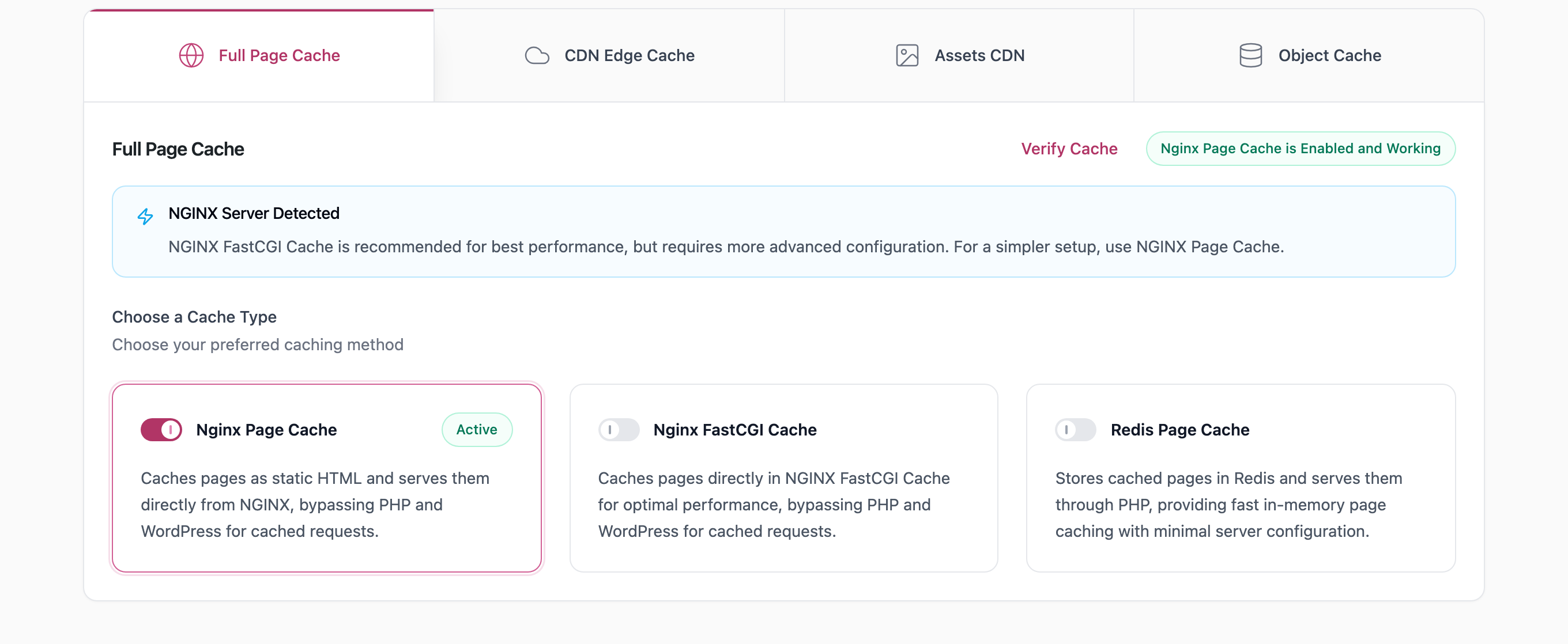
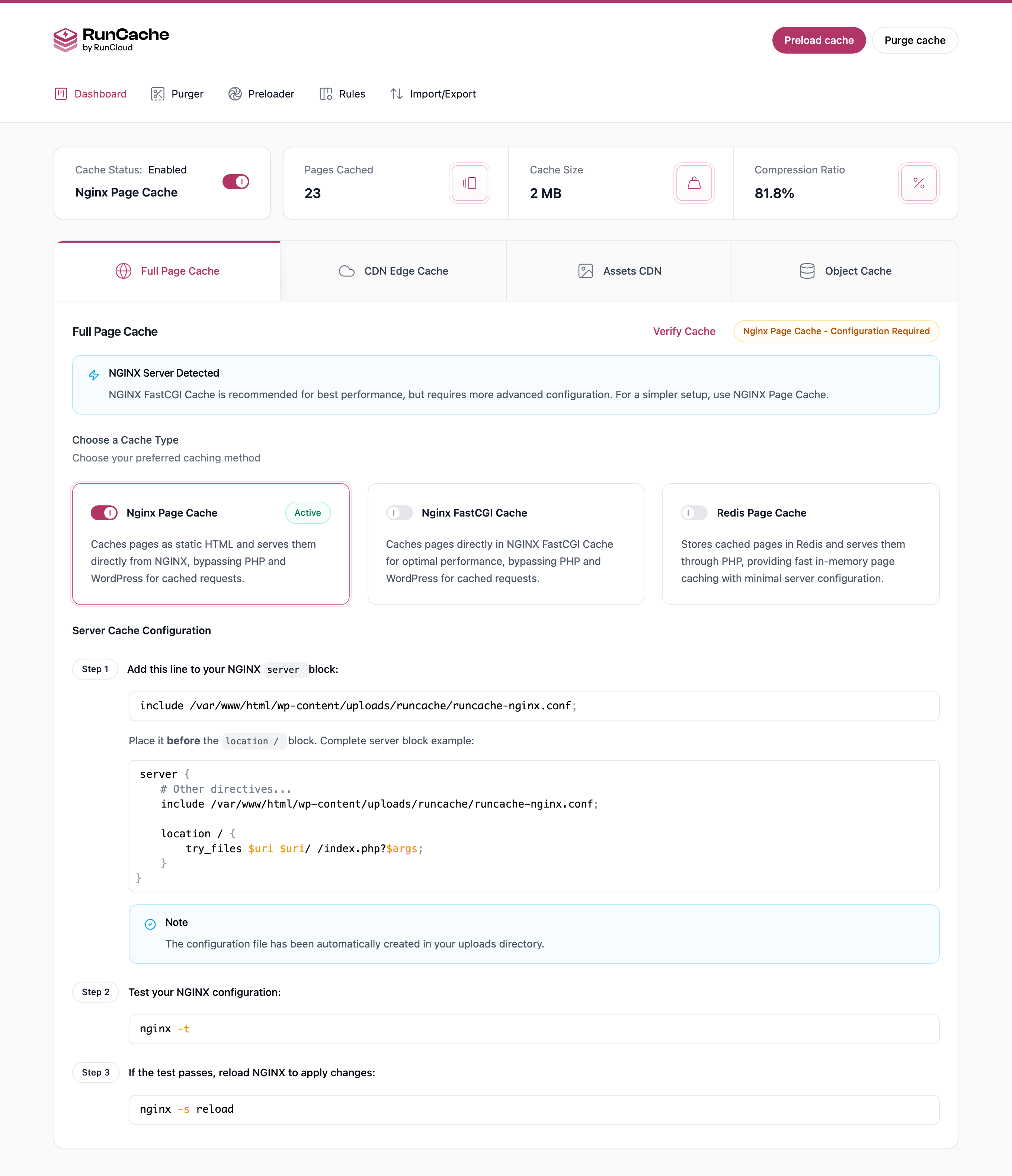
- NGINX FastCGI Cache: NGINX stores and serves the page itself, so PHP never starts on a hit. Fastest option on an NGINX stack. Needs shell access, plus
ngx_cache_purgeto purge single URLs. Setup guide. - Apache: mod_rewrite rules in
.htaccessserve the stored file before the request reaches PHP. Nearly as fast as FastCGI and easier to enable, because.htaccessis usually already writable. Needsmod_rewrite,mod_headers, and a restart. - LS Cache: uses the cache engine built into LiteSpeed Web Server and OpenLiteSpeed. Comparable to FastCGI, and shown only when a LiteSpeed server is detected.
- NGINX Cache: NGINX serves the stored HTML file directly. Simpler than FastCGI and needs no extra module, but varies on fewer request conditions.
- Redis Cache: stores full pages in Redis rather than on disk. Slightly slower, because PHP still reads from Redis, but the right answer when several containers or servers share one cache.
- PHP File Cache: serves stored HTML from a drop-in before WordPress loads. PHP starts, but your theme, plugins, and database are all skipped. Needs no server access, works on shared hosting, and is active the moment you activate RunCache.
- Cloudflare Cache: caches your HTML at Cloudflare's edge and purges it when you publish, serving pages near the visitor rather than from your server. Helps international traffic the most, and works in front of any of the six above. Setup guide.
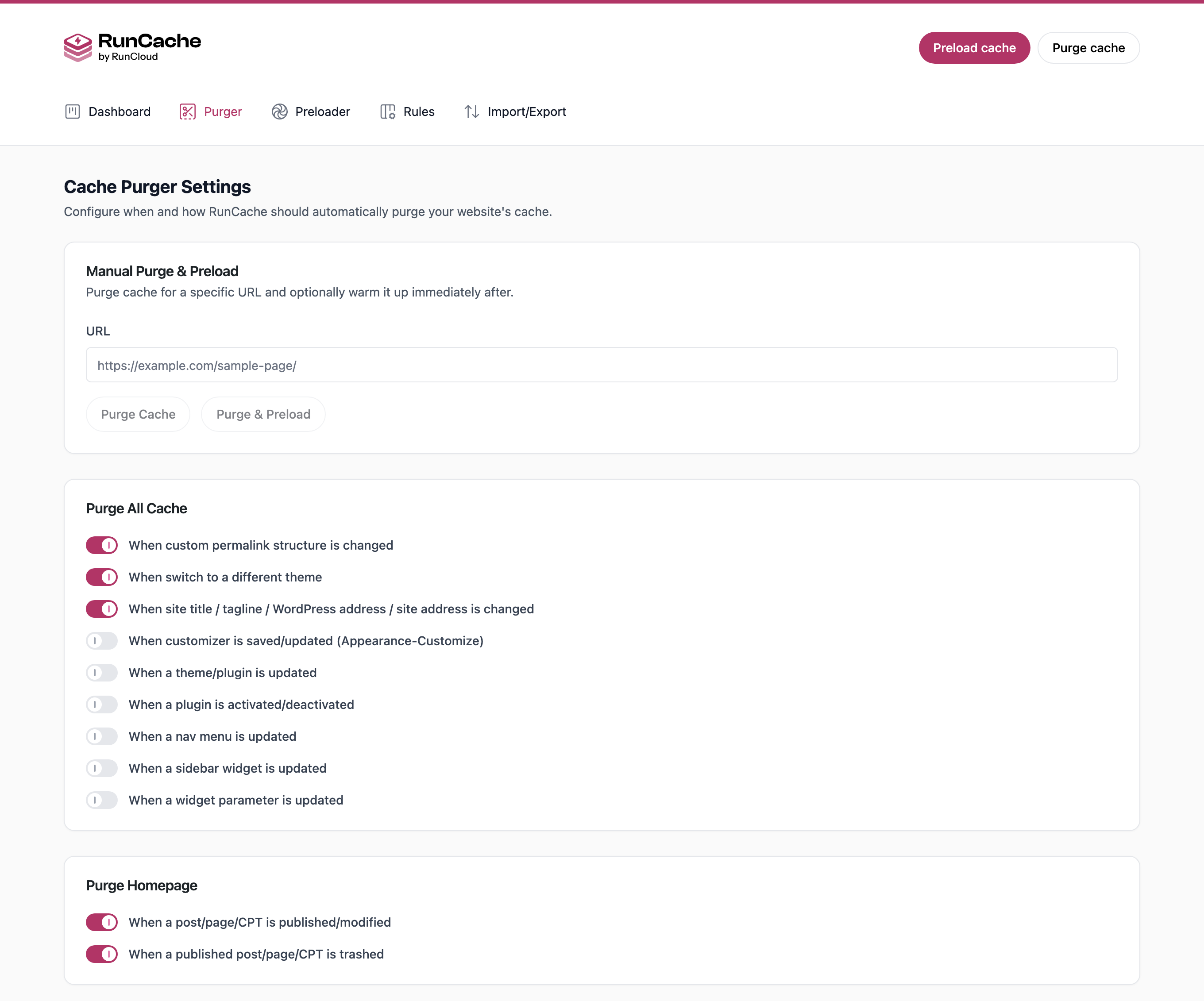
- On publish and edit: clears that post and the archives it appears on, not the whole cache. On by default.
- On comments: clears the post the comment belongs to, so it appears at once. On by default.
- On-site changes: theme switches, permalink changes, and site title edits clear everything. On by default.
- Optional triggers: menus, widgets, sidebars, Customizer, plugin activation, and upgrades. These ship off, because on a busy site, they clear far more than most people want.
- Manual and scheduled: clear everything, one URL, or only expired entries, from the settings page, the admin bar, or WP-CLI.
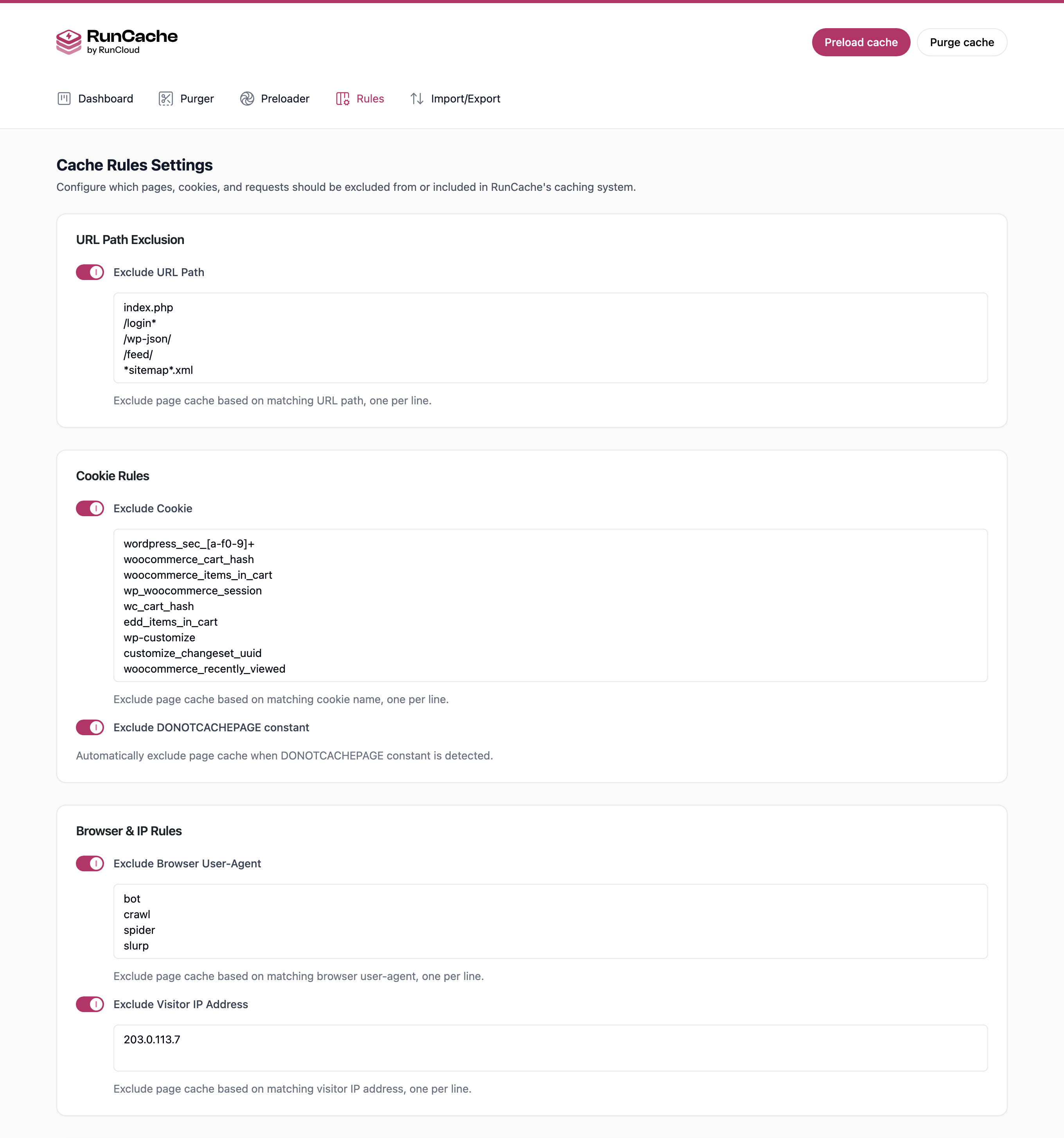
- URL Path Exclusion: wp-admin, REST API, feeds, sitemaps, login, cart, checkout, and account pages are excluded out of the box.
- Cookie Rules: logged-in users, commenters, and visitors holding a WooCommerce cart bypass by default.
- Query String Rules: ignore tracking parameters so
?utm_source=variants share one cached copy instead of duplicating it. - Browser and IP Rules: let a developer, editor, or uptime monitor always see the live page.
- Additional Cache Key: store a separate copy per request header, which is how you serve desktop and mobile markup on one URL.
- DONOTCACHEPAGE: always honored so that any plugin can force a bypass with no configuration from you.
- Import and Export Settings: move a configuration between sites as JSON, turning an hour of cache tuning into a one-minute setup on every client site after the first. Import and export.
- WP-CLI native:
wp runcache purge,preload-all,enable,status, andstats, so clearing the cache fits into a deploy script. - Multisite: network-enabled, cached pages namespaced per site, configured per site rather than network-wide.
安装:
- Go to Plugins > Add New and search for RunCache.
- Click Install Now, then Activate.
- Open RunCache from the admin menu.
mod_rewrite and mod_headers for Apache, LiteSpeed or OpenLiteSpeed for LS Cache, the redis extension for Redis, and a proxied zone plus API token for Cloudflare.屏幕截图:
常见问题:
How do I clear the WordPress cache?
RunCache clears it for you whenever you publish or edit content, so you do not need to do it most of the time. To clear it manually, use the Purge button in the admin bar, open RunCache > Cache Purger to clear everything or a single URL, or run wp runcache purge on the command line.
How do I know my pages are being cached?
Open your site in a private window and check the response headers. X-RunCache-Status reads HIT when the page came from cache, MISS on the first request, and BYPASS when a rule excludes it. X-RunCache-Type names the type that answered. The Cloudflare edge providers report their layer with X-CF-Status instead.
Which cache type should I use?
Use the fastest one your server supports. On NGINX with shell access, that is NGINX FastCGI Cache, because NGINX answers the request, and PHP never starts. On LiteSpeed or OpenLiteSpeed, it is LS Cache. Without shell access, the PHP file cache already works, and Redis Cache is a step up if your host offers Redis.
Is RunCache really free, or is there a pro version?
RunCache is free, and there is no pro version. Nothing is locked behind a payment, a trial, an account, or a license key. There is no page view or bandwidth meter that throttles you as traffic grows, no per-site licensing, and no yearly renewal. If you are looking for a free cache plugin to replace a paid one, it includes every feature listed above.
Do I need a RunCloud account to use RunCache?
No. RunCache is standalone and works on any server you control, RunCloud-managed or not. It performs no license check and never contacts RunCloud.
Does RunCache work with WooCommerce?
Yes. Cart, checkout, My Account, add-to-cart, and AJAX cart fragments are excluded by default, so a cached page can never show one customer's cart to another. Stock changes purge that product. For pages that cannot be cached at all, use the Redis Object Cache. If you take payments through Stripe, see WooCommerce Stripe gateway caching issues.
Does RunCache work with Cloudflare?
Yes, in two ways. Cloudflare Cache stores your HTML at the edge and purges it when content changes, and Cloudflare APO enables Automatic Platform Optimization on your zone. Both need your DNS proxied and an API token with Zone Read, Cache Purge, and Cache Rules Edit.
Can I cache pages for logged-in users?
No. Any visitor carrying a wordpress_logged_in cookie bypasses the page cache, and this applies to all roles, because a page built for one logged-in user must never be served to another. Use the Redis Object Cache instead.
How do I exclude a page or URL from being cached?
Open RunCache > Cache Rules and add the path under URL Path Exclusion. You can also exclude by cookie, query string, user agent, and IP. Developers can define DONOTCACHEPAGE, which RunCache honors automatically.
I am on LiteSpeed or OpenLiteSpeed. Do I need to disable LiteSpeed Cache?
Yes. If the LiteSpeed Cache plugin is active it holds the page-cache drop-in, so RunCache cannot take over. Deactivate LiteSpeed Cache first, then enable LS Cache inside RunCache.
Can I use RunCache alongside another caching plugin?
Not another page cache. Two page caches compete for the same advanced-cache.php drop-in, producing stale pages, so deactivate any other caches first. Plugins doing a different job, such as security or image optimization, are fine.
Does RunCache modify wp-config.php?
Yes. Enabling a cache type adds define('WP_CACHE', true);, and the Redis Object Cache adds a marked block with your Redis details, including the password in plain text. Both are removed when you disable the feature.
What happens when I deactivate RunCache?
Disable the active cache type first, from RunCache > Full Page Cache, which removes the generated .htaccess block or config file. Deactivating then purges the cache and removes the drop-in.
How do I report a security issue?
Please email support@runcloud.io rather than filing a public report so that it can be fixed before disclosure.
更新日志:
- First release on WordPress.org.
- Full page cache with seven types: NGINX FastCGI, NGINX, Apache, LS Cache, Redis, PHP file cache and Cloudflare.
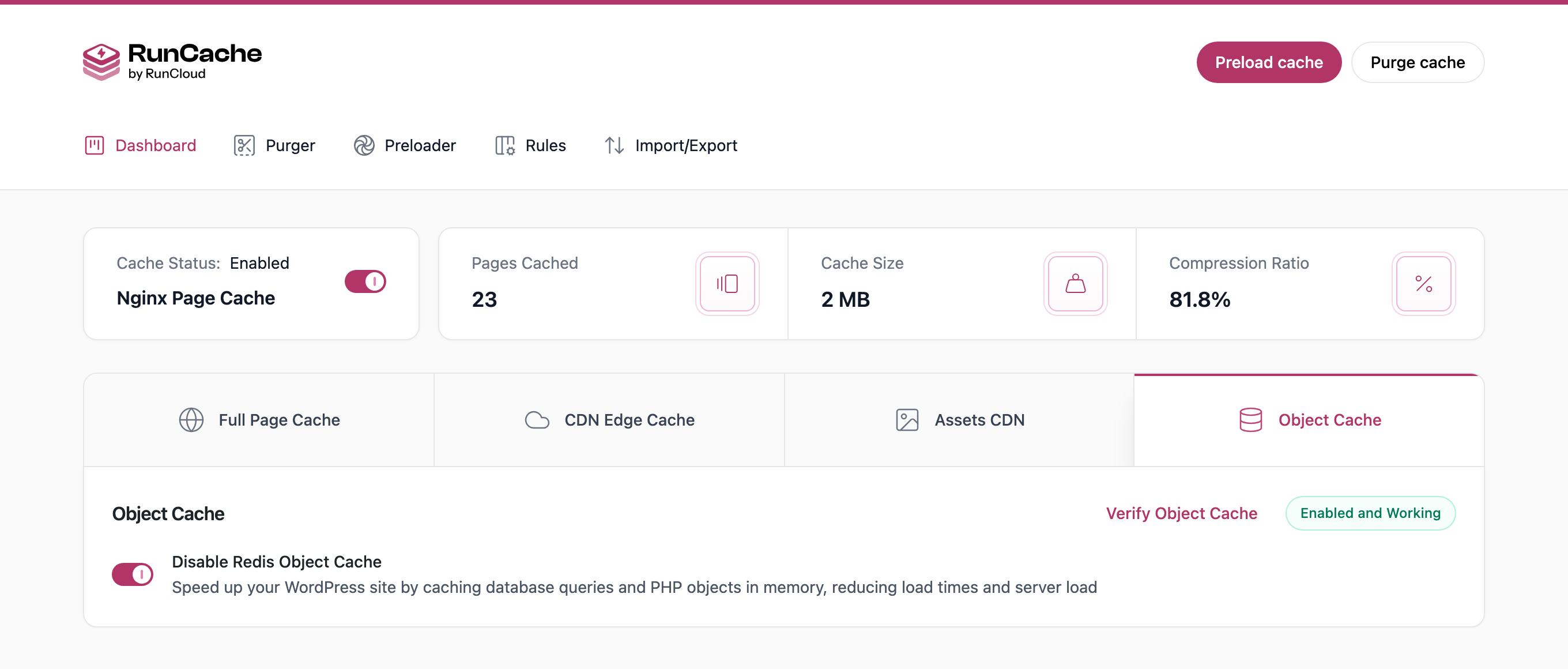
- Redis object cache with connection testing and a guided setup.
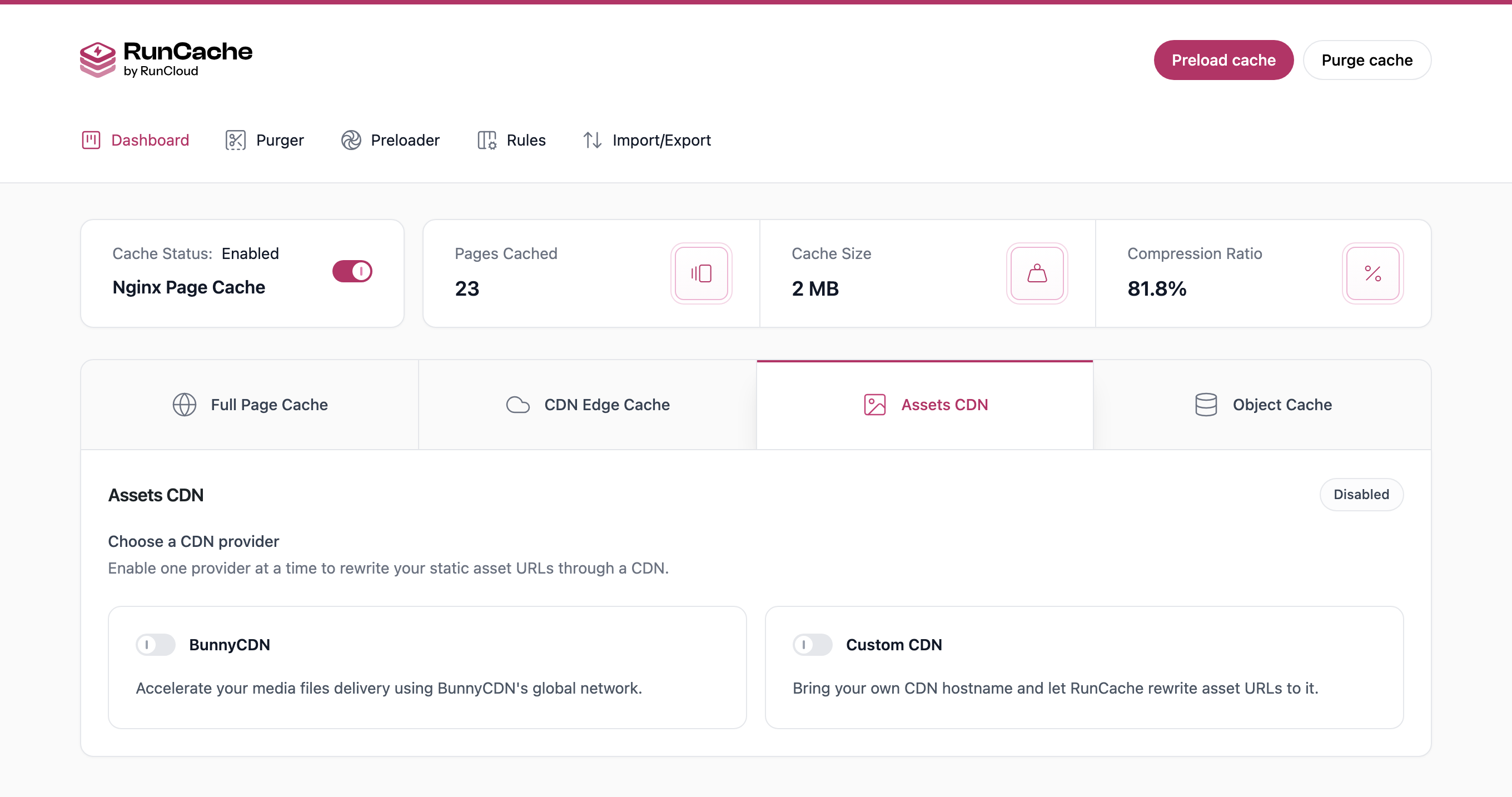
- Asset CDN for BunnyCDN, any custom CDN hostname, and Cloudflare APO.
- Cache Rules for URL paths, cookies, query strings, user agents, IP addresses and an additional cache key, with DONOTCACHEPAGE always honored.
- Cache Purger with automatic triggers on publish, edit and comments, plus manual and scheduled purging.
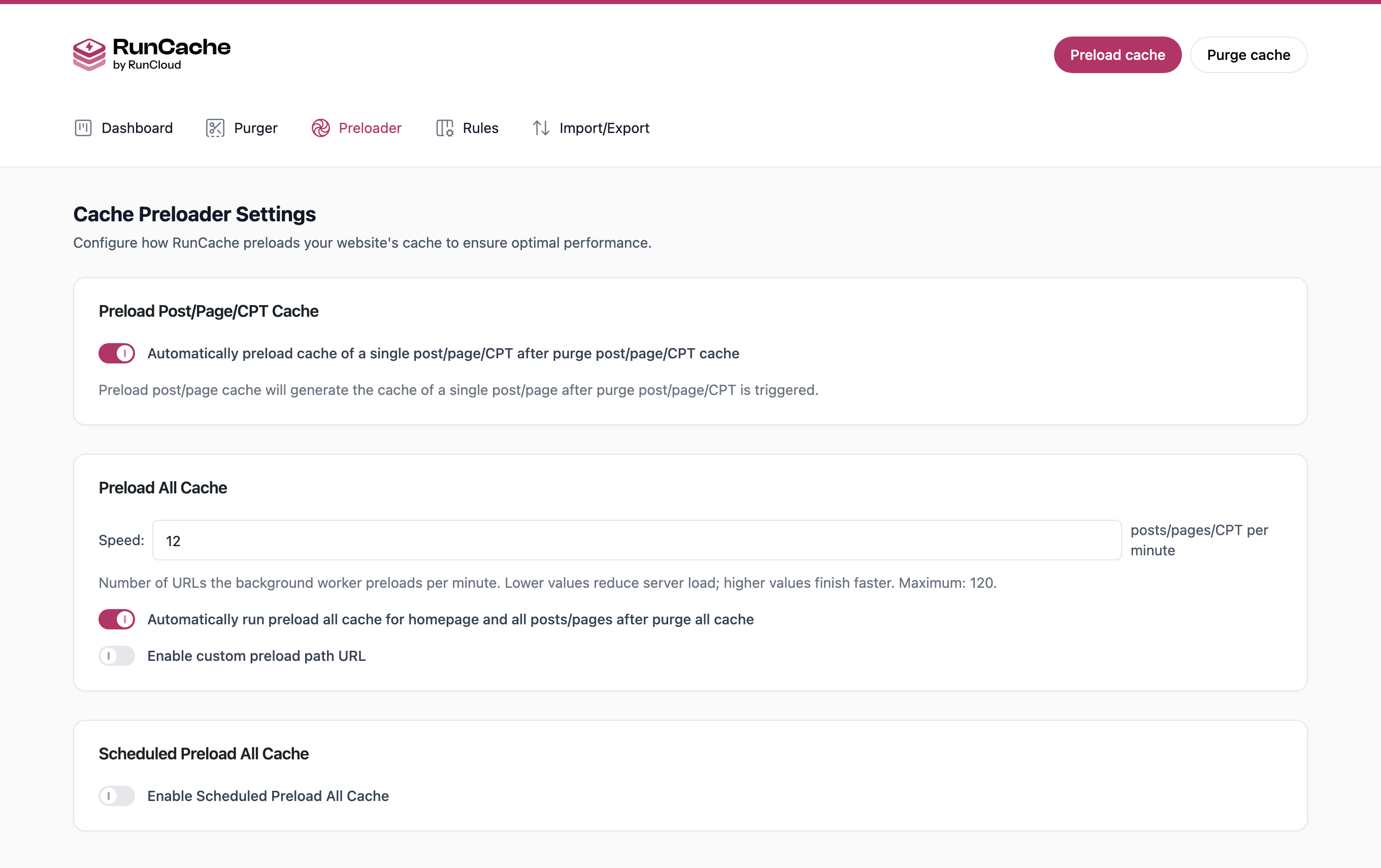
- Cache Preloader with a configurable rate limit of 1 to 120 URLs per minute.
- WP-CLI commands and multisite support.
- Import and export settings as JSON.