StranoWeb Ajax Login
| 开发者 | beeky2 |
|---|---|
| 更新时间 | 2023年12月19日 17:53 |
| 捐献地址: | 去捐款 |
| PHP版本: | 5.2.4 及以上 |
| WordPress版本: | 6.2 |
| 版权: | GPLv2 or later |
| 版权网址: | 版权信息 |
标签
下载
详情介绍:
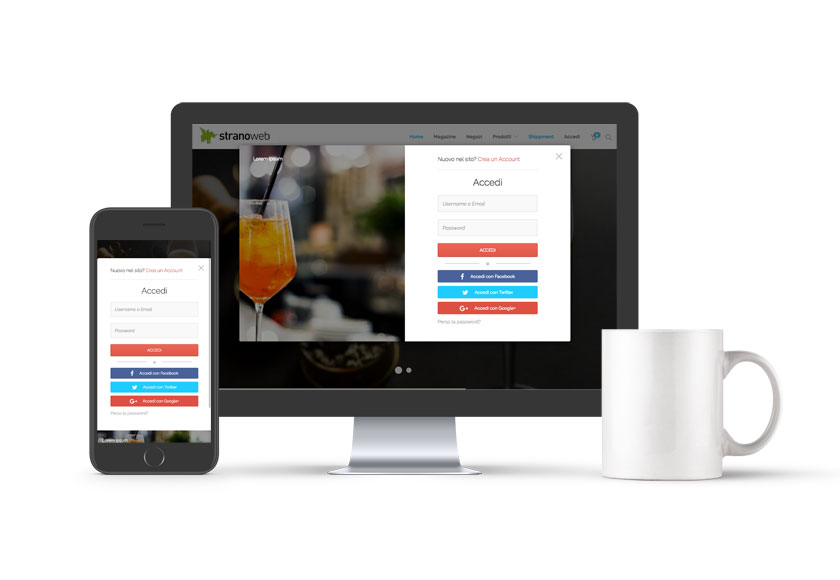
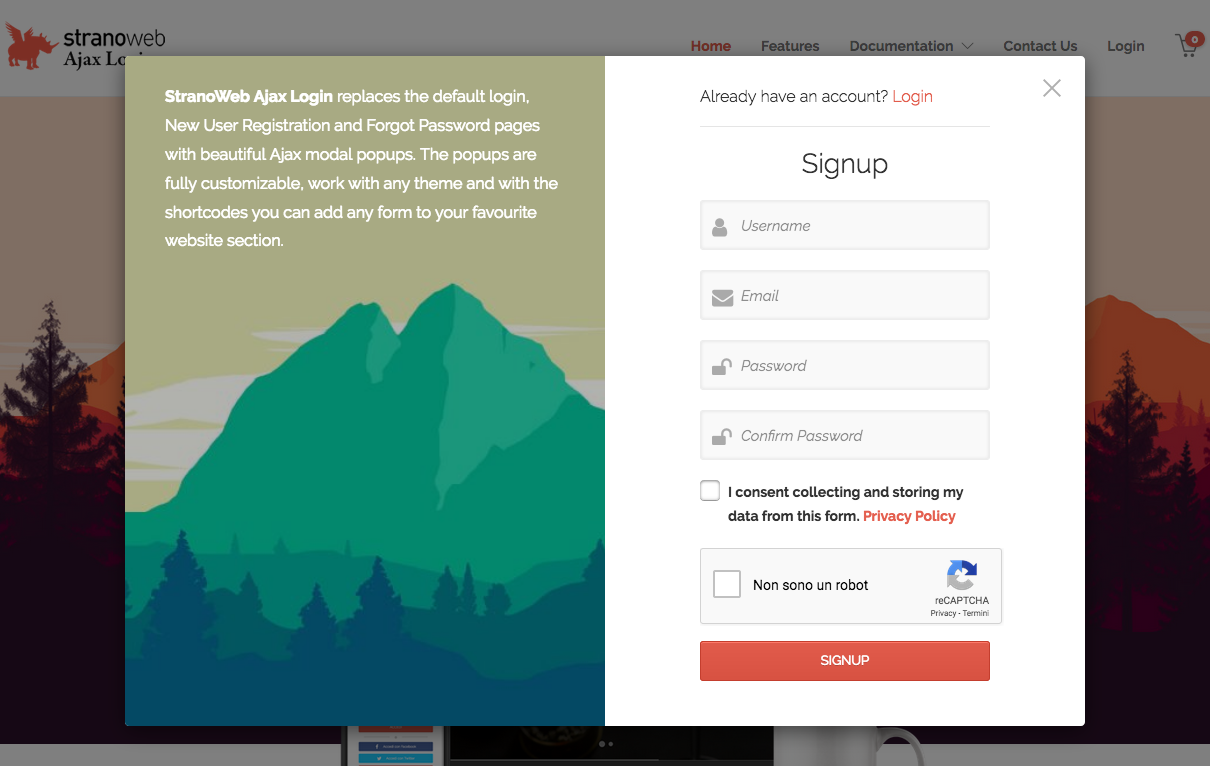
Stranoweb Ajax Login replaces default Wordpress login, register and lost password forms with a beautiful ajax modal popup and comes with a lot of amazing features.
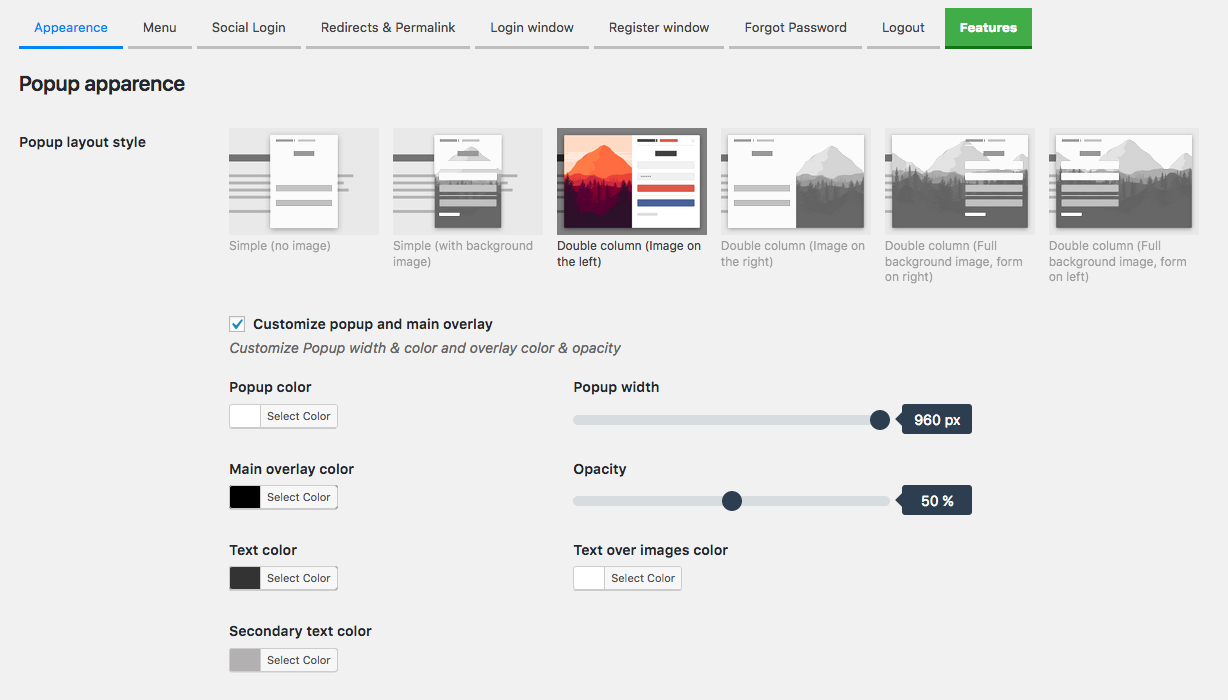
It’s fully customizable and responsive, includes several social logins and allows you to disable new user registration and restrict wordpress admin dashboard to certain user roles.
安装:
Minimum Requirements
- PHP version 5.2.4 or greater (PHP 5.6 or greater is recommended)
- MySQL version 5.0 or greater (MySQL 5.6 or greater is recommended)
- WordPress 4.4+
屏幕截图:
常见问题:
Will StranoWeb Ajax Login work with my theme?
Yes, StranoWeb Ajax Login works with any theme, however it may require some styling to make it match nicely. Note: the plugin is responsive but it may not work as expected on some themes when they are in mobile view, we are working on it to make it as much compatible with any theme as possible.
Where can I report bugs or contribute to the project?
Bugs can be reported on the StranoWeb GitHub repository.
更新日志:
2.0.1 - 2023-04-08
- Fixed: Some PHP 8 warnings;
- Fixed: Replaced a file in twitter login folder because of an error;
- Fixed: a bug on registration form when username was disabled and autologin enabled;
- Fixed: broken layout on registration form when username was disabled;
- Fixed: PHP Warning header already sent issue with wp-cron.php;
- Added: new querystrings to open the popup: swal=login, swal=register, swal=lostpassword;
- Fixed: excessive memory usage in admin users in the case of a large number of users on the site and user activation enabled;
- Fixed: flush rewrite rules only for some options;
- Fixed: function checking server variables causing warning when bots visiting the website;
- Added: filter 'swal_placeholders' to add new items to emails placeholders array;
- Added: new options to customize input fields and buttons;
- Added: new options to open popup by querystring parameter (Premium version);
- Fixed: an error that in some installations were caused due to bad connection to our server (Premium version);
- Updated: Nonces are now disabled by default, changed the option from "disable SWAL nonces" to "enable SWAL nonces";
- Updated: Facebook API version;
- Updated: added reset option to slider inputs;
- Fixed: page titles attribute on admin pages were always referred to the default pages for login, register and so on;
- Fixed: changed getCookie JS function name to swalgetCookie because of conflict with Ninja Forms plugin;
- Fixed: issue on Multistep admin, some checkboxes didn't work properly on mouse click;
- Updated: tested up to WP version 6.0;
- Updated: added the default 'signup_extra_fields' hook to register form;
- Updated: added social login icons positioning also on register form;
- Updated: tested up to WP version 5.9;
- Fixed: a css issue, on some themes the popup wasn't center aligned in mobile devices;
- Fixed: a js issue, when user registration was disabled the anchor to open forgot password form didn't work;
- Fixed: an issue with WooCommerce login where a json was returned when user inserted wrong credentials;
- Added: option to enable registration without username. User just need to insert email and password;
- Added: option to hide StranoWeb Ajax Login admin bar link;
- Fixed: facebook login when user verification is enabled now shows the message to check emails to follow the instructions for email verification;
- Fixed: js error "ajax_auto_popup_object is not defined" when closing the popup;
- Updated: swal_check_if_menu_has_login_item() function, in some installations caused error;
- Updated: tested up to WP version 5.8;
- Added: option to add social logins also to register form;
- Fixed: in some circumstances the plugin created multiple login, register, forgot password, change password and logout pages when custom pages option was enabled;
- Added: auto opening delay after popup closing;
- Fixed: some bug fixes;
- Fixed: autologin was always disabled even if user verification was not enabled;
- Added: a workaround to fix the issue caused by plugins using the 'wp_login_failed' hook;
- Added: new option to add 2 verifications type for new users: by email verification link and by admistrator approval;
- Added: two new columns for registration date and social login used for registration on admin users table;
- Added: new Messages settings tab on admin to customize all loader and alert texts;
- Fixed: A css bug fix, some popup elements were clickable even if not visible;
- Added: 9 opening popup animations (3 on free version);
- Added: Option to force FontAwesome set loading;
- Added: Option to do direct logout without confirmation popup;
- Added: WordPress 'user_registration_email' and 'registration_errors' filters to register function (thanks ykosbie, GitHub #19);
- Improved: Some JS and PHP code optimization;
- Fixed: A css issue on first name and last name fields that weren't clickable in some circumstances;
- Fixed: Changed the class name from .clear to .swal-clear to avoid conflict with some themes;
- Added: Option to set the loader fadeout timeout;
- Added: License key deactivation on plugin deactivation, this prevents that the key stays activated if user forgets to deactivate it when uninstalling the plugin;
- Fixed: An issue on register telephone field not being saved;
- Fixed: Google login was always redirecting to the homepage;
- Updated tested up to WP version 5.5;
- Added: New multistep feature to register form (Premium);
- Added: Custom logout redirect also to WP admin bar logout;
- Added: Minified versions of JS and CSS files;
- Fixed: An issue that didn't allow to update some sections of Learnpress posts;
- Added: Amazon login;
- Added: New action hooks on forms;
- Added: WooCommerce State / Province field on drag & drop builder, it's autopopulated by Country selection;
- Fixed: Twitter login was not working;
- Fixed: On register form builder, when adding multiple classes the space was removed;
- Added: Support to MC4WP plugin (Mailchimp);
- Added: More WooCommerce fields on drag & drop register form editor;
- Added: The * symbol to the mandatory field's labels;
- Added: Auto popup option;
- Fixed: The default WP reset password URL wasn't properly redirected to custom reset password URL;
- Added: {RESET_PASSWORD_URL} tag added to emails editor, now you can also send out a reset password URL when users register;
- Fixed: Reset password page not visible if "Redirect to login page not logged-in users" option was enabled;
- Fixed: Telephone field wasn't added to backend users admin;
- Fixed: added (required) info to custom field labels on backend users admin if they are required in frontend register form;
- Added: WPML compatibility;
- Added: Premium Plugin Update notice, now you'll be notified on updates on Plugins page and update it from that page;
- Added: Support to MailPoet;
- Added: Shortcode to display only login/logout item;
- Added: New option "After registration redirect to:";
- Added: Extended the new way to add Login / Register / Logout menu items;
- Improved: French translation (Thanks to Walter Synold);
- Improved: Replaced h1 with h2 on popup titles, better for SEO;
- Fixed: LinkedIn social login not working;
- Added: Now you can also add Login / Register / Logout menu items from WordPress Menu Admin!
- Added: Support to LiteSpeed Cache plugin.
- Added: Option to disable nonce verification on Login, Register, Forgot Password forms to fix issues with some Caching Plugins.
- Added: Option "Only Name" to "Once logged show on main menu" settings.
- Improved: Added some extra documentation admin for Login, Register, Forgot Password text fields.
- Improved: Extended the support to Mailster plugin, now the checkbox addeds by that plugin on register form is styled like SWAL checkboxes.
- Fixed: when a user logged in from Login Page wasn't redirected to the homepage if this option was enabled.
- Fixed: SWAL shortcodes dropdown list now apperas only on backend editors.
- Added: 2 new fields 'Title' and 'Paragrah' on register form drag & drop builder.
- Added: a new wrapper to login menu item with editable class, this helps customization with certain themes.
- Improved: Now you can remove popup's top texts and links just leaving the fields empty on admin settings.
- Updated tested up to WP version 5.4
- Added: New option for popup close button position.
- Improved: some PHP and JS code optimization.
- Added: an hidden input field to register form to make it compatible with third party plugins that use "wp-submit" class or id to detect form submit.
- Added: Checkbox field on drag & drop register form builder.
- Fixed: Some frontend css fixing.
- Added: Option to disable google fonts loading for Google social login.
- Added: Option to disable HTML popup output if don't needed.
- Added: 2 new popup layouts.
- Improved: Now you can assign the login menu item to multiple menu.
- Fixed: An error on WP site health check.
- Fixed: a JS error related to reCaptcha V2 that didn't allow popup opening.
- Improved: Changed form IDs to avoid conficts with other plugins using same old IDs.
- Fixed: Google Sign-in now working.
- Added: License key Plugin Activation.
- Added: New drag & drop builder for registration form.
- Added: 'Hide header' option in email editor.
- Added: Subject editor in email editor.
- Added: New sticky header with update settings button always visible.
- Improved: Ajax save plugin settings.
- Improved: User roles list admin restriction, now the list is extended to any additional role.
- Fixed: 'Remember me' checkbox is now styled.
- Fixed: Redirection to same page issue in some cases.
- Fixed: missing website URL on social login admin guides.
- Fixed: Redirect after password change was always to /login.
- Added: 2 registration form type, with password fields and without password fields (password is randomly-generated).
- Added: Form fieldset width option (Premium).
- Added: All the texts are now customizable (Premium).
- improved: js code optimization.
- Added: New Emails admin section, now you can customize emails! (Premium)
- Fixed: New user registration email sent twice.
- Fixed: New user successful registration message line break issue.
- Added: Custom pages options on permalinks settings (now also on free version)
- improved: Some code optimization.
- Fixed: Linkedin login updated to V2.
- Added: Option to redirect to Admin dashboard after login.
- improved: rewritten the admin settings page structure to allow future addons.
- Added: Option to enable/disable email to new user when registered.
- improved: Some code optimization.
- Fixed: facebook login always in italian https://github.com/stranoweb/stranoweb-ajax-login/issues/7.
- Fixed: forgot password email was sent twice.
- Added: German translation (Thanks to Bastbra).
- Fixed: A Js issue when new member registration was disabled.
- Added: Custom pages options on permalinks settings.
- Added: New Shortcodes to show the forms as full form (like they appear in popups) or flat version (the naked version).
- Added: SWAL Shortcodes dropdown list on text editor.
- Fixed: Removed a PHP error on admin settings (on free version).
- Fixed: An issue with Elementor when in maintenance mode not showing StranoWeb Ajax Login forms.
- improved: More detailed error messages.
- improved: CSS.
- Fixed: not redirecting after logout as expected.
- Fixed: not all the new files were uploaded on WordPress repository.
- Added: You can select between reCAPTCHA v2 and v3.
- Added: Enabled the use of shortcodes.
- Added: 2 new classes to directly open register and forgot password popups instead of always opening login popup.
- Added: A new option to disable automatic login after registration, useful when using plugins for email validation (Premium version).
- Added: Option to redirect not logged-in users to login page (Premium version).
- Fixed: Page title when the forms are showed on page template.
- Fixed: and tags removed on description custom texts.
- Added: Show/Hide Password option on login and register form (Premium version).
- Added: reCAPTCHA v3.
- Fixed: Overlay not properly working on layout 5 and 6 (Premium version).
- Tested up to WordPress 5.2.
- Fixed: Font Awesome CSS icons issue in some cases.
- Tested up to WordPress 5.1.
- Deferred javascripts to improve loading performance.
- Added the async loading to the javascript to improve loading performance.
- Replaced Google sign in icon according to google guideline (Premium version).
- Changed the way to assign the login item menu to a menu. Now you can add it to a specific menu instead of a navigation menu.
- Completed some missing translation in italian on the free version.
- Fixed a bug in the free version where the user's thumbnail size was 0 instead of 24 (Thanks Alexander Selivanuk for the bug reporting).
- Fixed an issue where Colorpicker js wasn't loaded on some WordPress installations.
- Added 2 new hooks and the possibility to upload a Logo on the forms (Premium only).
- Some CSS adjustments.
- Minor fixes
- Fixed an issue where the users logging-in via socials didn't trigger the GDPR consent automatically.
- Now you can not assign the menu item to any menu, this can be usefull when you want to use the plugin just to replace the default login, register, forgot password forms.
- Some fixings to readme.txt file and added screenshots
- Release date