Super Preloader for Cloudflare
| 开发者 | wpfixfast |
|---|---|
| 更新时间 | 2026年9月14日 03:49 |
| 捐献地址: | 去捐款 |
| PHP版本: | 7.4 及以上 |
| WordPress版本: | 7.1 |
| 版权: | GPLv2 or later |
| 版权网址: | 版权信息 |
详情介绍:
安装:
- Upload the plugin folder to
/wp-content/plugins/ - Activate via the Plugins menu in WordPress
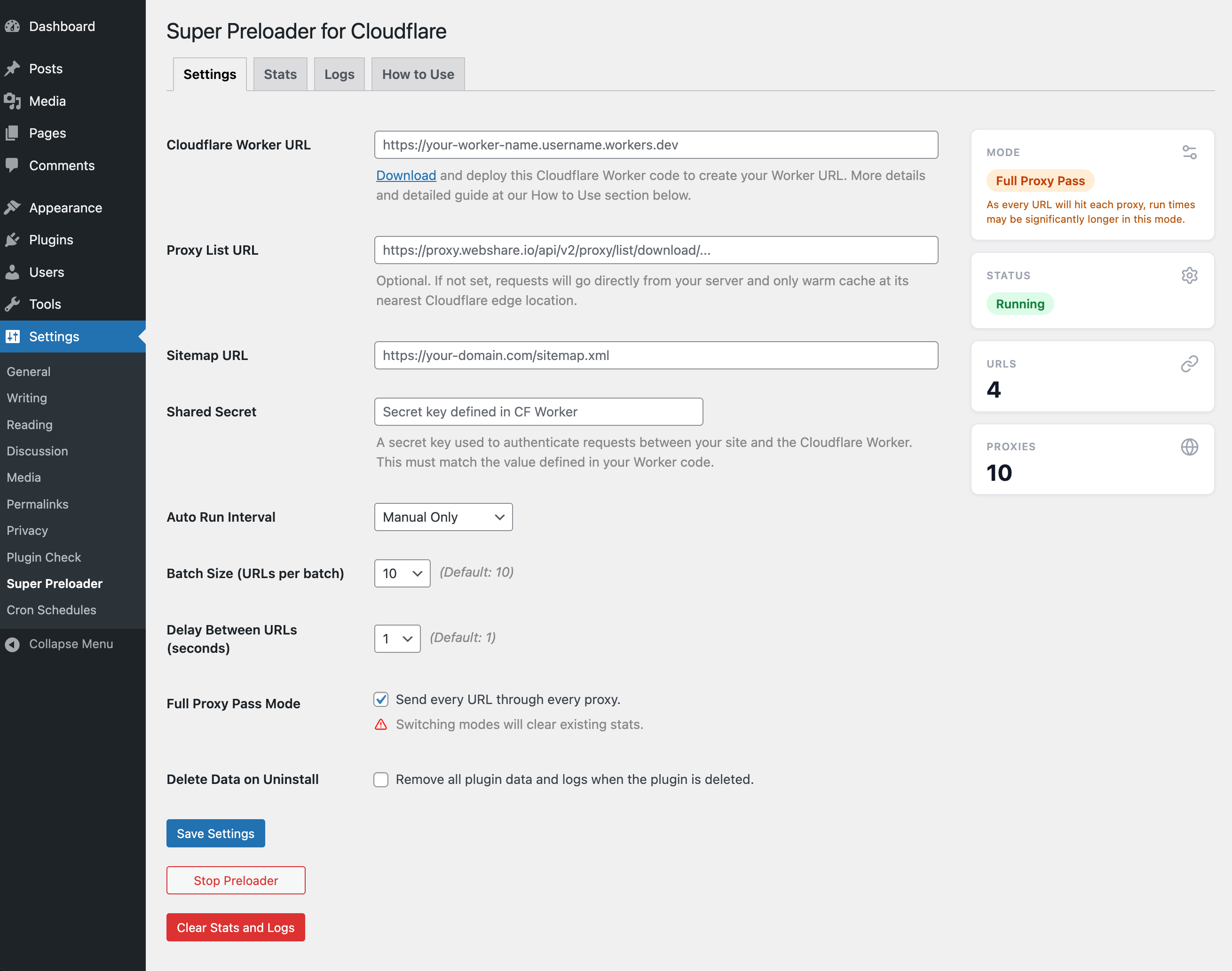
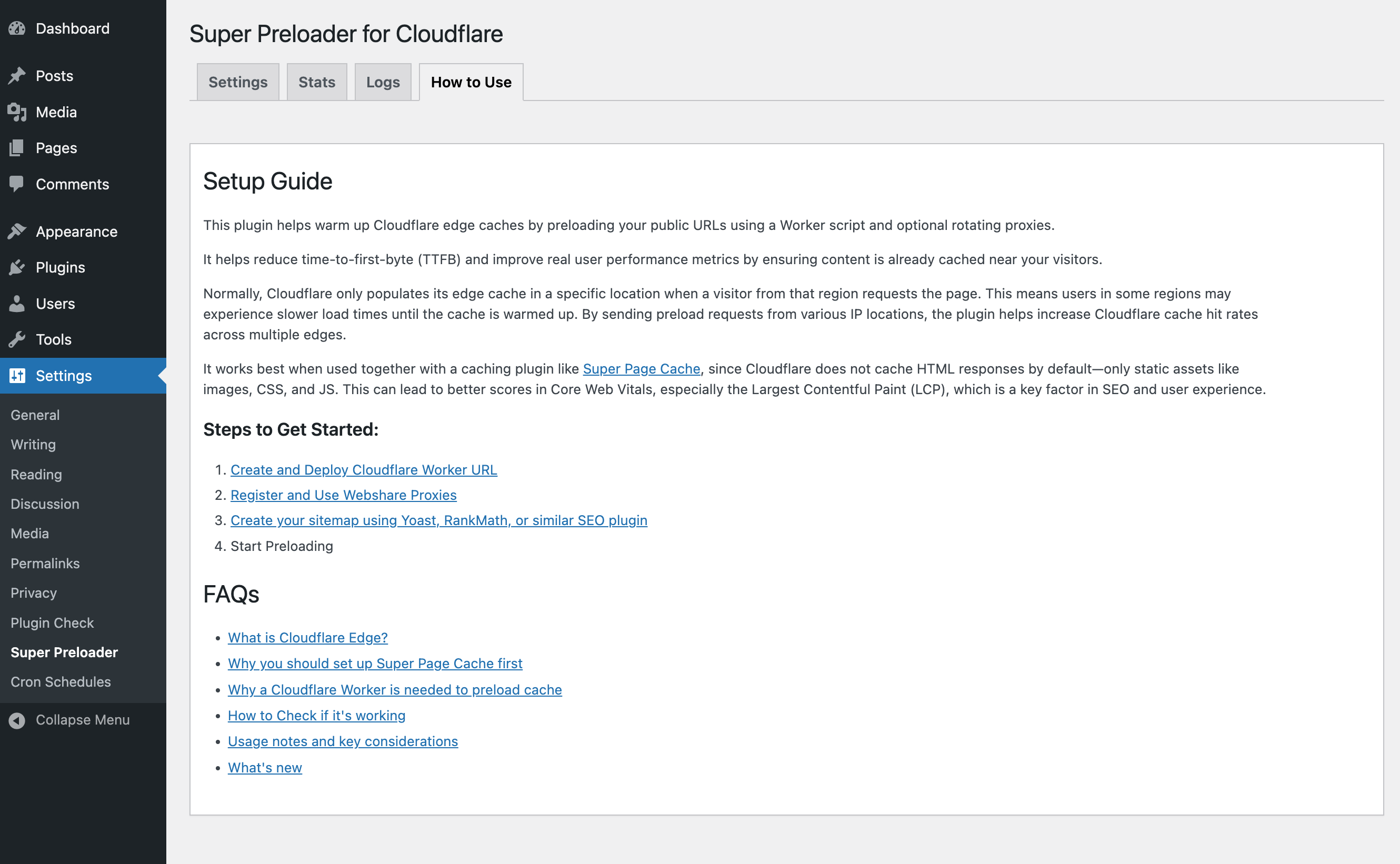
- Go to Settings → Super Preloader to configure your Worker, Proxy list, and Sitemap.
屏幕截图:
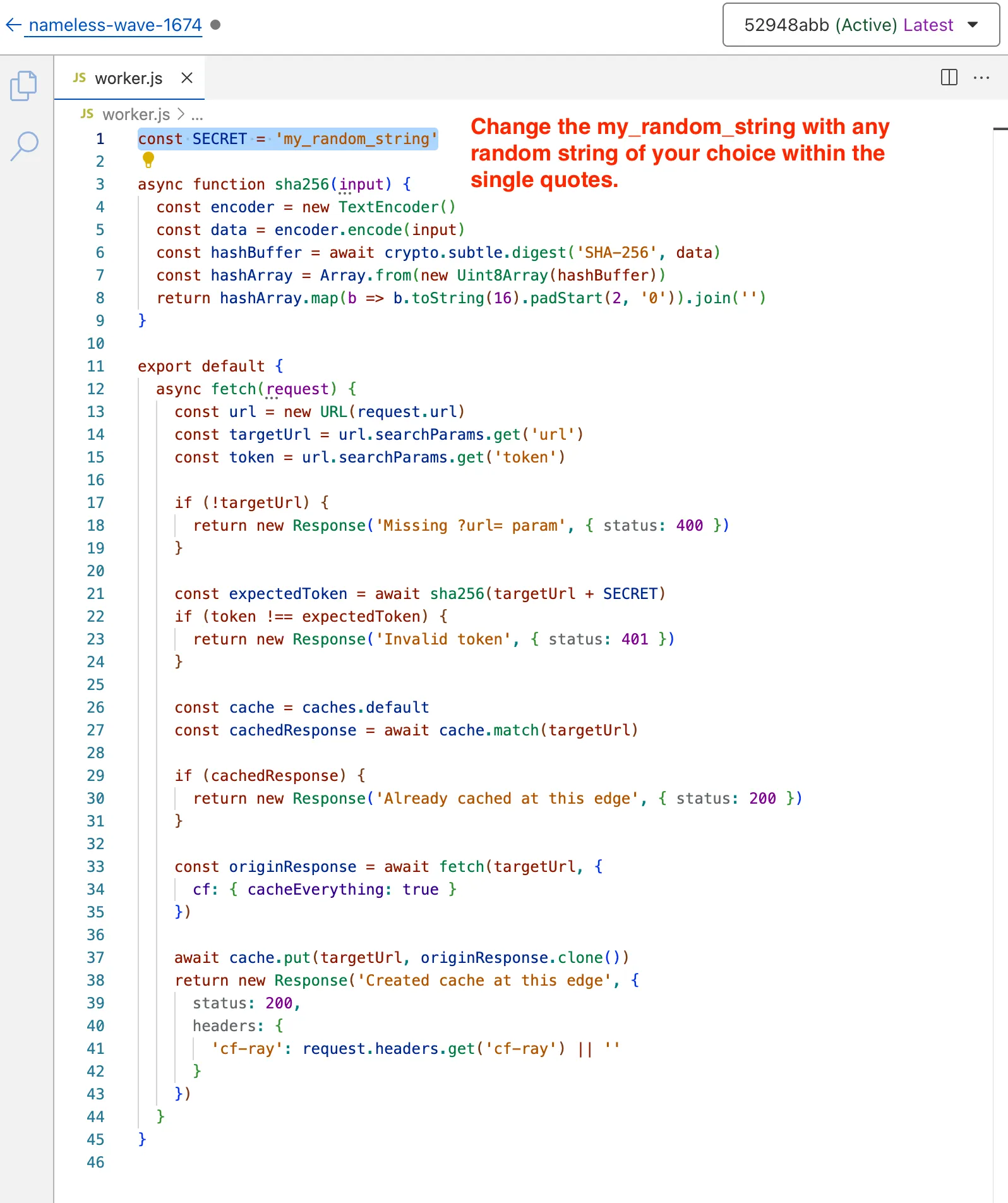
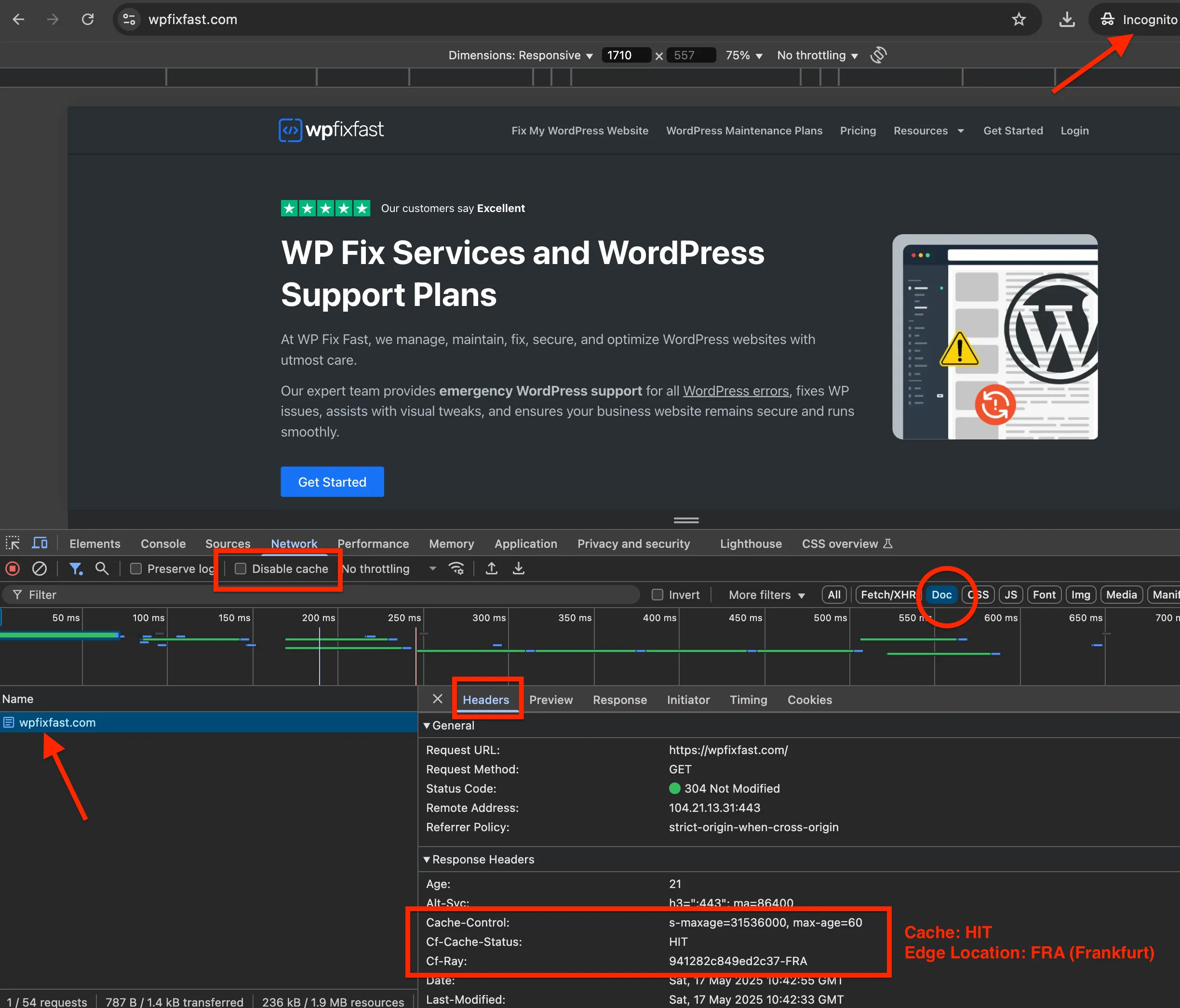
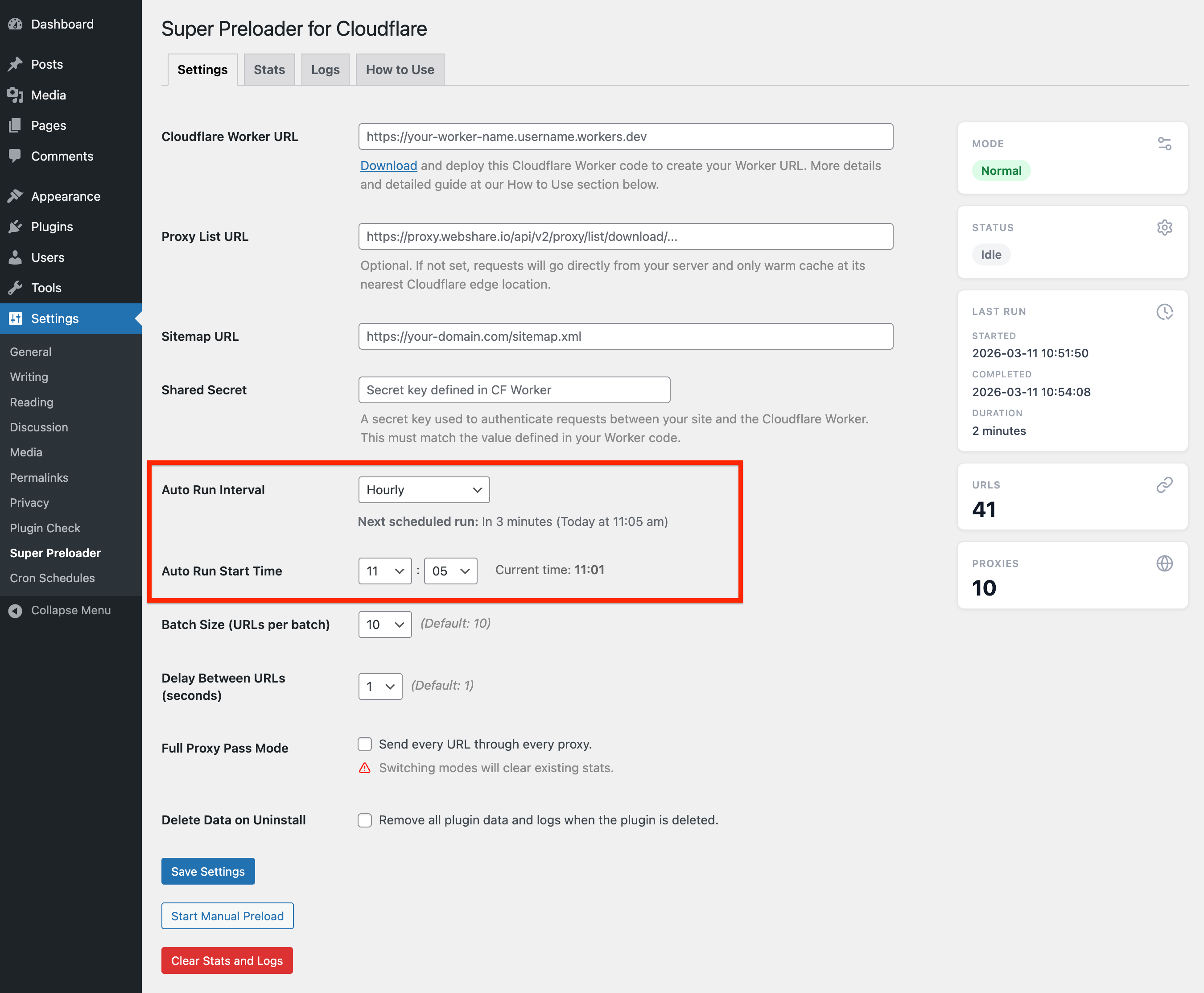
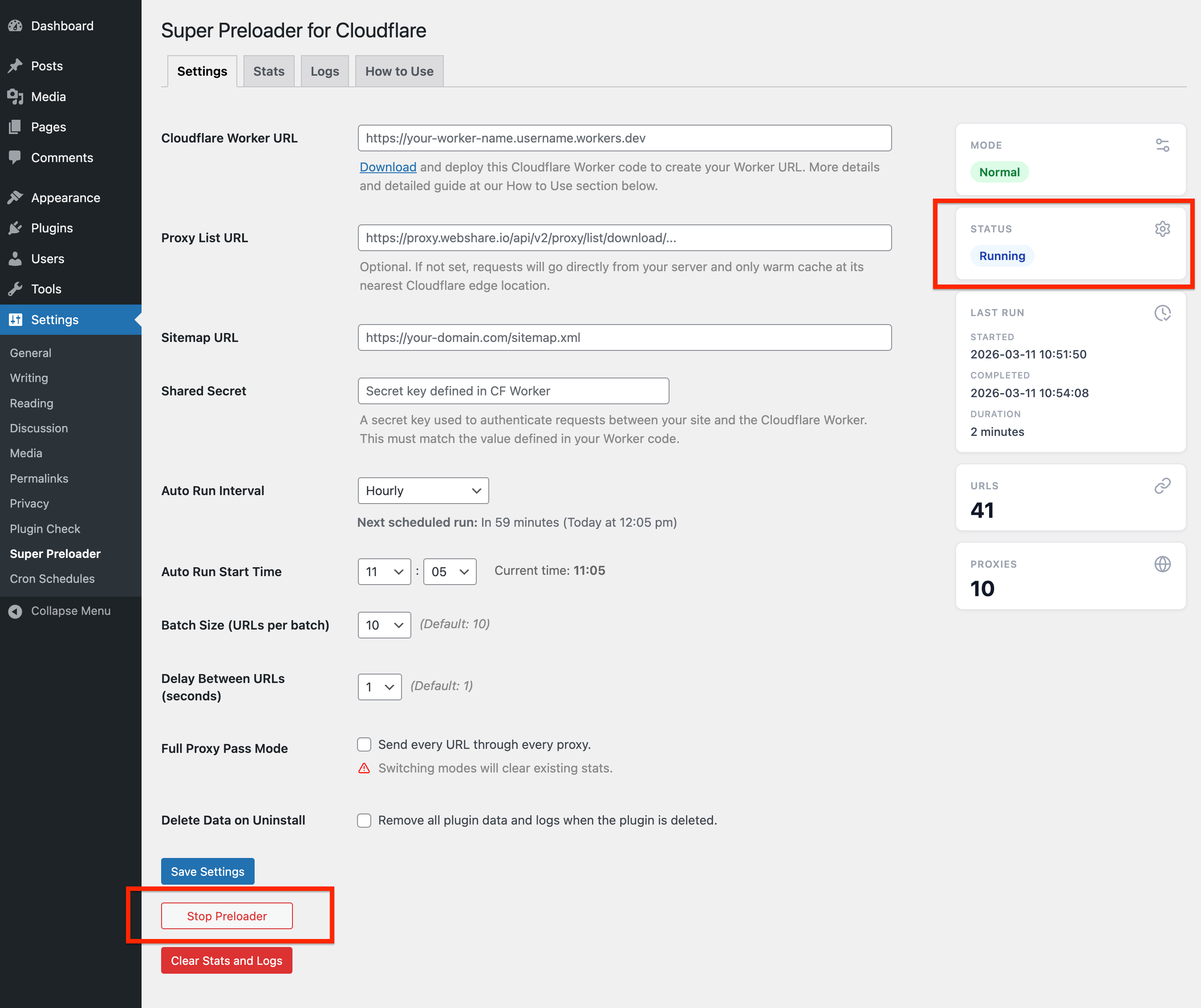
常见问题:
What do I need to use this plugin?
You need a Cloudflare Worker URL (required) and optionally Webshare.io proxies for better global coverage. The plugin provides the Worker script code to deploy to your Cloudflare account. A sitemap is also required — any SEO plugin like Yoast or RankMath will generate one automatically.
Do I need a caching plugin?
Yes, strongly recommended. Cloudflare only caches static files by default — not HTML pages. Without a full-page caching plugin like Super Page Cache, preloading your URLs will have no effect on page load times. Always set up full-page caching before running the preloader.
How does this improve my site performance?
It pre-warms Cloudflare's edge caches globally, reducing Time to First Byte (TTFB) and improving Core Web Vitals scores — especially Largest Contentful Paint (LCP). Instead of the first visitor in a region triggering a slow cache miss, content is already cached near them before they arrive.
What is Full Proxy Pass mode?
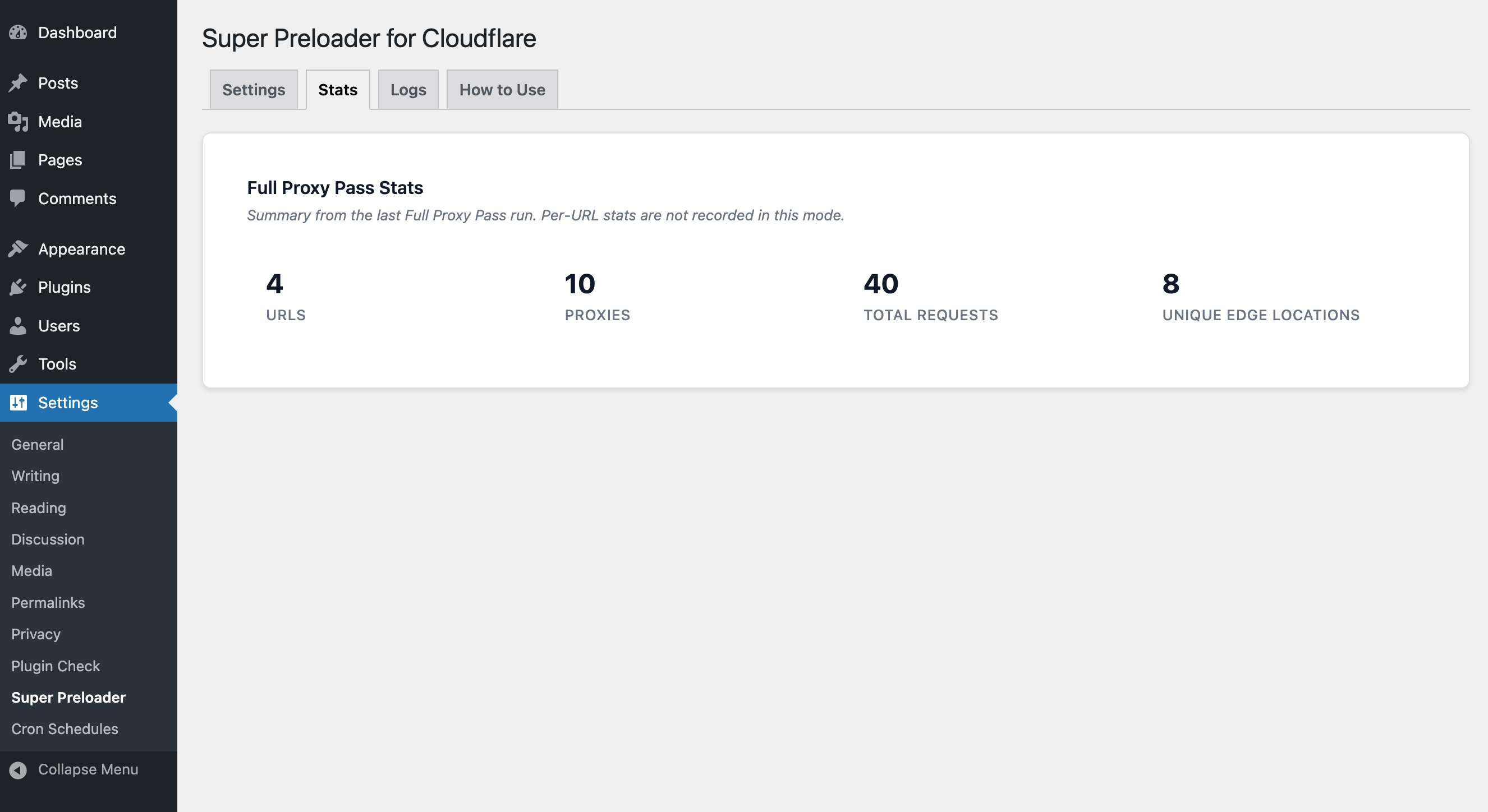
Full Proxy Pass sends every URL through every proxy in your list, maximizing the number of Cloudflare edge locations warmed in a single run. It significantly increases run time and request volume, so it's best used occasionally rather than as your regular scheduled interval. Per-URL stats are not recorded in this mode.
How many proxies do I need?
There is no fixed requirement. More proxies from diverse geographic locations means more Cloudflare edge locations get warmed. Webshare.io's rotating residential proxies work well. Even a small list of 10 proxies from different regions can make a meaningful difference.
Will this slow down my server?
No. The plugin runs via WordPress cron in the background and processes URLs in small batches with a configurable delay between requests. It does not affect your site's frontend performance or normal traffic.
What happens if the preloader is already running when the cron fires again?
The new cron event is automatically skipped. The plugin uses overlapping run protection to ensure only one preload run is active at a time, preventing duplicate requests and server overload.
How often should I run the preloader?
It depends on how frequently your content changes and how aggressively Cloudflare expires cached content. For most sites, once or twice daily is sufficient. If you update content frequently, hourly may be more appropriate.
Why do some URLs show different edge locations each run?
Cloudflare routes requests to the nearest available edge based on the proxy's geographic location. As proxies rotate and network conditions change, different edges may serve the same URL across runs. This is normal and expected.
Does this plugin work without proxies?
Yes. Without proxies, requests go directly from your server and only warm the nearest Cloudflare edge location to your server. Adding proxies from multiple regions is what enables global cache warming.
更新日志:
- Fixed: Exclusions tab pagination links pointed to admin-ajax.php on a fresh page visit instead of the settings page, so clicking to page 2 or beyond failed
- Added: Cache Coverage report. See real visitor cache hit/miss rates by country from Cloudflare Analytics, with suggested Webshare proxy countries to improve coverage
- Improved: Exclusions tab now loads instantly instead of waiting on a live sitemap re-fetch every time
- Improved: Visual improvements on all tabs
- Added: Optional automated Cloudflare Worker deployment.
- Improved: Admin bar shortcut
- Fixed: Proxy count in the sidebar could get stuck showing "None" after saving a new proxy list URL because of a stale 24-hour cache; the count now updates immediately when the URL is saved and after each preload run
- Fixed: Last run duration always showed "minutes" (plural) even for a single minute, e.g. "1 minutes"
- Improved: Minor wording and clarity improvements to Settings and Exclusions tab descriptions
- Fixed: Manually excluded URLs on the Exclusions tab were matched as substrings, causing similar URLs to be excluded unintentionally; manual exclusions now require an exact URL match
- Added: New "Exclusions" tab that allows manual and keyword-based URL exclusions
- Added: Optional "Start Preload" shortcut in the WordPress admin bar to trigger a manual preload from any page
- Added: Auto-dismissing toast notifications confirm when the preload starts and completes
- Added: Live remaining URL count shown in the sidebar and next to the admin bar shortcut while a run is in progress
- Improved: Admin bar shortcut reflects the real running state immediately, whether the preload was started manually or via the scheduled cron
- Tested: Compatibility with WordPress 7.0
- Updated: Screenshots, how to use guide, and donate plugin link. Thanks for feedback @masvil https://wordpress.org/support/users/masvil/
- Fixed: Sitemap download timeout increased to 30 seconds to prevent cURL error 28 on slow servers
- Refactor: Code internals for better bompatibility with WordPress coding standards
- Refactor: Converted plugin internals to class-based architecture for improved maintainability
- Improved: Overlapping run protection. If a cron event fires while a run is already in progress, it is automatically skipped
- Improved: Auto-refresh logs are now enabled by default on the Logs tab
- Added: Full proxy pass mode that sends every URL through every proxy for maximum Cloudflare edge coverage
- Added: New sidebar on the Settings page shows current mode, running or idle status, last run times, URL count and proxy count
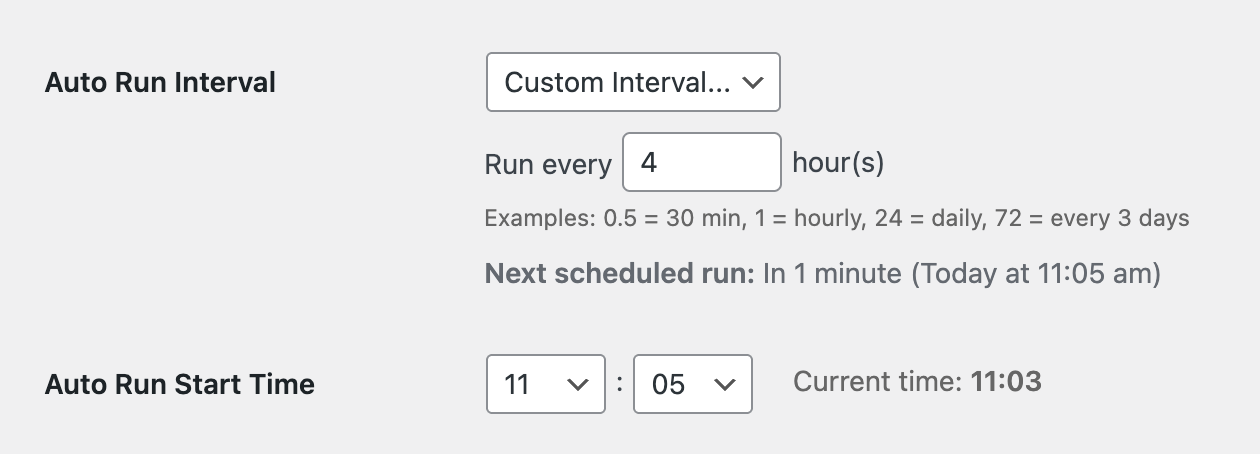
- Added: Extra intervals 3hrs, 6hrs, 12 hrs, and custom
- Added: Next scheduled run date/time display
- Improved: HTTP request helper function to always send a clear User-Agent. Thanks for feedback @gregywordpress https://wordpress.org/support/users/gregywordpress/
- Improved: Preloader by increasing cursor time out to 24 hours to avoid incomplete batches
- Added: Delay between URLs setting to adjust wait time in seconds between each URL preload
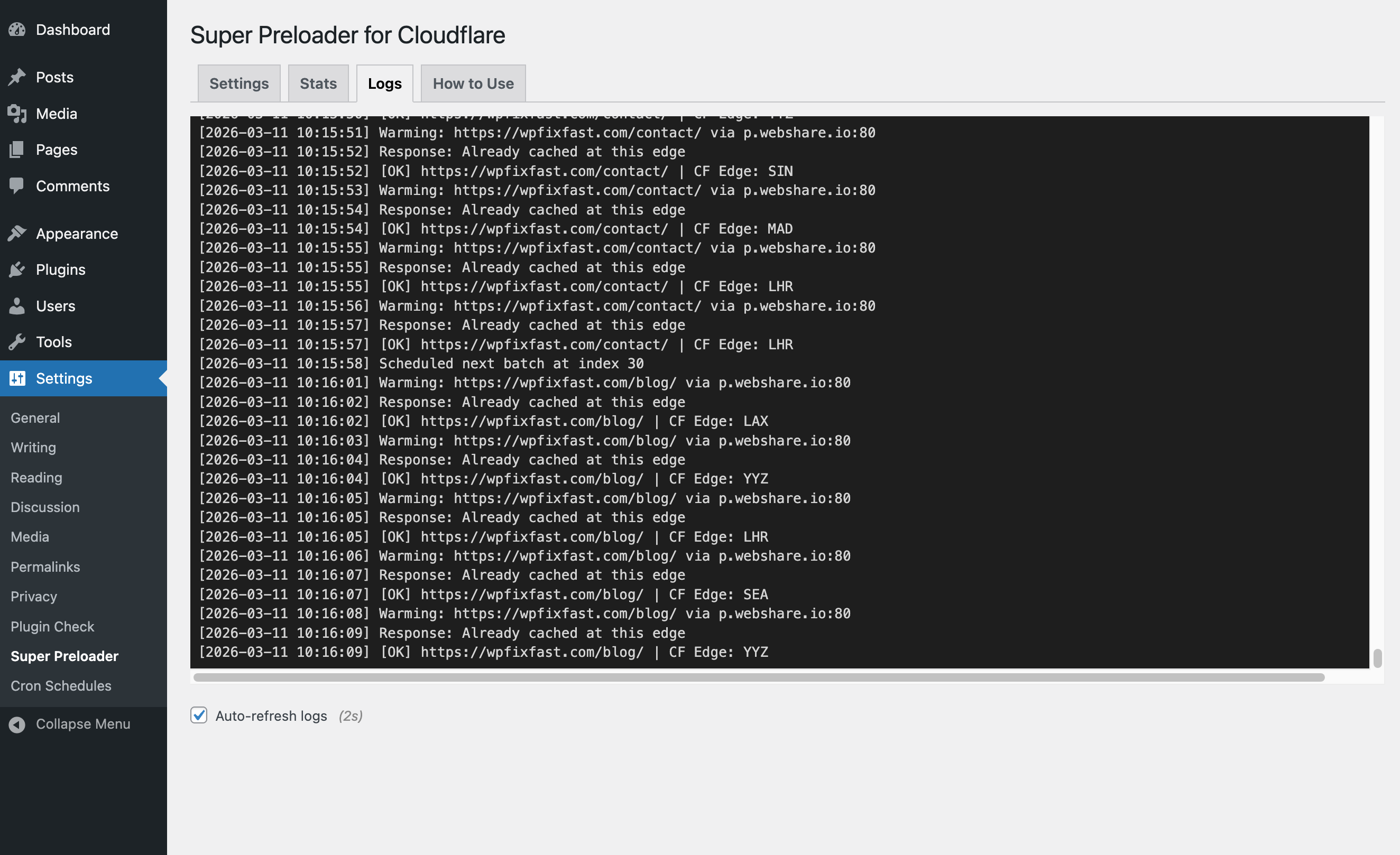
- Added: Auto-refresh to log viewer
- Added: Stop preloader button to cancel the running preloading process
- Improved: Log file security by migrating logs to super-preloader-for-cloudflare-log.php
- Added: Prefixes to global variables
- Tested: Compatibility with WordPress 6.9
- Added: Manual setting of cron start time
- Fixed: Removed deprecated load_plugin_textdomain() call
- Improved: Stats table styling and hover effects
- Added: Color coded tooltips for displaying edge locations on hover
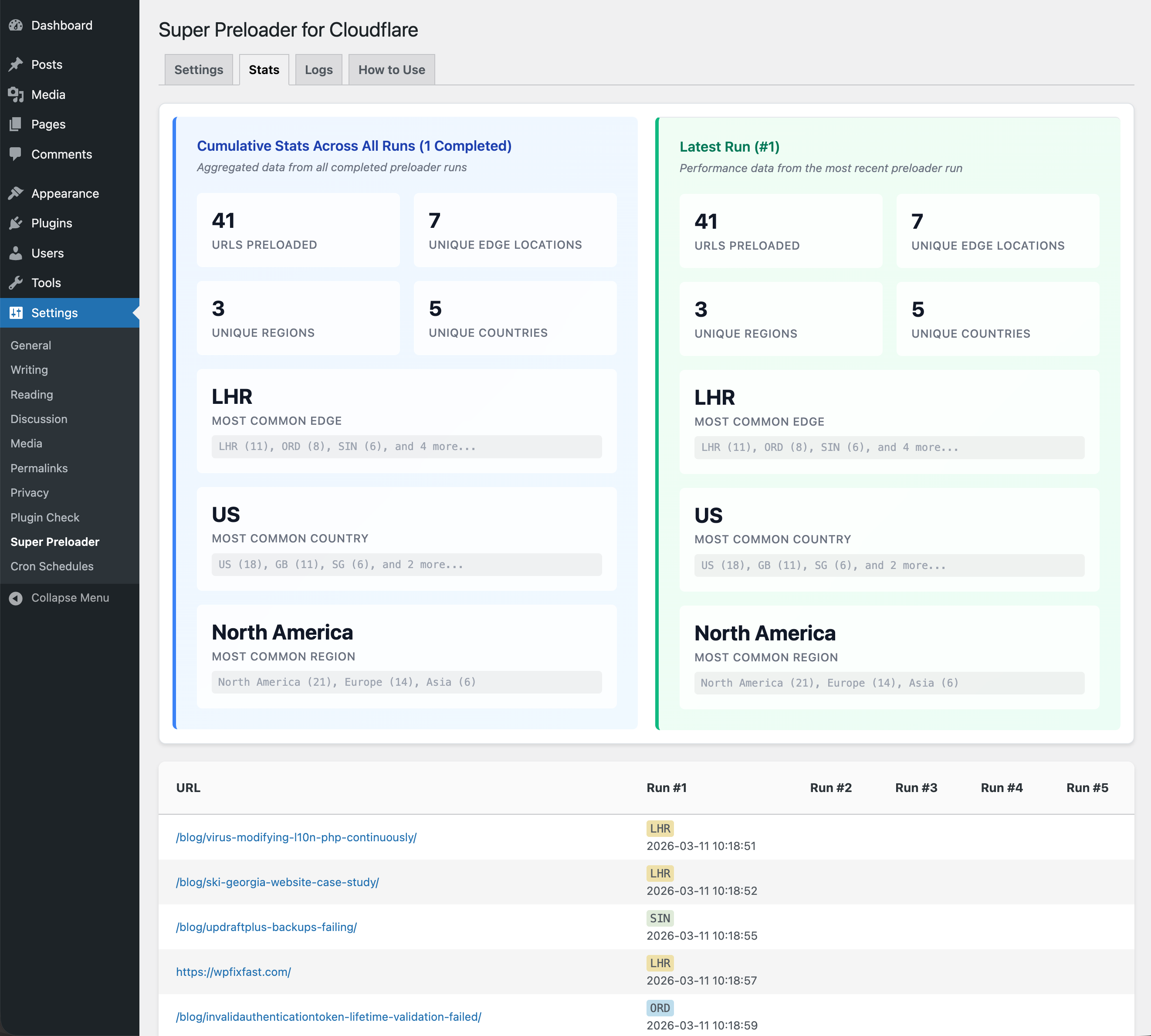
- Added: Comprehensive statistics summary with cumulative and latest run metrics
- Initial release