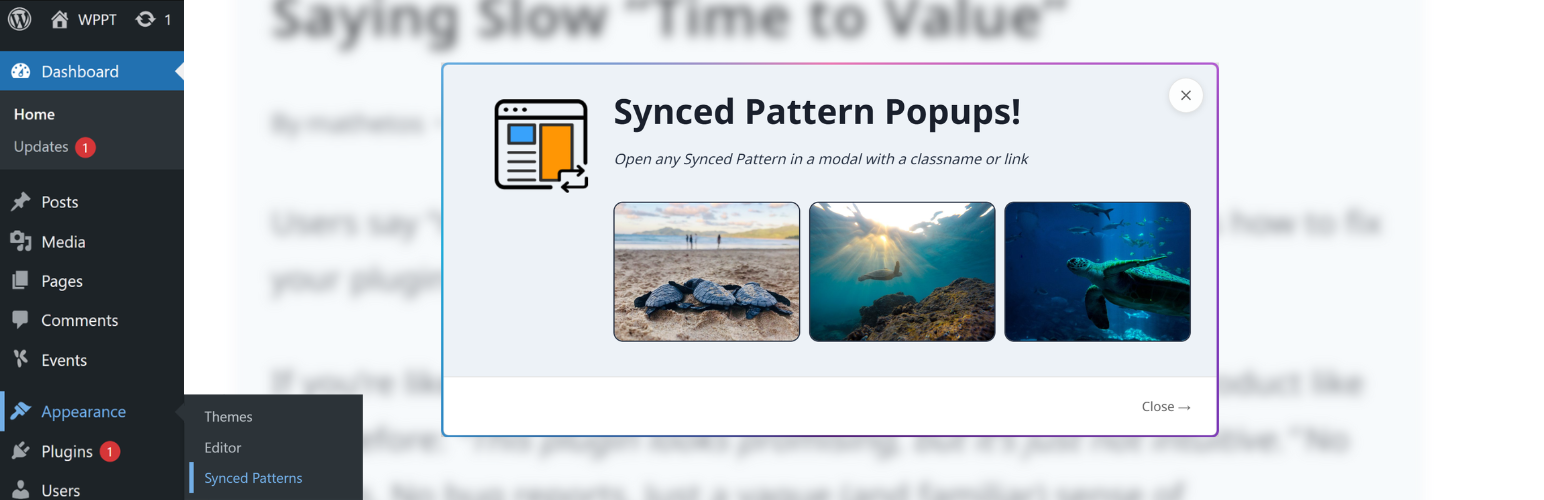
Synced Pattern Popups
| 开发者 | webdevmattcrom |
|---|---|
| 更新时间 | 2026年9月25日 19:03 |
| PHP版本: | 5.8 及以上 |
| WordPress版本: | 7.1 |
| 版权: | GPLv2 or later |
| 版权网址: | 版权信息 |
详情介绍:
- 🧱 100% Native Architecture: Your popups are Synced Patterns. No parallel builders, no proprietary styling engines, no bloat.
- 🔌 Zero Integration Friction: If it’s a block, it works. Forms, videos, or third-party embeds—if you can drop it on a page, you can put it in a popup.
- ♿ Radical Accessibility: Inclusion isn't an afterthought. Our modals feature rock-solid focus trapping, full keyboard support, and screen-reader optimization out of the box. You don't have to "fix" your popups for compliance; they’re born ready.
- 🔄 Global Updates, Zero Effort: Edit your Synced Pattern once, and every instance—across your pages and inside your popups—updates instantly.
- 🖼️ Media-First Popups: Full support for the Core Gallery block. Stop settling for static images; give your visitors the high-fidelity experience they asked for.
- ⌘ Built into your Workflow: With Command Palette integration, managing your popups is as fast as typing a shortcut.
- Global Updates, Zero Effort: Edit a Synced Pattern once, and every instance across your site updates instantly.
- Performance Optimized: Intelligent caching and AJAX loading ensure your initial page load stays lightning-fast.
- Developer Friendly: Clean code, WordPress hooks, and Abilities API support for programmatic workflows.
- AI-Powered TLDR: Generate instant summaries of page content (requires AI Experiments plugin).
#spp-trigger-{id} and now that link will open your modal on click, just like that!
You can also set a custom class name on a block:
- Custom Class name:
spp-trigger-{id}(like on a column or section block) - Link:
href="#spp-trigger-{id}"(handy in the Block Editor)
spp-trigger-{id}-{width}.
🖼️Core Gallery Block Support
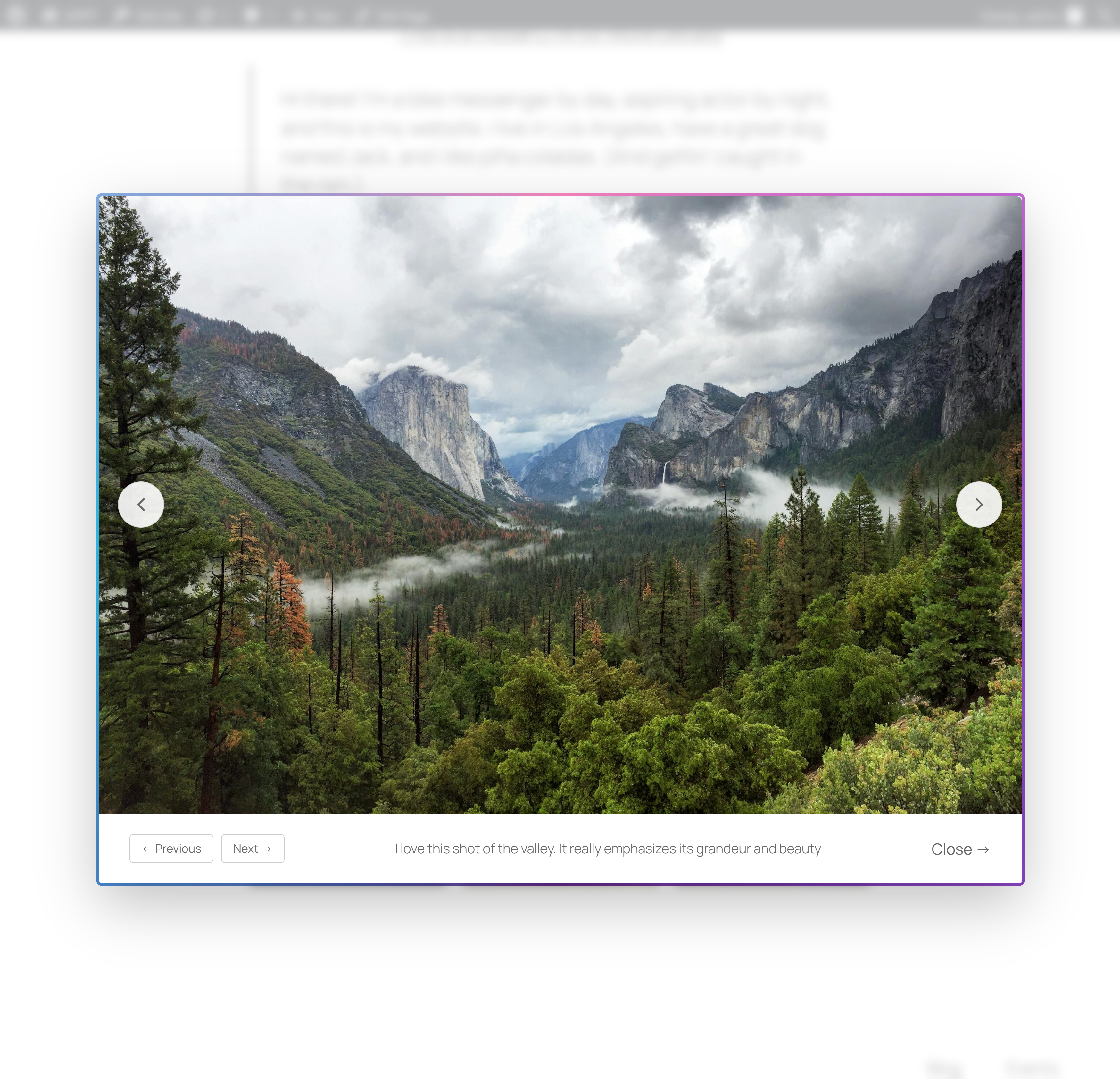
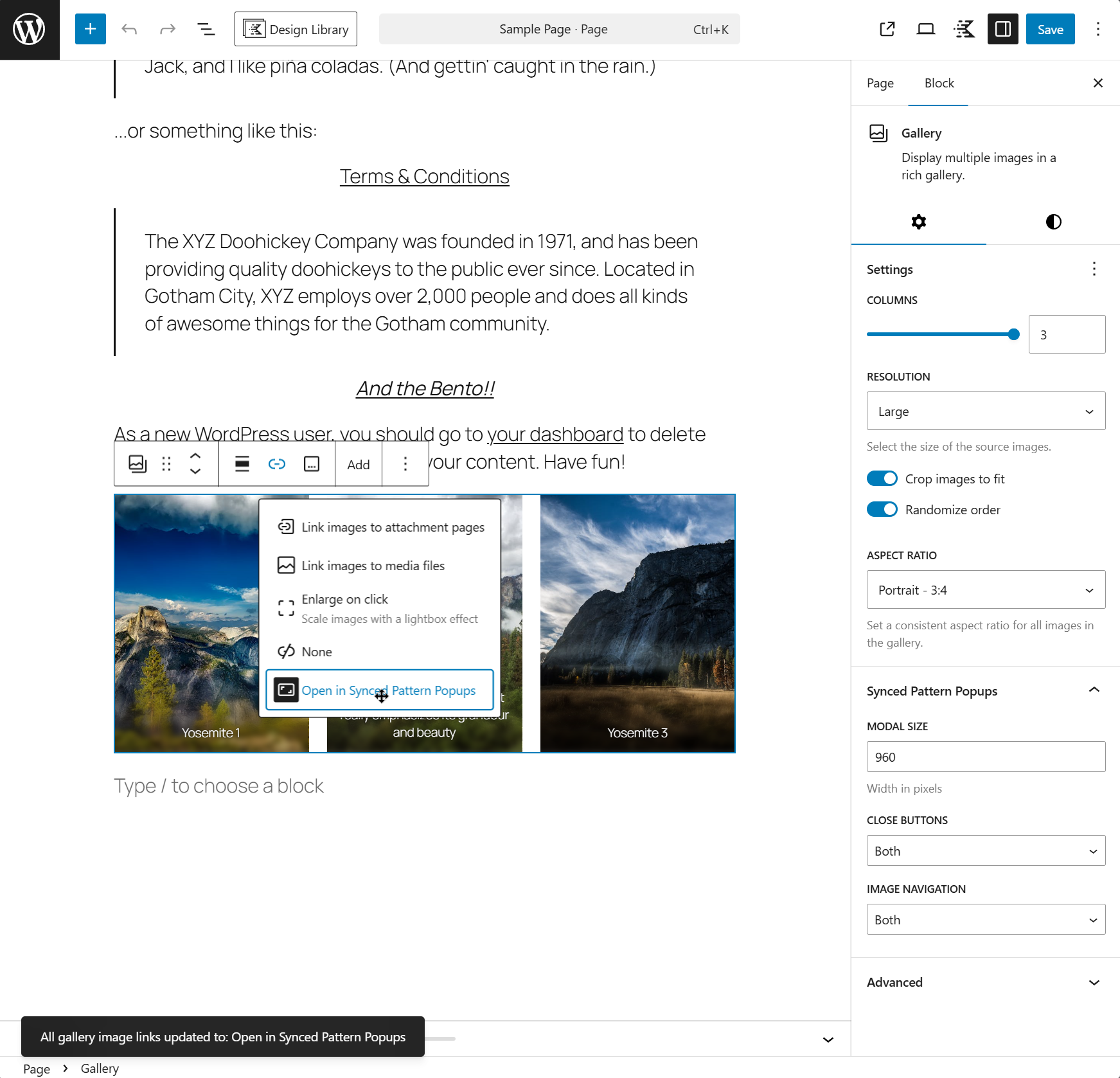
The Core Gallery block has a "lightbox" feature. But that feature does not support image navigation within the lightbox or captions or width management. Synced Pattern Popups lets you do all of that with your Core Gallery blocks. Simply choose the Gallery block (not the individual images within the Gallery block), and click on the link icon ("🔗"). There you'll see several options, including the Core lightbox feature, and now also "Open in Synced Pattern Popups".
🤖AI-powered TLDR (optional)
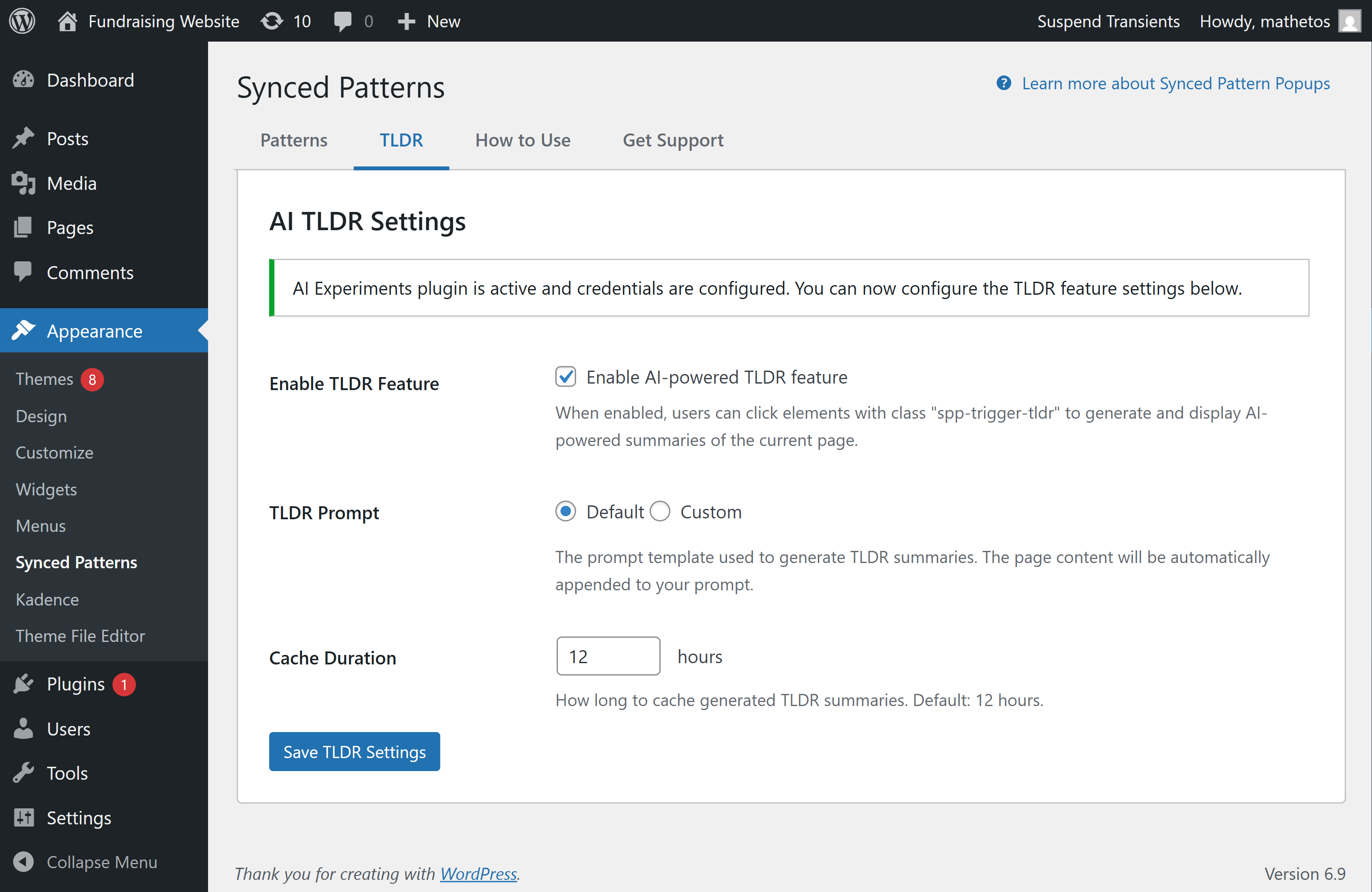
Generate AI summaries of the current page content on demand by adding a spp-trigger-tldr trigger. This feature requires the AI Experiments plugin and configured credentials (you’ll see guided setup in the TLDR tab).
💻Handy for Developer Features
Synced Pattern Popups is made to be user friendly, but it's also full of useful utilities for developers.
- On-demand loading (AJAX) Popup content loads only when needed, which keeps initial page loads fast.
- Smart caching with automatic invalidation Rendered popup output is cached using WordPress transients for performance, and automatically cleared when synced patterns or default settings change. You can also clear a single pattern’s cache from the admin UI.
- Full block styling support (core + third‑party) The plugin loads the styles required to render the synced pattern correctly inside the modal - including WordPress core block styles and supported third-party block styles.
- Accessibility-first modal behavior Includes keyboard navigation (Escape to close, Tab stays within the popup), focus management, and screen-reader friendly UI.
- Abilities API integration (WordPress 6.9+)
On WordPress 6.9+, the plugin registers Abilities to enable programmatic use cases (e.g., rendering popup content via
wp_execute_ability()in custom workflows). If the Abilities API isn’t available, the plugin simply skips this integration.
- Create a Synced Pattern in WordPress (Appearance → Synced Patterns)
- Add a trigger as a link or class to any block or element:
class="spp-trigger-{ID}"orhref="#spp-trigger-{ID}" - When clicked, the popup opens with your pattern content
- Content loads via AJAX for optimal performance
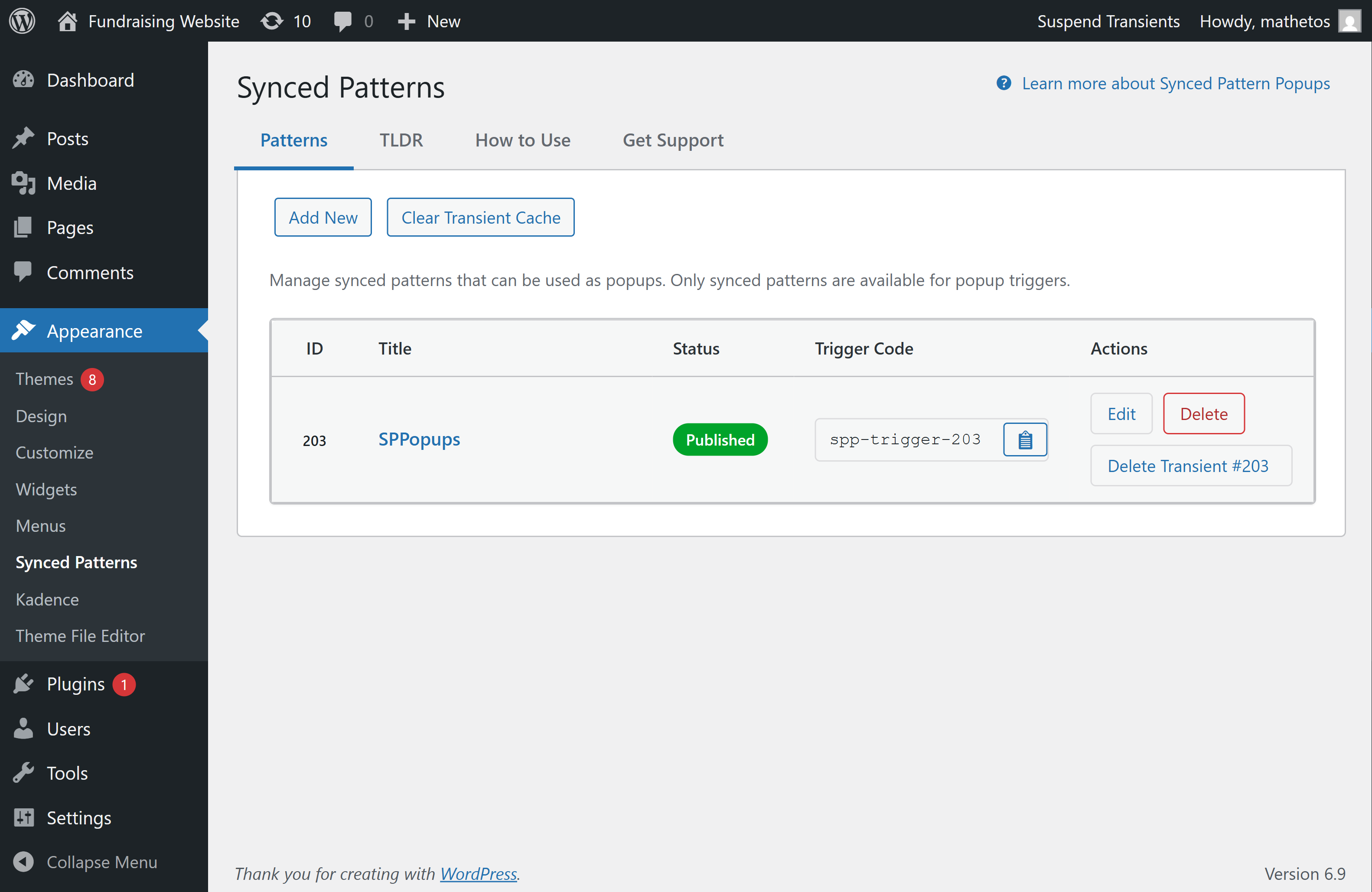
wp_block posts) are reusable block layouts you can create and manage once, then reuse across your site. When you edit a synced pattern, any place it’s used is updated automatically.
This plugin surfaces them with a dedicated admin screen at Appearance → Synced Patterns, making it easy to:
- See each pattern's ID at a glance
- Copy the trigger code
- Edit or delete the pattern
- Clear the cached popup output when needed
安装:
- Upload the
sppopupsfolder to/wp-content/plugins/directory - Activate the plugin through the 'Plugins' menu in WordPress
- Go to Appearance → Synced Patterns to manage your popup content
- Create a synced pattern and note its ID
- Add
class="spp-trigger-{id}"orhref="#spp-trigger-{id}"to any element - That's it! Your popup is ready.
屏幕截图:
常见问题:
How do I trigger a popup?
You can trigger a popup in two ways:
Method 1: Class Name (Recommended for custom HTML)
Add the class spp-trigger-{id} to any clickable element, where {id} is the numeric ID of your Synced Pattern.
Example:
<a href="#" class="spp-trigger-1359">Open Popup</a>
<button class="spp-trigger-1359">Click Me</button>
Method 2: Href Attribute (Perfect for Block Editor)
Set the href attribute to #spp-trigger-{id} on any link element. This is especially useful in the WordPress Block Editor where you can't easily add custom classes.
Example:
<a href="#spp-trigger-1359">Open Popup</a>
Where do I find the pattern ID?
Go to WordPress Admin → Appearance → Synced Patterns. The ID column shows the pattern ID prominently. You can also click the "Copy Trigger" button in the Actions column to copy the complete trigger code.
Can I use multiple popups on one page?
Yes! You can have multiple different popups on the same page - just use different pattern IDs. Mix and match both trigger methods as needed.
Can I customize the modal width?
Yes! Add a width suffix to your trigger: spp-trigger-{id}-{width} where width is in pixels (100-5000px).
Example:
<a href="#" class="spp-trigger-1359-800">Open 800px Modal</a>
What is the TLDR feature?
The TLDR (Too Long; Didn't Read) feature generates AI-powered summaries of your page content. Simply add class="spp-trigger-tldr" or href="#spp-trigger-tldr" to any element, and when clicked, it will generate a concise summary of the current page.
Requirements:
- WordPress AI Experiments plugin must be installed and activated
- AI credentials must be configured in Settings → AI Experiments The TLDR feature can be enabled/configured in Appearance → Synced Patterns → AI TLDR Settings.
Why isn't my popup opening?
Check these common issues:
- Verify the trigger format: Use exactly
spp-trigger-{id}(class) or#spp-trigger-{id}(href) where{id}is numeric - Check pattern ID: Verify the pattern ID exists in Appearance → Synced Patterns
- Pattern status: Ensure the pattern is published (not draft)
- Sync status: Only synced patterns work - unsynced patterns are excluded
- Toggle Forced On: In your post or page, there's a setting called "Synced Pattern Popup Support". Toggle this on if your class or link is output on the page dynamically, like via a form or AJAX.
- Browser console: Check for JavaScript errors in browser developer tools.
Why isn't my content loading?
Troubleshooting steps:
- Verify pattern ID: Double-check the ID in Appearance → Synced Patterns
- Check pattern status: Pattern must be published
- Verify sync status: Only synced patterns can be used
- Network tab: Check browser Network tab for AJAX errors
- Clear cache: Try clearing the transient cache (button in admin interface)
Can I use this with page builders?
Yes! The plugin works with most page builders. For dynamically loaded content (like Gravity Forms or AJAX-loaded sections), you may need to enable "Forced On" in the post meta box (Synced Pattern Popup Support) to ensure assets load.
Does this work with caching plugins?
Yes! The plugin uses WordPress transients for caching, which works with all major caching plugins. Cache is automatically invalidated when patterns are updated.
Is this accessible?
Yes! The plugin includes:
- Full keyboard navigation (Escape to close, Tab navigation)
- Screen reader support with ARIA attributes
- Focus management (returns focus to trigger element on close)
- High contrast support
Can I customize the modal styles?
Yes! The plugin uses minimal CSS. You can override styles in your theme's CSS using the same class names. The modal uses these main classes:
.sppopups-modal- Main modal container.sppopups-overlay- Background overlay.sppopups-container- Content container.sppopups-content- Content area
What WordPress version is required?
WordPress 5.8 or higher. The plugin is tested up to WordPress 7.1.
What PHP version is required?
PHP 7.4 or higher.
更新日志:
- Fixed: Kadence Elements with a Gallery set to Synced Pattern Popup are now detected when the gallery is nested (e.g. inside row/column blocks)
- Fixed: Defensive CSS so pattern content with alignfull/alignwide stays within the modal on any theme
- Fixed: Chained popups (opening a pattern from inside another pattern) no longer leave the page unclickable after closing
- Improved: Composer vendor directory is now in .gitignore
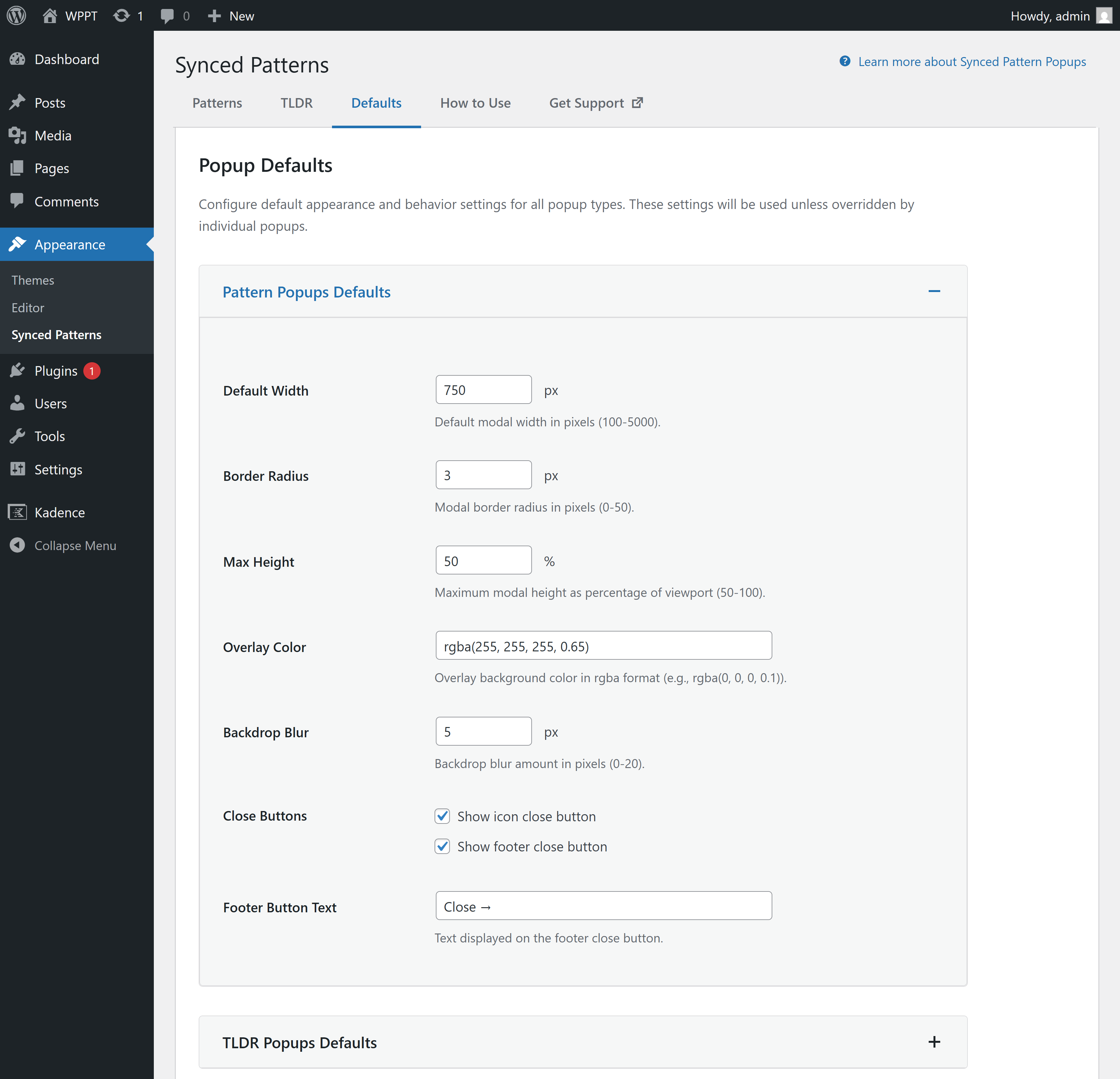
- New: Default Settings page for configuring popup appearance defaults (Pattern, TLDR, and Gallery popups)
- New: Settings inheritance system - TLDR and Gallery popups can inherit from Pattern defaults
- New: Command Palette integration for quick access to plugin features
- New: Comprehensive testing infrastructure (PHPUnit and Jest) to ensure defaults are respected
- New: CI/CD workflows for automated testing on every commit
- Improved: Modal scrolling behavior - modals now properly scroll long content instead of extending beyond viewport
- Improved: CSS refactored to use custom properties for dynamic styling based on settings
- Improved: Frontend defaults application with proper inheritance and override support
- Fixed: Modal height constraints now work correctly with max-height settings
- Fixed: Default width settings now properly apply to all popup types
- New: Added support for the Core Gallery Block with full modal integration!
- New: Gallery block settings panel with modal size, close buttons, and image navigation options
- New: Per-post asset loading controls (Modal Assets and Gallery Assets) with Auto-Detect and Loaded options
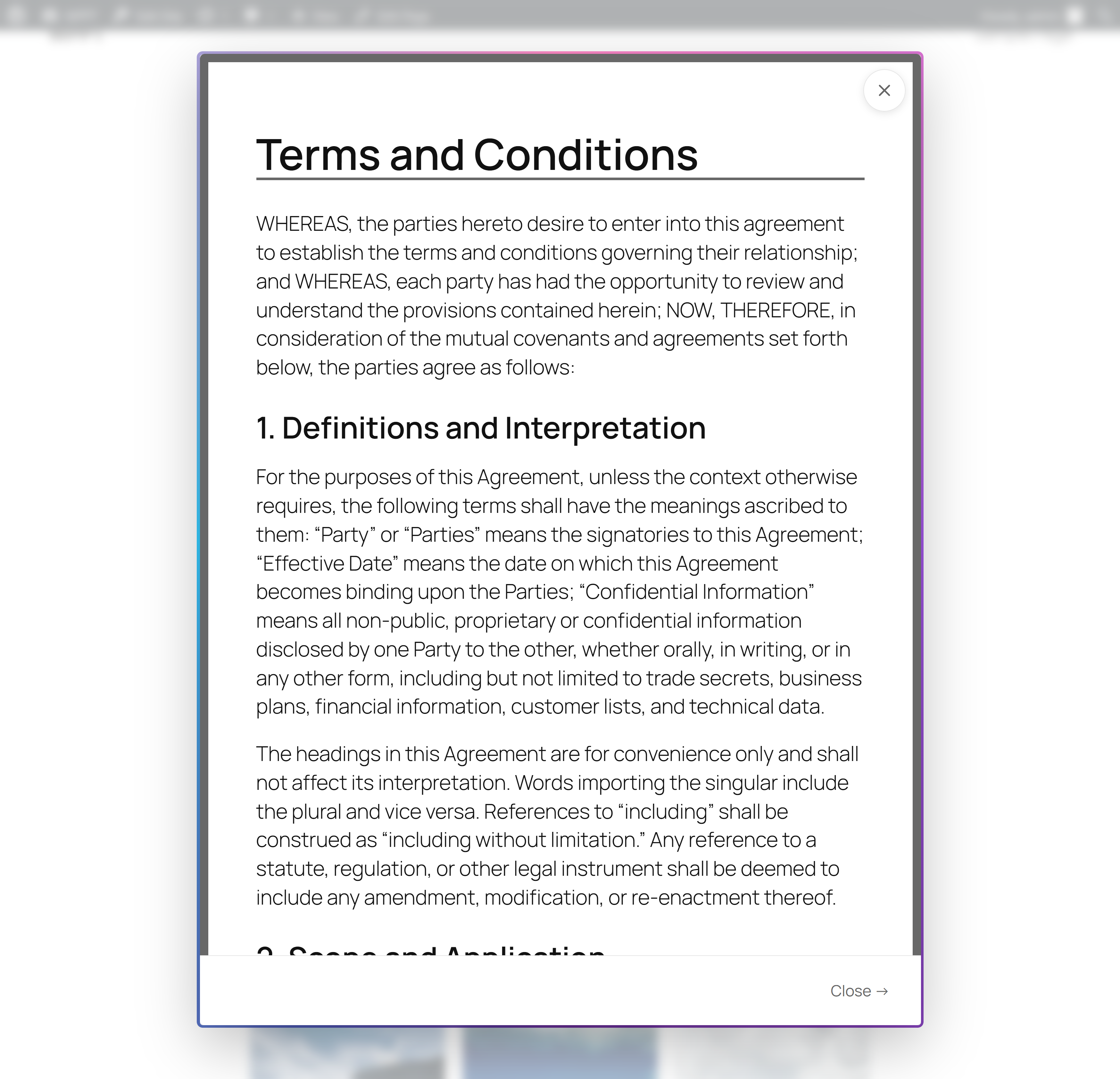
- New: Added two wireframe Synced Patterns: "More Details" and "Terms & Conditions".
- Refactor: Centralized modal state management into a new
modalStateobject inmodal.js. - Refactor: Migrated all scattered global state variables (e.g.,
currentMaxWidth,lastActiveElement,loadedStyles) into themodalStateobject. - Refactor: Extracted gallery functionality into separate
gallery.jsmodule for better code organization and conditional loading - Refactor: Added comprehensive JSDoc comments to gallery module and
modalStateobject for improved documentation. - Refactor: Implemented robust validation for
maxWidth(100-5000px) within themodalStatesetter. - Fixed: Corrected an issue where gallery images in "Random order" would open the wrong image in the modal. The system now reliably identifies the clicked image by its ID, regardless of randomization.
- Fixed: Gallery assets now automatically force modal assets to load when set to "Loaded" (dependency requirement)
- Fixed: Addressed Plugin Check error by removing the discouraged
load_plugin_textdomain()call. - Fixed: Resolved Plugin Check warning by ensuring the text domain (
synced-pattern-popups) consistently matches across all plugin files. - Improved: Enhanced code organization and maintainability through centralized state management and module separation.
- Improved: Gallery images now have smooth crossfade transitions and responsive modal sizing
- New: Added delayed admin review notice to encourage user reviews (appears after 10 days on settings page)
- New: Custom styled review notice with dismiss functionality (AJAX-based)
- New: Settings link added to plugin action links for quick access
- Improved: Admin UI consistency with unified 960px max-width constraint for all settings content
- Improved: Review notice styling matches modern WordPress design patterns
- Fixed: Added translators comment for sprintf with placeholders (Plugin Check compliance)
- Fixed: Added proper nonce verification documentation for GET parameter handling
- Improved: Added load_plugin_textdomain() for proper internationalization support
- Improved: Updated German translation file (de_DE) with all current strings
- Improved: Removed duplicate POT files for cleaner translation management
- Improved: Enhanced internationalization support across all plugin strings
- Fixed: Block styles now properly load for all block types including core blocks and third-party blocks (Kadence, Genesis Blocks, etc.)
- Fixed: Improved asset collection to ensure all necessary styles are loaded in modal popups
- Fixed: Corrected rendering order to apply
the_contentfilters beforedo_blocks()for proper block asset enqueuing - Fixed: Removed all debugging instrumentation code
- Improved: Better handling of
style-blocks-*.cssfiles for third-party block libraries - Improved: Enhanced dependency collection for block styles to ensure all required styles are included
- New: Tabbed admin interface with Patterns, TLDR, and How to Use tabs
- New: URL hash navigation for direct linking to specific admin tabs
- New: Clipboard icon button in trigger code column for quick copying
- New: Individual pattern transient deletion ("Delete Transient #{id}" button)
- New: "Learn more" link in admin header for quick access to documentation
- Improved: Admin UI styling with modern tabbed interface matching WordPress design patterns
- Improved: Better accessibility with ARIA attributes and keyboard navigation for tabs
- Improved: Consistent styling across all admin tabs with proper max-width and spacing
- Hotfix: Updated text domain to match plugin slug (synced-pattern-popups) for WordPress.org compliance
- Fixed: Removed debug logging code that used ABSPATH directly
- Fixed: Updated all file path references to use WordPress standard functions
- Updated: Console messages now use consistent "Synced Pattern Popups" branding
- Initial release
- Synced Pattern popup system with class and href triggers
- Admin interface for managing patterns
- Intelligent caching system
- Asset collection for block styles and scripts
- AI-powered TLDR feature (requires AI Experiments plugin)
- Abilities API support for WordPress 6.9+
- Accessibility features (keyboard navigation, ARIA attributes)
- Custom width support via trigger suffix
- Rate limiting for AJAX requests
- Per-post popup support toggle
- Full translation support