
SuperFlare Cache – Cloudflare Cache & Auto-Purging
| 开发者 |
jumedeenkhan
mozedia |
|---|---|
| 更新时间 | 2026年10月21日 13:16 |
| 捐献地址: | 去捐款 |
| PHP版本: | 7.4 及以上 |
| WordPress版本: | 7.1 |
| 版权: | GPLv2 or later |
| 版权网址: | 版权信息 |
详情介绍:
- Creates, updates, and removes its own Cloudflare Cache Rule as needed — never any manual dashboard work.
- Keeps the rule in sync with your settings on every save.
- Only ever manages its own rule: other Cache Rules on your zone are preserved and left in their original order.
- Bypasses logged-in users, comment authors, and password-protected pages at the edge.
- Skips non-2xx responses (redirects and errors) so temporary error pages are never cached.
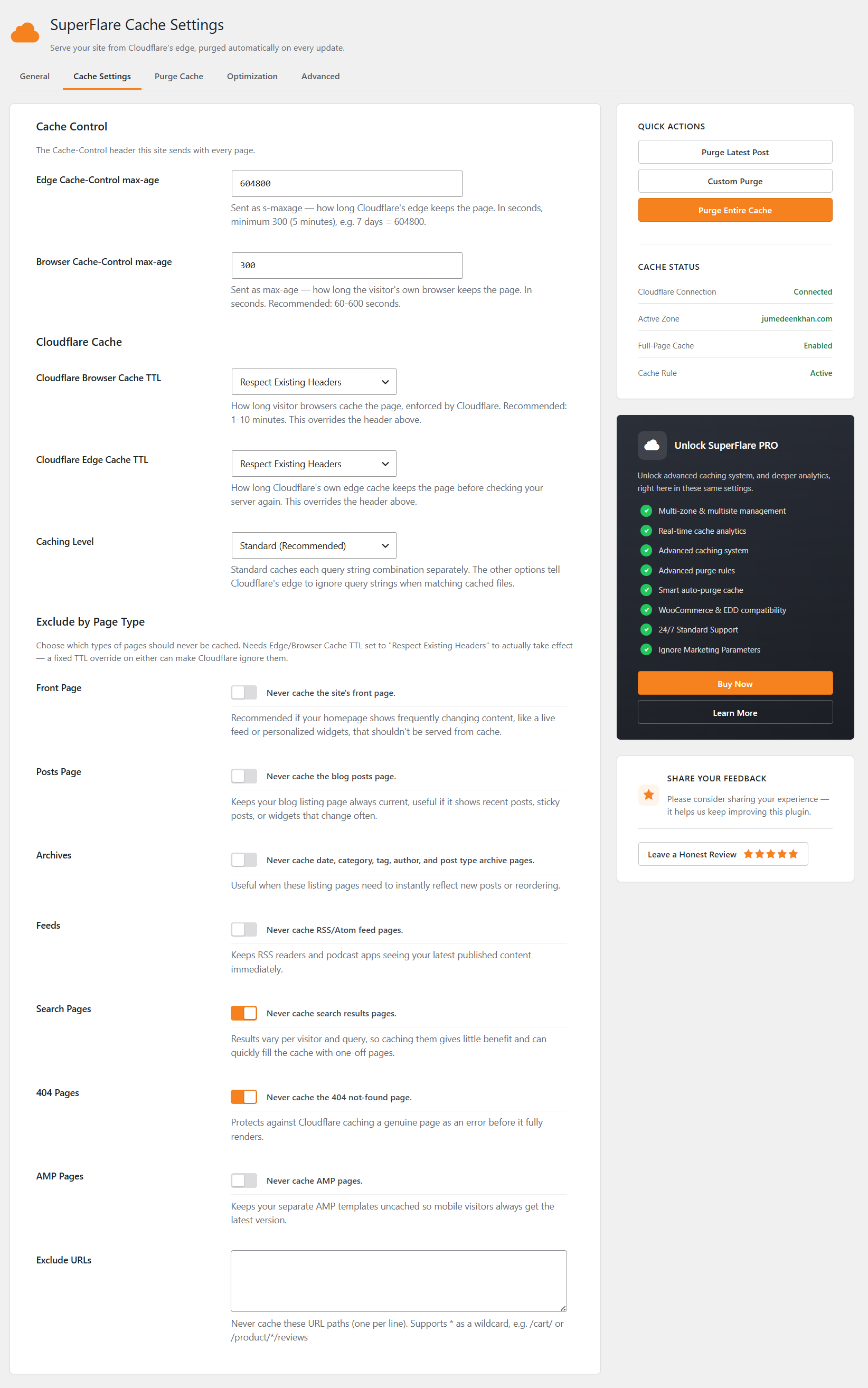
- Separate Browser Cache TTL and Edge Cache TTL controls, plus Cloudflare's Caching Level.
- Exclude page types: front page, posts page, archives, feeds, search results, 404s, and AMP.
- Bypass AJAX (admin-ajax.php), REST API (wp-json), sitemaps (.xml/.xsl), robots.txt, and URLs with query strings.
- Exclude cookies (e.g. WooCommerce/EDD cart cookies) and custom URL parameters from the cache key.
- Exclude exact paths or wildcard URLs such as
/cart/or/product/*/reviews.
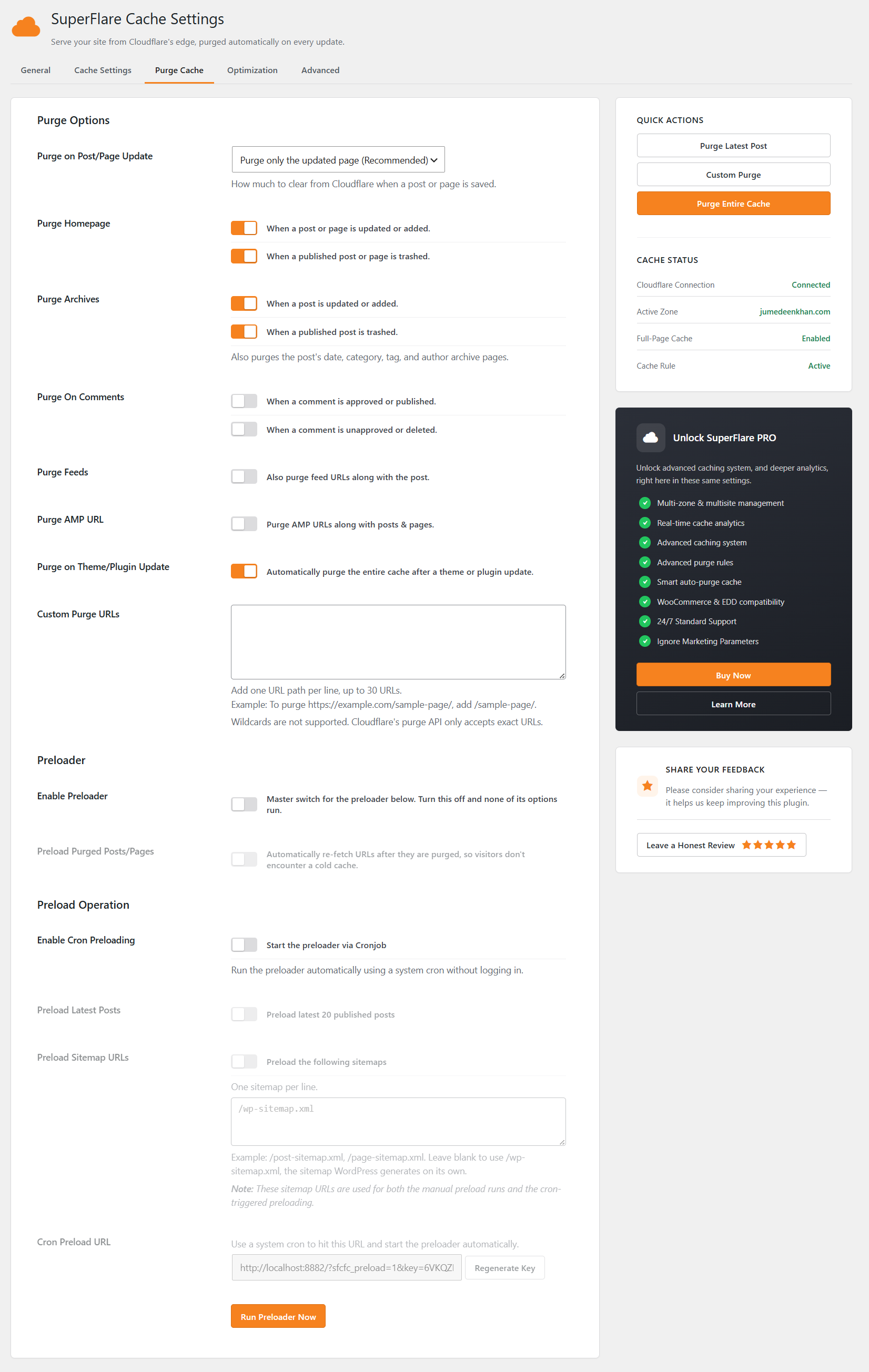
- Selective purging — only changed URLs are purged, keeping the rest of the cache warm.
- Optional purging of the homepage, archives, feeds, and AMP URLs alongside the updated post.
- Automatic full purge after a theme or plugin update.
- Custom Purge URLs for anything the automatic rules don't cover.
- Purges are queued and coalesced into one cron job, cutting API calls and avoiding Cloudflare rate limits.
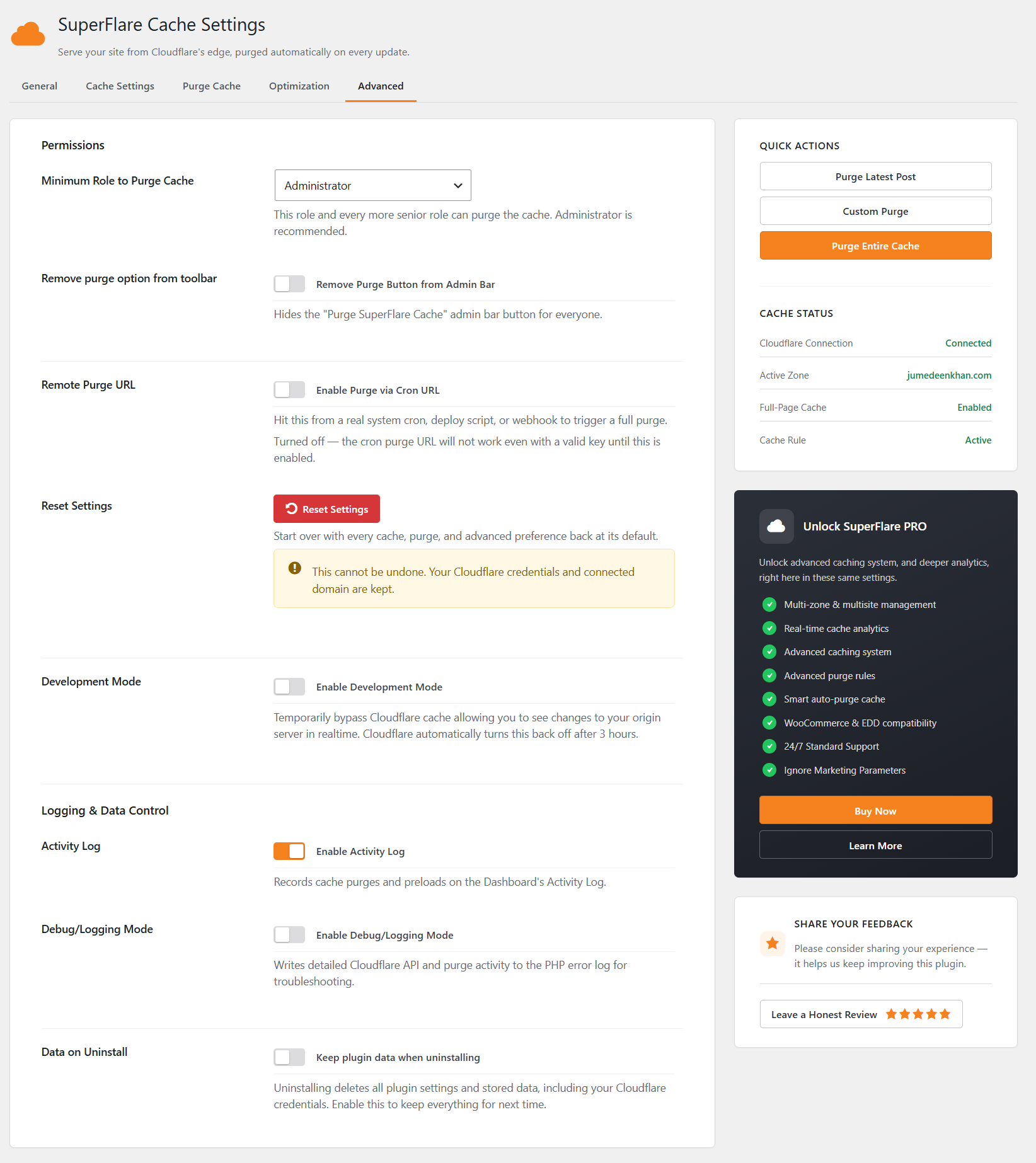
- Remote Purge via a secret Cron URL — integrate with deploy scripts and CI/webhooks.
- Role-based permissions decide who can purge.
- One-click Purge Latest Post, Custom Purge, and Purge Entire Cache from Quick Actions.
- Re-warms the cache immediately after a purge so visitors never hit a cold page.
- Optional scheduled preloading of your latest posts and sitemaps on a cron schedule you control.
- Run Preloader Now for an on-demand warm-up.
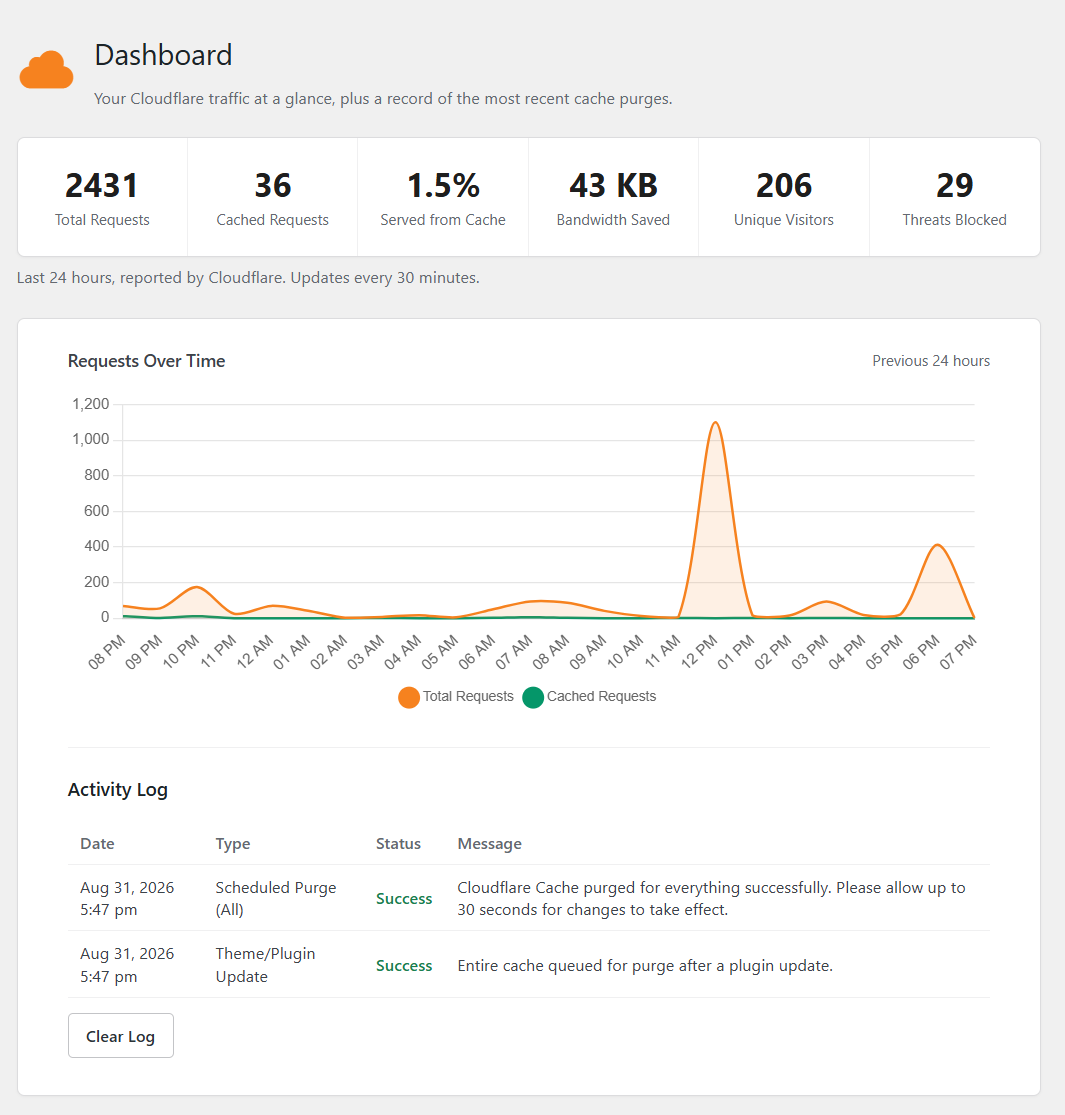
- Dashboard with live cache status, connection status, and quick actions.
- Activity Log of purge and cache events, plus an optional Debug/Logging mode.
- Import/Export settings between sites, and one-click Reset to safe defaults.
- Uninstall removes all data by default; a Keep Data on Uninstall toggle preserves it.
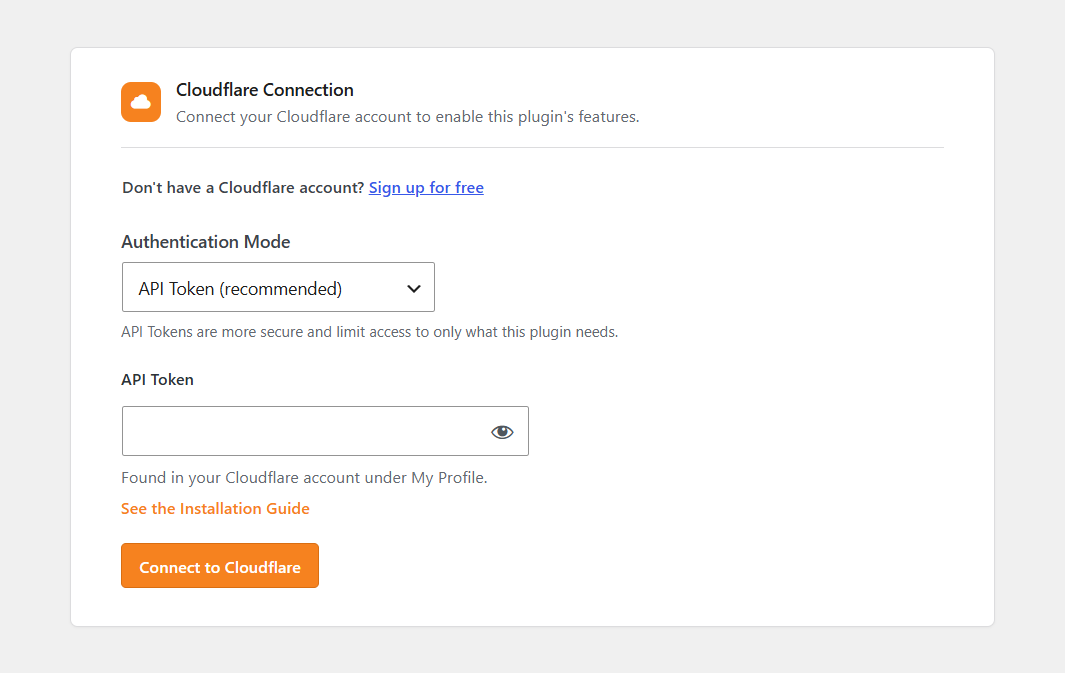
- Connect your Cloudflare account with an API Token or Global API Key.
- Select your domain and finish the Setup Wizard.
- Save your settings — done.
- Advanced analytics and Edge Cache Status.
- Image optimization with automatic WebP delivery.
- Advanced Preloader with sitemap, menu, and content discovery.
- Cache Reserve, Tiered Cache, and stale-while-revalidate.
- Advanced purging and cache integrations.
- Granular WooCommerce and EDD controls.
- JavaScript optimization, link prefetching, DNS prefetch, and preconnect.
- Heartbeat Control, Server-Side Excludes, and marketing-parameter handling.
- Sync with other caching plugins and host caches.
- Priority email support.
安装:
- Upload and activate SuperFlare Cache from the WordPress admin.
- Go to the plugin's Setup Wizard.
- Connect Cloudflare using an API Token or Global API Key.
- Select your domain and finish the setup.
- Review Cache Settings, Purge Cache, and Optimization to fit your site, then save.
屏幕截图:
常见问题:
Does this plugin work with the Cloudflare Free plan?
Yes. The plugin uses a Cloudflare Cache Rule for full-page caching, which is available on the Free plan, and it's also works with Cloudflare premium plans.
Do I need to manually create or edit a Cache Rule?
No. The plugin creates, updates, and removes its own Cache Rule automatically as needed — including when you disable Full-Page Caching, disconnect, or change the connected domain.
What happens if I delete the Cache Rule from my Cloudflare dashboard by mistake?
It comes back automatically the next time you save any setting on the plugin's Settings page, as long as Full-Page Caching is still turned on.
Will this ever touch other Cache Rules on my zone?
No. The plugin only ever creates, updates, or removes the single rule it manages, identified by its own description. Any other rules on the zone are left exactly as they are, in their original order.
Does the plugin cache logged-in users?
No. Logged-in users, comment authors, and password-protected pages are bypassed at Cloudflare's edge.
Does the plugin purge my entire cache on every update?
No. Normal content updates use selective purging so unaffected cached pages stay in the cache. A full purge only happens after a theme/plugin update or when you trigger it manually.
Can I exclude specific URLs, page types, or cookies from caching?
Yes — Cache Exclude URLs, Exclude by Page Type (front page, archives, search, 404s, feeds, AMP, and more), and cookie/query-parameter exclusions are all available on the Cache Settings tab.
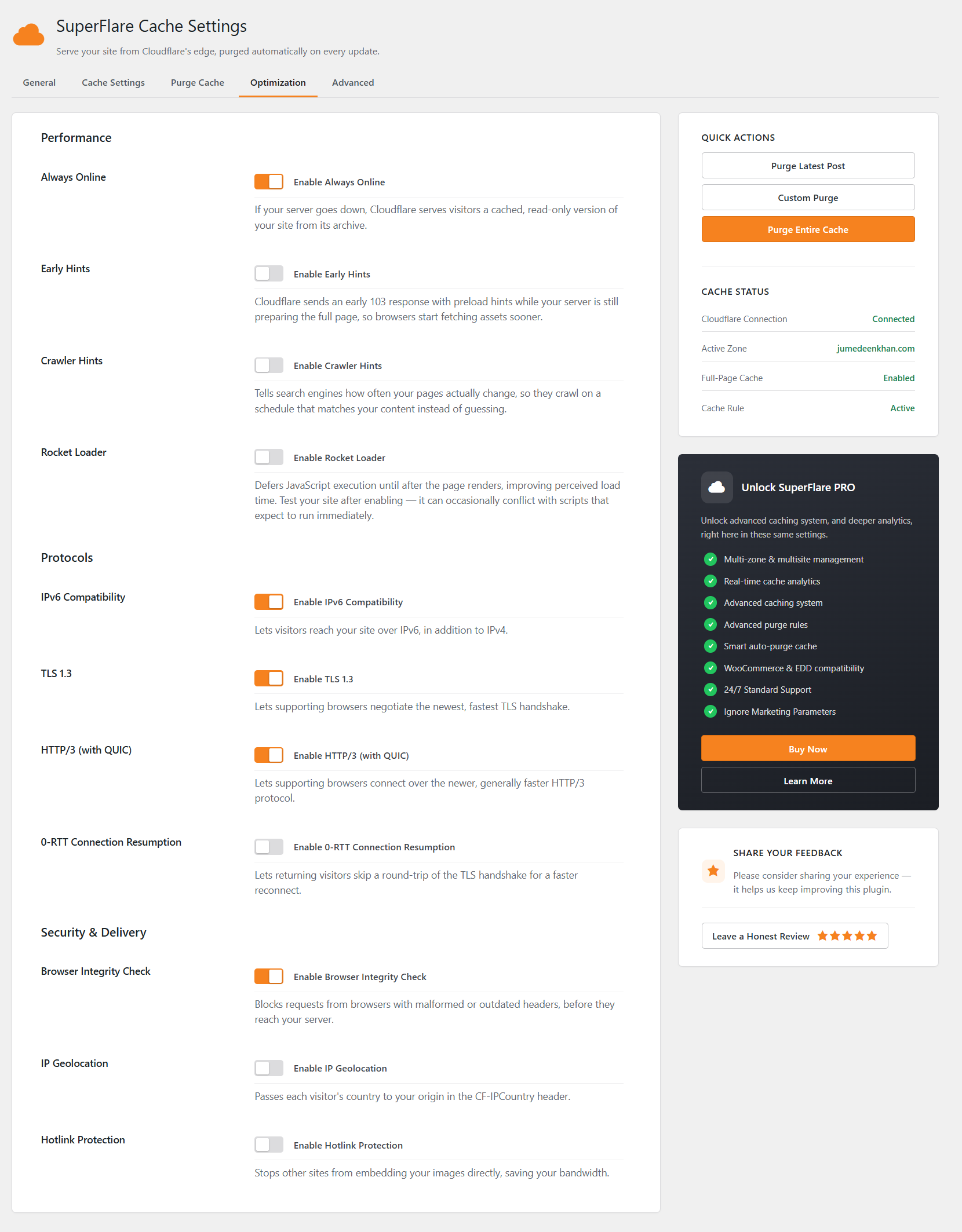
Can I control Cloudflare features like Always Online or Rocket Loader from here?
Yes, from the Optimization tab, without needing to log into the Cloudflare dashboard.
Should I use an API Token or Global API Key?
An API Token is recommended because it can be scoped to only the permissions the plugin needs. A Global API Key also works.
Do I still need a separate caching plugin, or a Redis/Nginx page cache?
No — Cloudflare's edge is your full-page cache once this plugin is active, so a separate origin-level page cache is redundant and best turned off. An object cache (like Redis Object Cache) for database queries is unrelated and fine to keep running.
Is my Cloudflare API Token or Key stored securely?
Yes. Credentials are encrypted at rest and kept in a separate, non-autoloaded option, so they're never printed on a front-end page and only leave your server to reach Cloudflare's API over HTTPS.
Does this work with WooCommerce or other e-commerce plugins?
Yes. Use the Exclude Cookies setting to bypass cart/session cookies (e.g. woocommerce_*) so carts, checkouts, and account pages are never served from cache.
What happens if Cloudflare's API is temporarily unreachable?
The plugin fails safely: it never overwrites or removes existing Cache Rules on a failed or unconfirmed API response, and your site keeps working normally either way.
Does deactivating the plugin affect my live Cloudflare cache?
Deactivating removes the managed Cache Rule from Cloudflare so caching stops immediately. Reactivating recreates it right away if you're already connected, and takes you back to Settings; otherwise it opens the Setup Wizard.
更新日志:
- Fixed an "Undefined array key cf_auth_method" PHP warning in class-sfcfc-cache and class-sfcfc-sanitize.
- Updated the Cache Rule by its own ID (PATCH) — other rules left alone.
- Added ?sfcfc=1 cache-buster to preview pages without purging.
- Fixed query-parameter exclusions matching partial names (e.g. vid, bid).
- Fixed cookie exclusions with a leading ^.
- Fixed .xsl sitemap files ignoring the bypass.
- Credentials now encrypted at rest, outside the autoloaded options.
- API Token / Key shown masked on the settings page.
- Cloudflare settings sync moved off the save request — no slow saves.
- Added translation support (i18n-ready).
- Purge queue: exponential backoff retries, stops after repeated failures.
- Safer null / comment-object checks when purging.
- Stronger purge & preload keys (40-char random).
- Cleaner single-source settings sanitizer.
- Clearer API errors — 401, 403, 429 explained.
- Preloader throttled to small cron-fed batches, not 30 at once.
- Improved sitemap preloading security.
- Added safer URL checks and secure XML handling.
- Renamed the admin toolbar cache purge button to "Purge SF Cache".
- Fixed wildcard cookie exclusions at Cloudflare's edge.
- Improved failed purge retries and large purge queue handling.
- Improved Custom Purge for large URL lists with safe batches of 30.
- Improved Cloudflare Cache Rule reliability and synchronization.
- Improved cache bypass for admin, REST API, AJAX, and query-string requests.
- Improved selective purging and reduced unnecessary Cloudflare API requests.
- Fixed cache purging for permanently deleted posts.
- Improved activation, deactivation, and uninstall behavior.
- Improved Browser Cache TTL management through the Cache Rule.
- Added general security, performance, and UI improvements.
- Fixed duplicate Cloudflare syncs and Browser Cache TTL issues.
- Fixed Reset Settings defaults and improved settings reliability.
- Added broader cookie bypass support and REST API (/wp-json) bypass.
- Improved settings security, cache purging, domain detection, and Cloudflare request handling.
- Fixed deactivation, reset, admin bar, and API Token issues.
- Improved sitemap and cache bypass handling.
- Added Cloudflare API Token authentication and automatic domain selection.
- Migrated full-page caching from Page Rules to Cloudflare Cache Rules.
- Added logged-in user, cookie, URL, sitemap, and robots.txt cache exclusions.
- Added Browser and Edge Cache TTL controls and improved cache purging.
- Added connection status, Reset Settings, and improved security and error handling.
- Updated license details.
- Added homepage, custom URL, latest post, and full cache purge options.
- Added Page Rule creation, Browser Cache TTL, and block-editor purge support.
- Improved cache exclusions, comment purging, and WordPress compatibility.
- Tested up to WordPress 5.8.
- Updated max-age behavior for Cloudflare caching.
- Initial release.